

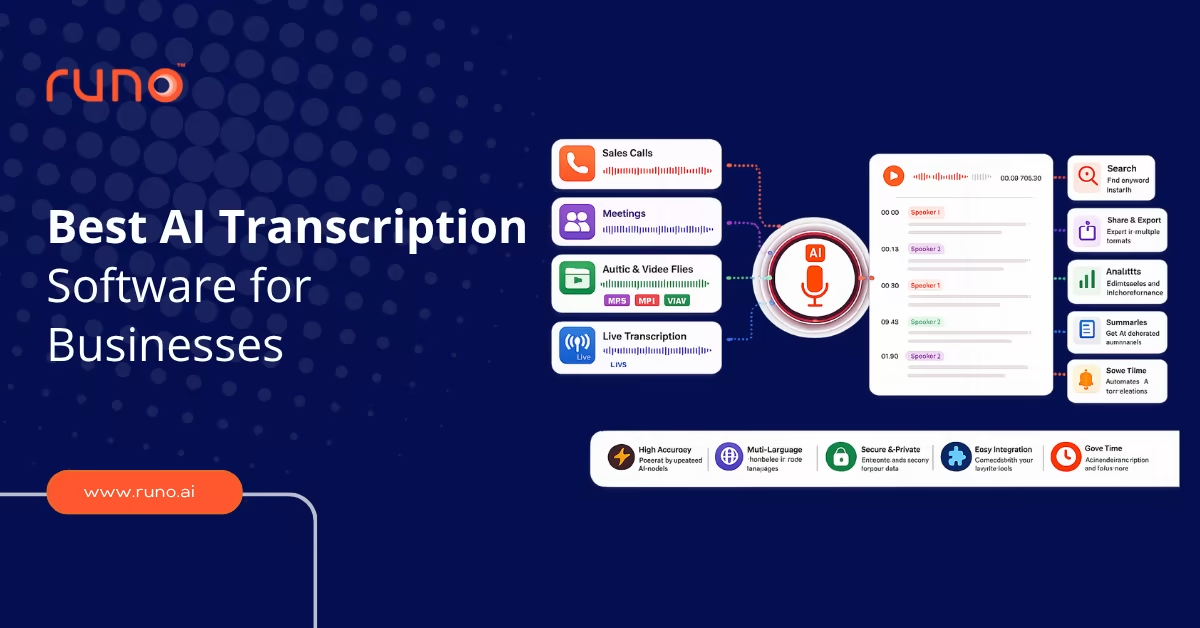
The best AI transcription software for businesses includes Runo for call transcription, Otter.ai for meetings, Rev for high-accuracy files, Fireflies.ai for sales calls, Sonix for multilingual content, and Descript for media teams. The right tool depends on what you transcribe: live calls, meetings, or uploaded audio and video files.
Key Takeaways
- Choose your transcription tool based on what you transcribe: sales calls, meetings, or media files.
- AI transcription accuracy ranges from 85% to 99%, depending on the tool and audio quality.
- Runo is the strongest option for transcribing high-volume sales and telecalling conversations.
- Otter.ai and Fireflies.ai lead for meeting transcription with automatic summaries.
- Sonix and Rev offer the highest accuracy for transcription of uploaded files across many languages.
Every business call, meeting, and recorded conversation contains information your team needs. Most of it is lost the moment the call ends, because no one has time to write it all down. AI transcription software captures that information automatically, turning spoken audio into searchable, shareable text.
This blog compares seven of the best AI transcription software options for businesses and who each is built for.
What Should You Look for in Business Transcription Software?
The right business transcription software depends on your use case, but every serious tool should cover these basics:
- Accuracy of 90% or higher on clean audio
- Speaker identification that labels who said what
- Support for the languages your team works in
- Integration with the tools you already use, like your CRM, Zoom, or Google Meet
- Searchable transcripts you can filter by keyword
- Export options for the formats your team needs
- Security and compliance, including SOC 2 and HIPAA for regulated industries
The most important question is simple: what are you transcribing, and what happens to the text afterward? Transcribing sales calls needs different software than transcribing podcasts or research interviews.
What Are the Best AI Transcription Software Tools for Businesses?
These are the seven AI transcription tools for teams worth evaluating, grouped by what they do best.
1. Runo: Best for Sales and Telecalling Call Transcription
Runo is a SIM-based Call Management CRM that automatically transcribes every business call. Unlike general transcription tools that work on uploaded files or video meetings, Runo transcribes live phone calls made via the device’s SIM card, making it the strongest AI call transcription software for sales and telecalling teams.
Every call is recorded, transcribed with speaker labels, and timestamped without any manual steps. The transcript is searchable by keyword, so a manager can jump straight to the moment when pricing came up or an objection came up. In addition to transcription, Runo adds AI call summaries, sentiment analysis, and quality scoring to every call.
Key features:
- Automatic transcription of every SIM-based and cloud call
- Speaker-labeled, timestamped, searchable transcripts
- AI Call Summary generated after each call
- Sentiment analysis and call quality scoring are built in
- Sales Call Recording Software with transcription included
- CRM sync and Google Sheets export
- TRAI and GDPR compliant, ISO 27001 certified
Best for: Sales teams, telecalling teams, and call centers that need AI call transcription software to transcribe and analyze high volumes of phone calls.
Pricing: Starts at affordable per-user plans with a 10-day free trial, no credit card required. View pricing.
2. Otter.ai: Best for Live Meeting Transcription
Otter.ai is the most widely used tool for real-time meeting transcription. It auto-joins your Zoom, Google Meet, and Teams calls, transcribes them live, and generates summaries with action items. It reports over 15 million registered users and more than a billion meetings transcribed.
Key features:
- Real-time transcription during live meetings
- Automatic meeting summaries with action items
- Integrations with Zoom, Google Meet, and Microsoft Teams
- Speaker identification and collaborative notes
Limitation: Accuracy is around 85%, lower than that of file-focused tools. Speaker identification can be inconsistent on multi-person calls. The free plan caps at 300 minutes per month.
Best for: Teams that need live meeting notes more than file transcription.
Pricing: Free plan with 300 minutes per month. Pro from $8.33 per month annually. Business from $19.99 per user per month, annually.
3. Rev: Best for High-Accuracy File Transcription
Rev offers both AI and human transcription, letting you choose per file. The AI option delivers around 95% accuracy, while the human option achieves higher accuracy for files where precision is non-negotiable.
Key features:
- AI transcription at around 95% accuracy
- Human transcription for near-perfect output
- Support for 36+ languages
- HIPAA compliant and SOC 2 Type II certified
Limitation: Pay-per-minute pricing adds up for high volumes. Human transcription is significantly more expensive and slower than AI.
Best for: Legal, medical, and research teams that need verified accuracy on uploaded files.
Pricing: AI transcription from $0.25 per minute. Human transcription costs $1.99 per minute.
4. Fireflies.ai: Best for Sales Teams Needing CRM Integration
Fireflies.ai records and transcribes meetings, then syncs the output directly to your CRM. Its deep integration with Salesforce, HubSpot, and Pipedrive makes it a strong pick for sales and customer-facing teams that want call notes inside their pipeline.
Key features:
- Automatic meeting recording and transcription with around 95% accuracy
- Native integration with Salesforce, HubSpot, and Pipedrive
- Support for 100+ languages
- AI summaries and conversation analytics
- SOC 2 Type II certified
Limitation: Built for video meetings, not live phone calls. CRM features are strongest in English.
Best for: Sales teams running video meetings who want transcripts auto-logged to their CRM.
Pricing: Free tier available. Pro from $10 per month on an annual billing plan.
5. Sonix: Best for Multilingual File Transcription
Sonix is a pay-as-you-go transcription platform that handles uploaded audio and video files with up to 99% accuracy across 53+ languages. It also offers translation, subtitling, and AI analysis on transcribed content.
Key features:
- Up to 99% accuracy on clean file audio
- Support for 53+ languages with translation and subtitles
- Integration with Adobe Premiere and Zapier
- AI analysis tools on transcribed content
Limitation: No live meeting recording or real-time transcription. It is built for files, not calls or meetings.
Best for: Content, media, and global teams transcribing recorded files in multiple languages.
Pricing: Pay-as-you-go from $10 per audio hour, or $5 per hour on a subscription. 30-minute free trial, no credit card required.
6. Descript: Best for Media and Content Teams
Descript combines transcription with audio and video editing. You edit the media by editing the transcript text, which makes it popular with podcasters, video producers, and content teams.
Key features:
- Transcription at around 90% accuracy across 20+ languages
- Edit audio and video by editing the transcript
- Screen recording and overdub voice features
- HIPAA and SOC 2 available on request
Limitation: Built for content production, not business calls or meeting documentation. The editing focus adds complexity if you only need transcripts.
Best for: Podcast, video, and content production teams.
Pricing: Free tier available. Paid plans scale by features and transcription hours.
7. Trint: Best for Editorial and Newsroom Teams
Trint is built for journalism and editorial workflows, with tools designed to turn transcripts into published stories. It supports 50+ languages and offers strong collaboration features for content teams.
Key features:
- Transcription at around 90% accuracy across 50+ languages
- Story Builder tools for editorial production
- Collaborative editing and verification workflows
- SOC 2 Type II certified
Limitation: Priced and built for editorial teams. Overkill for simple business transcription needs.
Best for: Newsrooms, journalists, and editorial teams producing content from interviews.
Pricing: Subscription plans by user and transcription volume. Contact Trint for current rates.
Comparison of the Best AI Transcription Software for Businesses
| Tool | Best For | Accuracy | Languages | Live Calls |
| Runo | Sales and telecalling calls | High | English and regional | Yes (SIM-based) |
| Otter.ai | Live meetings | ~85% | English plus select | Meetings only |
| Rev | High-accuracy files | ~95% AI | 36+ | No |
| Fireflies.ai | Sales meeting notes | ~95% | 100+ | Meetings only |
| Sonix | Multilingual files | Up to 99% | 53+ | No |
| Descript | Media and content | ~90% | 20+ | No |
| Trint | Editorial teams | ~90% | 50+ | No |
How to Choose the Right AI Transcription Tool
Start with what you transcribe most. If your team makes and receives high volumes of phone calls, you need AI call transcription software built for that, not a meeting tool. Runo is the only option here that transcribes live SIM-based calls and adds AI analysis on top.
If your work happens in video meetings, Otter.ai and Fireflies.ai are the strongest picks, with Fireflies winning if you need CRM sync. For uploaded files where accuracy is critical, Rev and Sonix lead, with Sonix offering the widest language coverage. For content and media production, Descript and Trint are purpose-built.
Match the tool to your workflow, your accuracy needs, and your budget. The best AI transcription tools for teams are the ones built around how your team actually captures conversations, whether that is calls, meetings, or files.
FAQs
What is the most accurate AI transcription software?
Sonix delivers up to 99% accuracy on clean file audio, the highest among AI-only tools. Rev reaches around 95% with AI and higher with its human transcription option. Accuracy always depends on audio quality, clear speaker turn-taking, and minimal background noise.
Can AI transcription software transcribe live phone calls?
Most cannot. Tools like Otter.ai and Fireflies.ai transcribe video meetings, not phone calls. Runo is built specifically for live phone call transcription, capturing every SIM-based call automatically with speaker labels and timestamps.
What is the difference between business transcription software and meeting transcription tools?
Meeting transcription tools focus on video calls and auto-join your calendar. Broader business transcription software covers more use cases, including phone calls, uploaded files, and multilingual content. Choose based on whether your conversations happen on calls, in meetings, or as recorded files.
Are there free AI transcription tools for teams?
Yes, with limits. Otter.ai offers 300 free minutes per month. Fireflies.ai and Descript have free tiers. These work for light use but have limited minutes and features. For consistent team volume, paid plans or a dedicated tool like Runo are more reliable.
Book a demo with Runo to see automatic call transcription and AI analysis on a live sales team.