

A sales call can go wrong long before a manager realises it. An agent misses an important buying signal, the conversation is never reviewed, and by the time feedback reaches the agent, the opportunity may already be gone.
That is where call monitoring software makes a difference. Instead of relying on occasional call reviews, managers can listen to live conversations, coach agents in real time, review recordings, and use AI-powered insights to identify problems faster. Research from Gong shows that teams using AI call monitoring and real-time coaching see up to a 25% higher win rate/conversion rate compared to unmonitored teams, making call monitoring an important part of a modern sales operation.
In this guide, we compare 10 of the best call monitoring software tools in 2026 and look at what each one does best, who it is suited for, and where its limitations lie.
What is Call Monitoring Software?
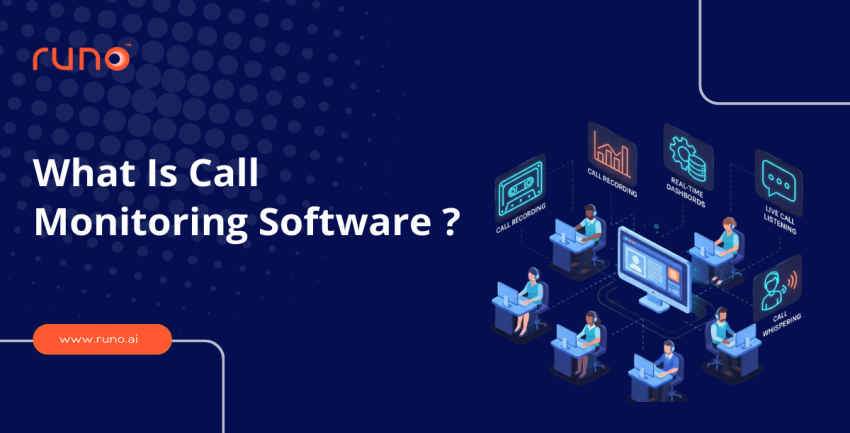
Call monitoring software gives supervisors full visibility into how agents communicate with customers. It records calls for later review, lets managers silently listen to live conversations, and in many platforms, allows them to coach agents mid-call without the customer hearing.
The core features to look for in call quality monitoring software :
- Live call listening
- Call whispering
- Call recording
- Real-time dashboards
- CRM integration
How We Compared the Call Centre Analytics Platforms
We evaluated each platform across five areas that directly affect how useful it is for call centre teams. The focus was not only on what each tool offers, but also on how well those features work in real-world monitoring, coaching, and reporting workflows.
- Real-time call monitoring: Live listening, whisper, barge-in, and how quickly supervisors can intervene during active calls.
- Call recording and playback: Automatic recording, searchable recordings, playback options, and retention controls.
- AI-powered insights: Transcription quality, sentiment analysis, conversation insights, and how easily analytics can support agent coaching.
- Integrations: Native connections with CRMs, helpdesks, contact centre platforms, and existing telephony systems.
- Pricing and transparency: Public pricing, starting costs, plan details, and whether businesses need to request a custom quote.
What are the 10 Best Call Monitoring Software Tools in 2026?
The right call monitoring software can make it much easier to keep track of agent activity, review conversations, and spot opportunities to improve team performance. Below are the 10 tools worth considering in 2026, starting with Runo.
1. Runo
Runo occupies a unique position in the call center call-monitoring software space because it solves a problem that most tools ignore. Cloud-based dialers depend entirely on internet stability. When connectivity drops, connect ratios fall. Runo routes calls over actual mobile SIM networks, which is why customers report a 2.3x higher connect rate than with cloud telephony systems.
Runo designs its monitoring features specifically for sales managers running outbound teams. Live team status shows exactly who is on a call and who has gone quiet. AI sentiment analysis reads customer emotion during the call itself. Every recording syncs automatically to the lead’s CRM timeline, and AI-generated summaries replace the need to sit through full recordings.
Key Features
- Live Team Status – see who is on a call, available, or on break without constant check-ins
- AI Sentiment Analysis – understand how customers felt during each call
- Call Recording – record every call automatically for quality reviews and team training
- AI Call Summaries – get instant written summaries after every recorded call
- Auto Dialer – agents stop wasting time on manual dialing and spend more of their shift actually talking to prospects
- Real-Time Dashboards – monitor team performance live from a single view
Runo also bundles lead management, follow-up reminders, and WhatsApp CRM into a single platform. Setup takes under 30 minutes with no hardware required. Start a free Runo trial and see what a higher connect ratio does to your numbers.
Best for: High-volume outbound sales and telecalling teams across India.
2. CloudTalk
CloudTalk solves a specific problem for teams spread across regions or countries. Supervisors can listen in, whisper, or join live calls from a single interface. It connects with over 100 tools and supports local numbers in more than 160 countries. The one limitation is internet dependency. When the connection drops, so does call quality.
Best for: Mid-sized teams running across multiple regions who need monitoring and CRM in one place.
3. Talkdesk
If your QA process still relies on someone manually pulling calls and filling out scorecards, Talkdesk is worth a serious look. It can handle scoring, sentiment tracking, and coaching flags without anyone having to initiate them. Predictive forecasting is genuinely useful, too, giving ops teams a staffing picture before shortfalls show up on a schedule. That said, this is a platform built with large contact centres in mind, and the pricing makes that clear.
Best for: Enterprise contact centres prioritising AI-driven quality management at scale.
4. Zendesk
Zendesk includes call monitoring for teams already running its support platform. The Agent Workspace puts live monitoring, transcripts, and sentiment data right next to tickets and emails, and no switching between tools. Calls are billed per minute, though, and high-volume outbound teams tend to feel that on the invoice.
Best for: Support-led businesses already embedded in the Zendesk ecosystem.
5. RingCentral
RingCentral holds up well with large teams spread across locations. Call quality stays consistent whether agents are down the hall or in different cities. Supervisors can listen in, whisper, and barge from the same place. The analytics sit there, no screen switching needed. Regulated industries such as banking and insurance find compliance tools particularly useful. For smaller teams, the platform can feel like overkill.
Best for: Large enterprises with complex telephony and compliance requirements.
6. Aircall
Aircall gets the team off the ground fast and sets up much more quickly. The live feed gives managers a real-time view of all active calls and agent availability from a single screen, no switching between tabs or tools. Lower-tier plans don’t include call barging, so if your managers use mid-call coaching regularly, it’s worth checking the plan details before signing up.
Best for: Growing teams that need fast setup and clean call monitoring without the complexity of enterprise tools.
7. Freshcaller
Teams already using Freshdesk will find Freshcaller a natural fit for their existing setup. A single click from any call opens a support ticket. The handoff is instant, and nothing slips through the cracks. The platform supports remote teams without physical infrastructure and even premium plans cap total usage minutes, which creates problems for high-volume telecalling operations.
Best for: Support teams on Freshdesk wanting to add voice monitoring without a separate platform.
8. MightyCall
MightyCall doesn’t strip out the monitoring features just because it targets smaller businesses. Live listen, whisper, and barge are all there, which isn’t a given at this price point. The 99.99% uptime claim holds up in practice, too, with G2 reviewers consistently rating it 4.4/5.
Best for: Small and medium businesses that need real monitoring features without the cost that usually comes with them.
9. Dialpad
Dialpad does most of its work while the call is still live. Transcription runs in the background, and if something worth flagging comes up, a keyword, a tone shift, and the alert goes out before the conversation even wraps up. The summary is ready by the time the call ends. No reports to chase, no notes to write up, no waiting till the end of the week to find out what happened.
Best for: Sales teams wanting AI-driven conversation intelligence built into their monitoring workflow.
10. Nextiva
Nextiva pulls calls, SMS, and web chat into a single inbox. The CRM integrations are easy enough that you don’t need a technical person to get them up and running.
Best for: Teams looking for dependable call-monitoring software at a fair price.
Quick Comparison of Call Monitoring Software
After reviewing each platform individually, the table below gives you a quick side-by-side view of where each tool fits best and what you can expect to pay. Use it as a starting point, then refer to the individual reviews above for a closer look at features, limitations, and use cases.
| Tool | Best for | Starting price |
| Runo | High-volume outbound teams | Free trial available |
| CloudTalk | Global and multi-region teams | $25/user/month |
| Talkdesk | Enterprise QA and analytics | $85/user/month |
| Zendesk | Support teams | $55/agent/month |
| RingCentral | Large enterprises | $20/user/month |
| Aircall | Growing teams | $30/user/month |
| Freshcaller | Freshdesk users | Free plan + $15/agent/month |
| MightyCall | Small and medium businesses | $15/user/month |
| Dialpad | AI-focused sales teams | $15/user/month |
| Nextiva | Budget-conscious teams | $15/user/month |
Before You Buy Any Call Monitoring Software
- Field teams and outbound-heavy operations in areas with patchy internet will quietly bleed connect ratios on any cloud-only platform. The pricing page won’t mention that.
- Live coaching mid-call is a completely different problem from post-call QA. Whisper and barge for one, AI transcription and scoring for the other. Picking a tool that claims to do both perfectly is usually where teams go wrong.
- Call notes falling through the cracks is almost always a CRM sync problem, not a people problem. CRM integration for telecalling teams fixes issues before they become bigger problems. You can also explore how call tracking improves outbound performance before committing.
Quick Guidance by Scenario
If you already know your situation, here is a simplified starting point based on common use cases.
- High-volume outbound telecalling, patchy internet: Runo, since it routes calls over SIM networks instead of depending entirely on cloud connectivity
- Global or multi-region teams: CloudTalk, for local numbers and monitoring across 160+ countries
- Enterprise QA at scale: Talkdesk, for AI-driven scoring and predictive staffing forecasts
- Already on Zendesk: Zendesk, to keep monitoring inside the existing support workspace
- Large, regulated enterprises: RingCentral, for compliance tooling built for banking and insurance
- Fast setup, small teams: Aircall or MightyCall, depending on whether mid-call coaching is a daily need
- Already on Freshdesk: Freshcaller, for the one-click ticket handoff
- AI-driven conversation intelligence: Dialpad, for live transcription and keyword-based alerts
- Budget-conscious, dependable basics: Nextiva, for calls, SMS, and chat in one inbox
Frequently Asked Questions
What is the best call monitoring software for small businesses?
Call volume is the deciding factor here. For small teams making a handful of calls a day, MightyCall or Aircall will do the job. Scale that up, and both quickly start showing their limits. Runo is built for high-volume telecalling with the CRM, dialler, and call recording all sitting in one place, so there’s no jumping between tools or losing data in the gaps.
What is the difference between call monitoring and call recording?
Call recording captures and stores conversations for later review. Good call quality monitoring software goes beyond recording. Supervisors get live controls, whisper into an agent’s ear mid-call, barge in when things go sideways, pull up dashboards that update in real time, and the AI flags coaching moments without waiting for a manager to notice.
What features matter most in call center call monitoring software?
Live listening, whispering, barging, high-quality recording, real-time dashboards, CRM integration, and AI transcription are the core priorities. Leading call monitoring software solutions now ship with AI sentiment analysis as standard, helping managers complete quality reviews significantly faster.
How much does call monitoring software typically cost?
Pricing is honestly all over the place. Talkdesk won’t quote you without a call. Aircall costs twice as much per user as Nextiva and Dialpad do. Runo? Free trial, no hardware, no commitment. Most outbound teams watching spend stop looking after that.