

Your CRM with call recording only captures calls that actually connect. If your team runs on VoIP, you’re missing more calls than your sales call recording software dashboard shows.
A CRM with call recording is a sales platform that automatically captures, stores, and links phone calls to the right contact record, either through VoIP (internet-based) or SIM-based (mobile network) infrastructure.
The best CRM software with call recording options for outbound sales teams:
- Runo : SIM-based auto recording with AI call scoring, sentiment analysis, and 18 configurable compliance parameters
- HubSpot CRM : VoIP recording from Sales Hub Starter; AI transcription on Professional and above
- Zoho CRM : call recording via PhoneBridge integration across 100+ telephony providers
- Freshsales : native VoIP with auto recording and AI-generated call summaries
- Bitrix24 : free VoIP-based recording with automatic lead creation for missed calls
- Salesmate : built-in dialer with recording tied directly into multi-step sales sequences
Key Takeaways
- CRM with call recording platforms split on infrastructure, not features: SIM-based systems record every call regardless of internet quality; VoIP-based systems depend on connection stability throughout the call.
- Runo reports that its SIM-based calling delivers 2.3x higher connect ratios than cloud telephony, so your recordings start from a larger pool of completed calls.
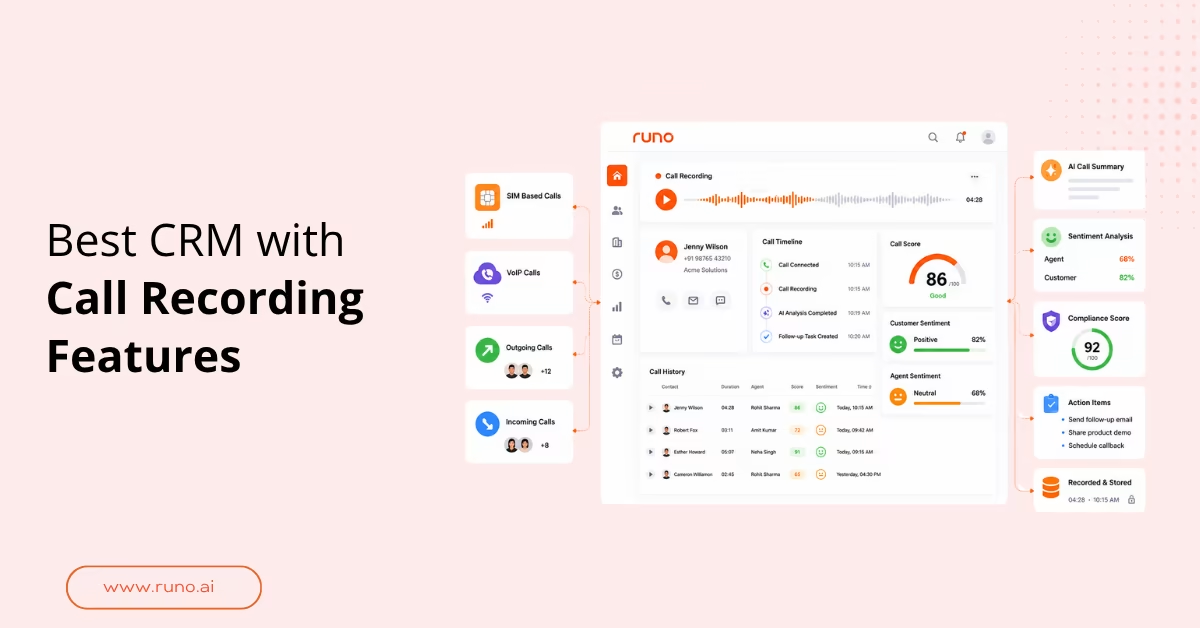
- Auto call recording CRM tools like Runo score every call out of 100, break down sentiment for the agent and the customer separately, and assign action items without any rep input.
- HubSpot and Zoho require either a Professional-tier plan or third-party integrations to unlock call-recording CRM functionality at scale.
- Buyers should verify whether compliance scoring is configurable before choosing any sales CRM with call recording . Preset-only scoring misses the parameters that matter to your specific sales context.
Why Most CRM Software with Call Recording Still Drops Calls
CRM software with call recording records what connects, but the underlying infrastructure determines how many calls connect in the first place. If your team is mobile, field-based, or operating in tier-2 cities across India, VoIP drops calls before the recording ever fires.
A sales manager running a 200-rep NBFC team isn’t losing recordings due to storage failures. She’s losing them because calls drop on the VoIP side before anyone answers, and the CRM logs a missed call with no recording attached.
That gap sits at the infrastructure level, not the feature level. VoIP routes calls through the internet. SIM-based calling routes through the mobile network. Teams comparing call recordings CRM options on a feature checklist alone will miss this distinction entirely, and it only becomes obvious the first week a field rep loses signal.
| Factor | SIM-based (Runo) | VoIP-based CRMs |
| Call connectivity | Mobile network, no internet dependency | Internet required; drops in low-connectivity areas |
| Connect ratio | 2.3x higher than cloud telephony | Variable by network and bandwidth quality |
| Recording trigger | Auto on every SIM or virtual number call | Depends on the VoIP session completing |
| Setup time | Under 30 minutes, no hardware | Requires VoIP configuration and stable bandwidth |
| Field team suitability | Full functionality for remote and mobile reps | Reduced reliability outside stable Wi-Fi environments |
Setup time isn’t a convenience metric here. It’s the difference between a rep calling from a client site today and a rep waiting on IT to configure a softphone before they can make a single call.
Use your call center monitoring software to check how many outbound calls your current stack logs as “not connected.” Most VoIP dashboards don’t distinguish between dropped infrastructure calls and rejected ones.
The 6 Best CRM with Call Recording Options, Compared
A call recording CRM performs differently depending on whether your reps call from desktop or mobile, whether they work in reliable internet environments, and how much your managers actually use post-call data. Of the reviewers who rated CRM integration specifically in GetApp’s call recording software database (drawn from a pool of 1,696 verified reviews), 70% called it an important or highly important feature, which reflects how often recording is available in a tool but never auto-syncs to the contact record. The tools below cover the full range, from free VoIP setups to AI-native call management CRM platforms.
| CRM | Recording type | AI analysis | Compliance tools | Setup time | Starting price |
| Runo | SIM + virtual number hybrid | Call scoring out of 100, sentiment per speaker, filler word count, and custom parameters | 18 configurable parameters, TRAI and GDPR compliant | Under 30 minutes | From ₹599/user/month |
| HubSpot CRM | VoIP, browser-based | Basic recording on Starter; AI transcription via Conversation Intelligence on Professional | Compliance scoring is not configurable | Moderate | Sales Hub Starter from $15/seat/month; Professional from $100/seat/month billed monthly |
| Zoho CRM | Via PhoneBridge or built-in telephony | AI transcription with Zia | Limited without third-party integration | Low to moderate | Paid plans |
| Freshsales | Built-in VoIP | AI call summaries, deal insights | Basic compliance flags | Low | Growth plan and above |
| Bitrix24 | VoIP via SIP connector or rented numbers | AI transcription highlights key moments | Basic | Moderate, SIP setup required | Free tier available |
| Salesmate | Built-in dialer | Call recording with sequence automation | Limited | Low | Starter plan |
Runo is the only tool here that records calls directly over the mobile network, so dropped VoIP connections don’t leave gaps in your recording library. The limitation: call recording is an add-on, not bundled in the base plan.
HubSpot CRM works best for teams already inside the HubSpot ecosystem, especially those already paying for Marketing Hub or Service Hub. The coaching layer is the part to budget for, not the recording itself. Basic recording ships with Starter; transcription and coaching require Professional.
Zoho CRM offers the widest telephony flexibility through PhoneBridge, which supports over 100 providers. The trade-off is that compliance analysis depends on the telephony tool you connect to, not on Zoho itself.
Freshsales is the cleanest native setup for desktop-first SMB teams that want AI summaries without a separate analytics layer. Teams with more than 50 reps tend to outgrow their coaching tools.
Bitrix24 covers basic recording at no cost, with automatic lead creation for missed calls and out-of-the-box CRM logging. AI transcription and deeper analytics sit behind paid tiers, and the SIP connector requires technical setup.
Salesmate fits teams running structured outbound sequences where recording ties into a call step inside an automated cadence. It’s less suited to high-volume environments where coaching analytics matter at scale.
What to Look for in a Sales CRM with Call Recording
The feature list on any sales CRM with call recording looks nearly identical across vendors. The real differences show up in three places most buyers skip: whether recording triggers automatically or requires rep action, whether compliance scoring is configurable or fixed, and whether your data can leave the platform.
A March 2026 FitSmallBusiness analysis of call center CRM platforms named auto-sync failure as the most common post-purchase complaint. The recording exists, but the metadata around it (who it’s tied to, when it was scored, whether a manager has reviewed it) often doesn’t travel with it automatically. Before shortlisting any auto call recording CRM , check these against your team’s actual workflow:
- Does the recording trigger automatically on every call, or does the rep initiate it manually?
- Does the recording attach to the correct CRM contact record without manual steps?
- Can managers score calls against custom criteria, or only preset metrics?
- Are compliance parameters configurable for your industry?
- Does the system flag unanswered customer questions for follow-up?
- Is call data exportable to your BI or reporting tool, or locked within the platform?
- Does pricing change when you activate recording as a feature?
Teams running high-volume outbound calling need a recording that fires at the same rate as the dialer. Manual recording initiation breaks down before the first week ends.
How Runo Turns Every Call Into a Coaching Asset
Runo holds ISO 27001 and SOC 2 Type I certification and is trusted by 3,500+ businesses. Every call, whether through SIM or virtual number, is automatically recorded, transcribed, and scored out of 100 without any rep input. Sales teams using Runo report 2x calling productivity within two weeks of setup, with all call data exportable directly to Google Sheets. Try Runo’s call management app free for 10 days.
Conclusion
The recording isn’t the problem. The call that doesn’t connect never gets recorded, and the coaching insight that should follow it never arrives. If your team runs on VoIP in low-connectivity environments, you’re fixing the wrong layer.
Before you trial any CRM software with call recording , ask one question your vendor’s demo won’t answer: what percentage of your outbound calls are not connecting right now, and does your CRM show you that number?
Start with Runo’s call center app to see where your recordings actually begin.
Start Recording Every Call Your Team Completes
Try Runo free for 10 days with full access to CRM with call recording , AI scoring, and compliance tracking. No hardware, no VoIP setup, and your team is calling on day one. Start your free trial .
Frequently Asked Questions
Does HubSpot CRM have built-in call recording?
Yes. Basic call recording is available from Sales Hub Starter at $15 per seat per month, while AI transcription and Conversation Intelligence require Sales Hub Professional at $100 per seat per month billed monthly, or $90 billed annually. The free plan includes no recording capability.
What is auto call recording in a CRM?
Auto call recording captures every inbound and outbound call, regardless of any rep action. The recording starts when the call connects and stops when it ends. Unlike manual recording, which depends on reps remembering to press record, automatic capture creates a complete, auditable call library that managers can review without chasing anyone.
Which CRM with call recording works best for small sales teams?
It depends on your calling environment. Runo suits mobile-first or field teams where internet reliability varies. Freshsales is better suited to desktop-first teams with stable connectivity. Bitrix24 covers basic recording at no cost, though AI analysis sits behind paid tiers.
Is SIM-based call recording better than VoIP for outbound sales?
In low-connectivity environments, yes. SIM-based recording routes through the mobile network and captures calls that VoIP would drop, since VoIP depends on stable internet at the exact moment of the call. The trade-off: SIM-based systems suit mobile teams better than desk-bound call centers needing browser-based workflows.
Can a sales CRM with call recording help with compliance?
Yes, but the depth varies. Most VoIP-based CRMs offer basic recording storage and call tagging. Configurable compliance scoring, where you define the exact parameters agents are evaluated against, is less common. Without it, managers audit recordings manually, which doesn’t scale past a team of 10 to 15 people.