

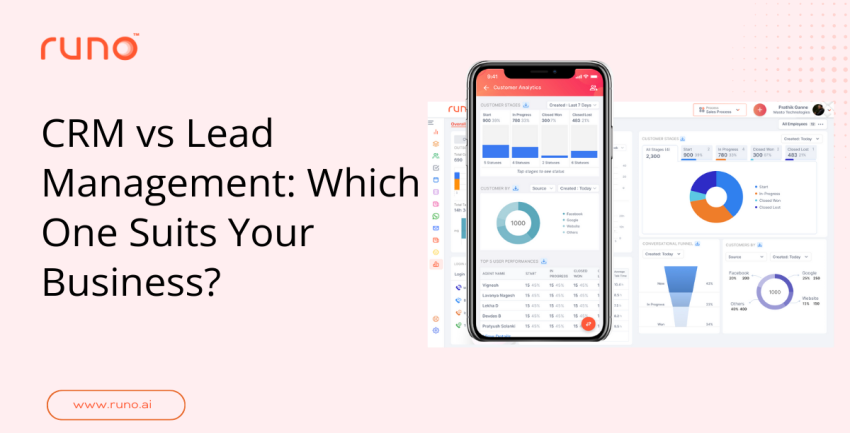
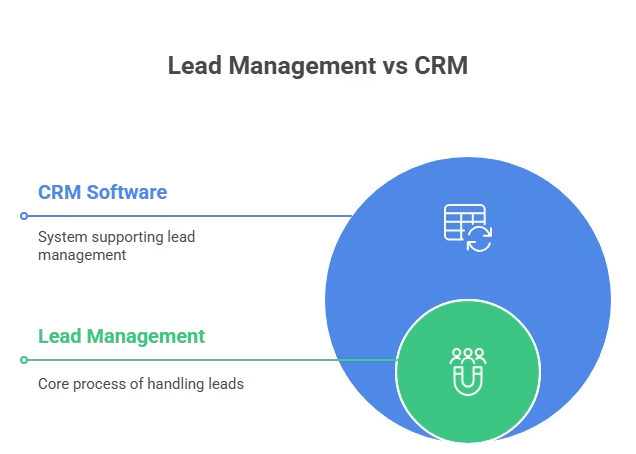
CRM (Customer Relationship Management) manages existing customers and long-term relationships, while a lead management system focuses on capturing, tracking, and converting new leads into customers. Lead management handles the top of the sales funnel speed, qualification, and follow-up whereas CRM supports post-sale engagement, retention, and upsells. Many growing businesses benefit from using both to cover the full customer lifecycle.
CRM vs Lead Management is one topic that confuses many business owners. Studies show that businesses using a CRM see an average 29% increase in sales revenue after proper implementation. Both CRM and lead management deal with customers and leads, but they serve different parts of the sales journey. Choosing the wrong tool can slow down your growth. Choosing the right one can transform how your team handles leads and customers.
Many small and medium businesses invest in software without knowing whether they need a lead management system or a CRM. Research shows that 78% of leads go to the company that responds first , and the average lead response time in B2B is 42 hours , causing significant revenue loss. Understanding what each tool does will help you choose the best option for your business goals, size, and customer journey.
Below is a simple and clear guide to help you decide.
What is a Lead Management System?
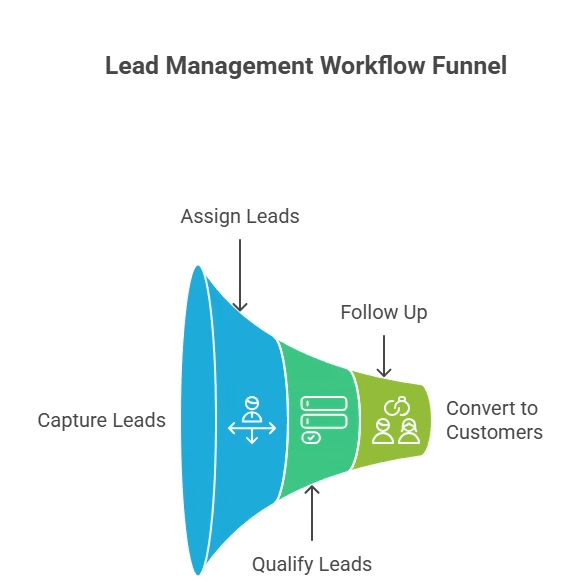
A lead management system helps businesses collect, track, and qualify leads from different sources. It works during the earliest phase, when a prospect is not yet a customer. The focus here is on turning cold interest into quality sales opportunities.
Key functions of a lead management system
A good lead management tool helps you:
- Collect leads from many channels in one place (ads, website forms, referrals, social media, etc.).
- Assign incoming leads to the right sales representative.
- Track each lead’s stage and activity (e.g., called, contacted, interested, follow-up).
- Score or qualify leads based on interest, behaviour, or demographics.
- Reduce lead leakage so that no potential customer slips through.
Who needs a lead management system?
A lead management system is ideal when:
- Your business receives many enquiries each day.
- You run ads on multiple platforms (social media, search engines, messaging apps).
- Your team finds it hard to follow up on time.
- You often miss leads or forget to contact them.
- You want to focus on converting as many new leads as possible.
Lead management is all about speed, organisation, and turning raw leads into warm prospects fast.
What is CRM?
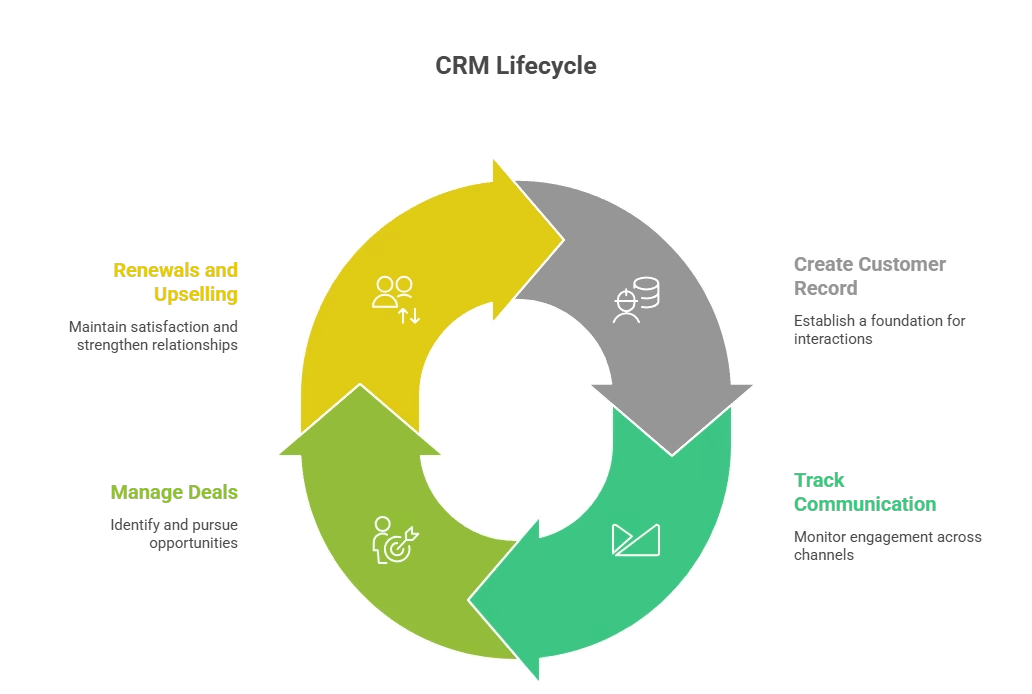
CRM Customer Relationship Management software is designed to store customer information, track communication, and foster long-term customer relationships and loyalty.
While a lead management system focuses primarily on new leads , a CRM is used to manage existing customers and post-sale engagement . It helps you keep track of all customer interactions and supports ongoing business relationships.
Key functions of a CRM
A CRM helps with:
- Storing complete customer history (contact info, past purchases, interactions).
- Tracking all communications: phone calls, emails, chats, messages.
- Managing deals, renewals, upsells, and support cases.
- Improving customer experience, retention, and loyalty.
- Providing analytics and reports to understand customer behaviour and sales performance.
Who needs a CRM?
A CRM is useful when your business:
- Offers subscriptions, repeat purchases, or contracts.
- Needs to handle customer support or after-sales services.
- Has many customers and wants to track their history and preferences.
- Wants to deliver consistent, personalised experiences.
- Hopes to build long-term relationships rather than one-time sales.
CRM is about building trust and nurturing customers over time.
CRM vs Lead Management: A Side-By-Side Comparison
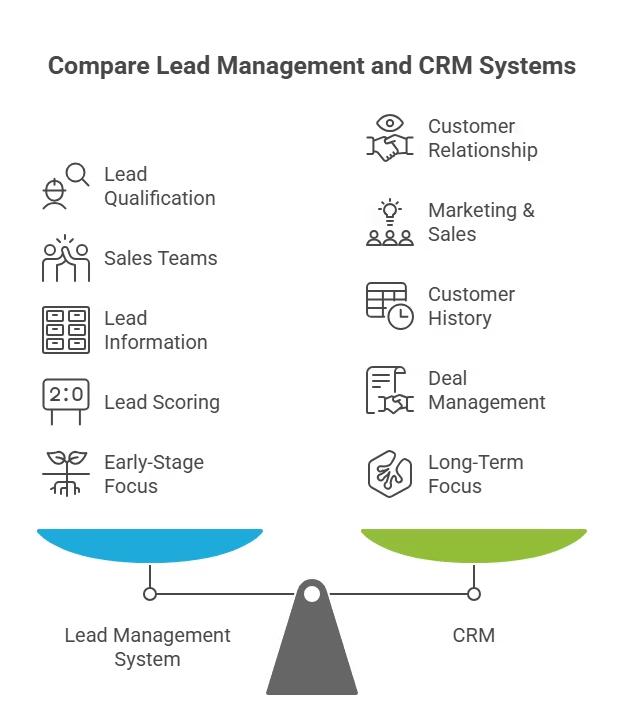
When you compare crm vs lead management , the differences become clearer. They serve different roles, though both operate in the sales journey.
| Feature / Purpose | Lead Management System | CRM |
| Primary user | New leads, potential customers | Existing customers or converted leads |
| Main goal | Convert leads into initial sales | Maintain relationships, repeat sales |
| Focus | Speed, lead capture, follow-up | Customer history, ongoing support, retention |
| Data handled | Lead source, lead status, interest level | Contact info, purchase history, and communication |
| Typical tasks | Lead capture, scoring, allocation, follow-up | Deal management, support tickets, renewals, upsells |
| When to use | When generating many leads and needing a quick follow-up | When building long-term customer relationships |
Using both together often makes sense, especially for businesses that generate many leads while also catering to long-term clients.
What is the difference between CRM and lead management?
Many ask: What is the difference between CRM and lead management?
The core difference is this:
-
Lead management helps turn new prospects into customers. It handles the early stages of the sales funnel, capturing interest, qualifying leads, and enabling follow-up.
-
CRM helps manage customers after they buy, storing customer records, tracking communication, and supporting repeat business, renewals, or support.
Lead management drives growth. CRM supports loyalty and long-term value.
Lead Management System vs CRM: Which One Should You Choose?
To decide whether to go with a lead management system vs CRM , think about where your business struggles or what your immediate goals are.
Choose a Lead Management System if:
- You lose leads because follow-ups are delayed or messy.
- You get leads from many sources and struggle to organise them.
- Sales reps find it hard to coordinate or update lead status.
- Your main goal is to increase closures and bring in new customers.
Choose a CRM if:
- You already have a steady stream of customers.
- You want better customer retention, repeat sales, or after-sales support.
- You need a central place to store customer history, documents, and communication.
- Your focus is on long-term relationships and consistent customer experience.
Choose both if:
- You want full control over your sales funnel from capturing leads to serving customers.
- You are scaling your sales team.
- You want efficiency in both lead conversion and customer management.
For many businesses that grow over time, using both a lead-management system and CRM together brings the most benefit.
LMS and CRM: Can they work together?
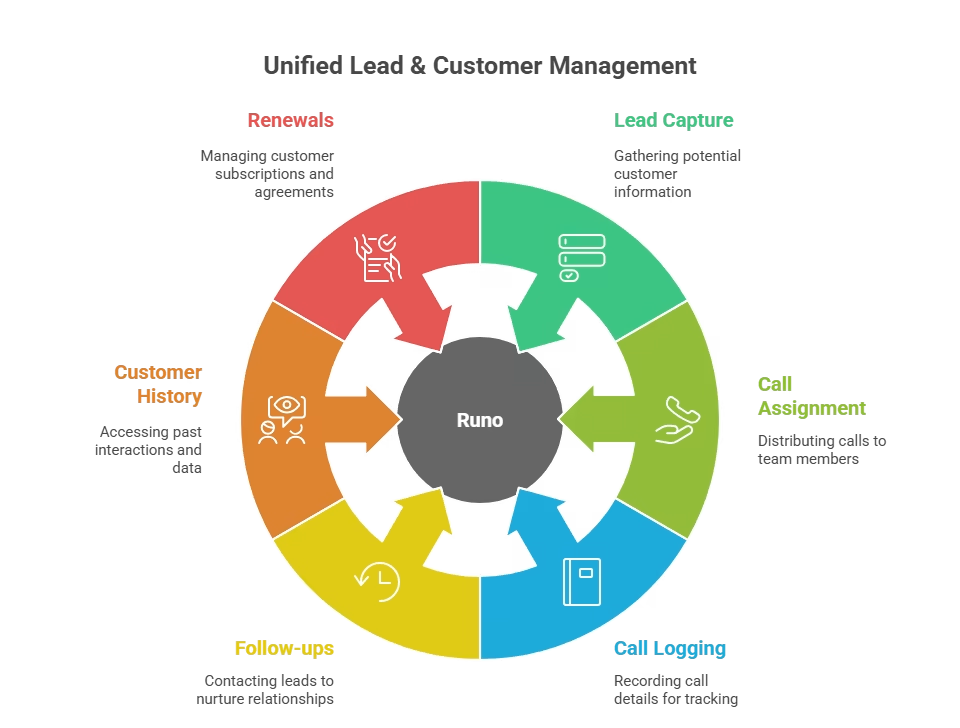
Sometimes people wonder: Can LMS and CRM work together? Meaning a lead management system and a CRM. The answer is yes. In fact, combining them covers almost the entire customer journey: from first contact to repeat purchase and support.
Using both systems together can help you:
- Capture leads from multiple channels without missing any.
- Assign incoming leads to the right agent instantly.
- Ensure follow-ups happen quickly.
- Record calls, interactions, and status updates.
- Convert leads into customers.
- Continue managing customers long term with history, support, and upsells.
When both systems are integrated, you get end-to-end control over your sales funnel and customer lifecycle.
What makes a good CRM for lead generation?
Many businesses wonder: What is the best CRM for lead generation ? There isn’t a one-size-fits-all answer. But a CRM that supports calling, tracking, and follow-ups works best for lead generation, especially for call-heavy sales teams or businesses that depend on instant responses.
A strong CRM for lead generation should offer:
- Auto lead distribution or integration with lead sources.
- Call tracking, logging, and call-recording capabilities.
- Real-time visibility for managers and sales reps.
- Lead tagging, status updates, and follow-up reminders.
- Dashboards and analytics to monitor performance.
- Easy integration with marketing, ads, and communication tools.
If your sales process depends on quick follow-ups and calls, a CRM built around call management tends to deliver the best results.
Common Mistakes When Choosing Between CRM and Lead Management
Many businesses make avoidable errors when selecting or implementing these tools. Here are four common pitfalls:
1. Choosing based on features, not business needs
Businesses often pick a tool because it has the most features or the lowest price, without assessing whether it solves their actual problem. If your leads go cold before follow-up, a feature-rich CRM won’t help you need fast lead assignment and reminders. Always start with your biggest pain point, not the longest feature list.
2. Ignoring integration and data flow
A lead management system or CRM is only as good as the data it receives. If your tool doesn’t integrate with your ad platforms, website forms, or communication channels, you’ll waste time on manual data entry and lose leads. Before committing, verify that the tool integrates seamlessly with your existing stack.
3. Skipping team training and adoption
Even the best tool fails if your team doesn’t use it. Many businesses buy a CRM or lead management system, skip onboarding, and wonder why adoption is low. Invest time in training, set clear processes, and monitor usage in the first 30 days to ensure the tool becomes part of daily workflows.
4. Treating CRM and lead management as ‘set it and forget it’
Both tools require ongoing optimization. Lead sources change, customer behavior evolves, and sales processes improve. Review your lead scoring criteria, follow-up workflows, and CRM data quality quarterly. Regular audits ensure your system stays aligned with business goals and delivers ROI.
How Runo solves the Pain Points in Lead Management and CRM
Many businesses face three major challenges when handling leads and customers:
- Leads are coming from many platforms and getting scattered.
- Sales reps are forgetting to follow up on time.
- Managers lack visibility into call activity and customer conversations.
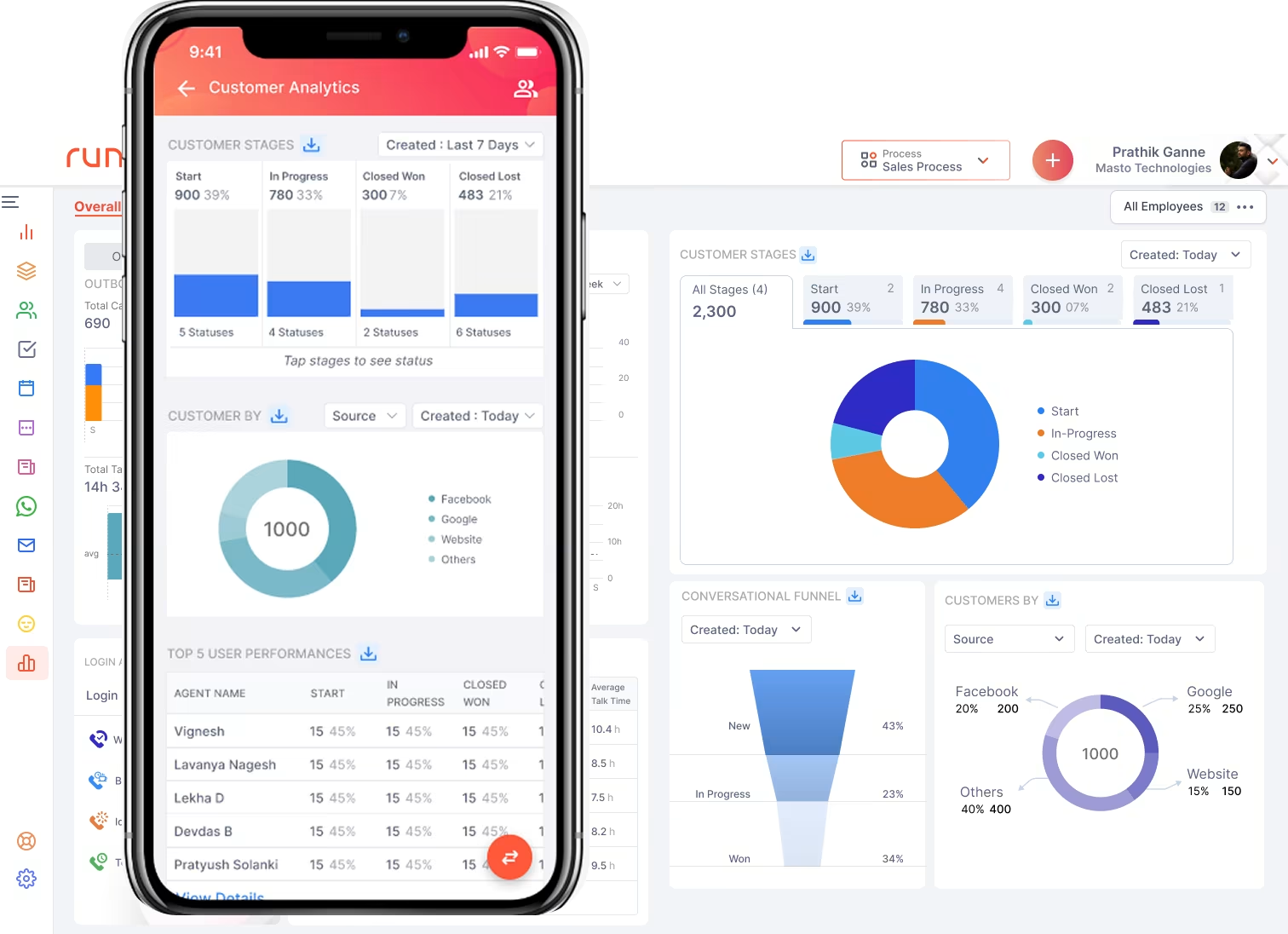
Here is how Runo addresses these challenges by combining lead management and CRM features in one system:
Runo as a lead management lifeline
When leads arrive via ads, websites, referral forms, chat, or messaging apps, they often end up lost or ignored. Runo fixes this by:
- Unifying all leads in one dashboard, regardless of source.
- Assigning each new lead to the right agent immediately.
- Sending call reminders to ensure timely follow-ups.
- Recording calls and tracking lead status, interest level, and progress.
It reduces lead leakage and ensures every lead gets a chance before interest cools down.
Runo as a CRM for customer retention
After conversion, managing customers becomes critical. Runo helps you:
- Store full call history, notes, and customer data in one place.
- Tag customers and record preferences so future follow-ups are personalised.
- Set reminders for renewals, support calls, or upsell opportunities.
- Monitor customer satisfaction and interaction history.
With this, you don’t treat existing customers like strangers; you build relationships, which leads to higher satisfaction and repeat business.
Built for call-heavy and growth-driven teams
Unlike many CRMs that treat calls as an add-on, Runo is built as an AI-powered SIM-based call management CRM. It means:
- Sales reps call directly from their phones while Runo logs everything automatically.
- The system tracks who made the call, call duration, status update, follow-up date, and records the call.
- Reps spend less time on manual data entry and more time talking to prospects.
It leads to faster conversions and better productivity right where many teams struggle.
Scalable for growing businesses
Runo works whether you are still small or scaling fast. It integrates with many lead sources and even existing CRMs. It gives clear dashboards for managers to track team performance, follow-ups, lead status, and customer history. It makes it easier to grow without confusion or data chaos.
Runo’s design ensures no lead gets lost, every customer communication is tracked, and sales teams stay organised even as lead volume grows.
How do I know if my company needs a CRM?
Ask yourself these questions:
- Do customers complain about delayed responses or poor support?
- Do you struggle to find customer information quickly?
- Does your team forget past customer conversations when answering calls or emails?
- Do you see a lot of repeat customer requests, renewals, or upsell chances?
- Do you want better customer loyalty, referrals, or long-term relationships instead of one-time sales?
If you answered yes to any of these, your business likely needs a CRM more than just a basic lead management system.
If you also get many leads and struggle to follow up fast, then a tool that handles both lead management and CRM, like Runo, may be the best fit.
In Closing
Choosing between crm vs lead management doesn’t mean you pick just one forever. It means understanding what your business needs right now.
- If you lose leads before they convert, you might need a lead management system .
- If you want to focus on customer service, retention, loyalty, or repeat sales, you might need a CRM .
- If you want full control over your sales funnel from first contact to support and upsells, using both together makes sense.
For many growing businesses, the best approach is a combined system. A smart system ensures faster follow-ups, better customer management, and improved sales performance. With the right tools, your sales team works more efficiently, customers feel valued, and your business becomes more sustainable.
To know more, explore the Runo expert blog section!
FAQs about CRM vs Lead Management
1. What is the main difference between CRM and lead management?
The key difference in CRM vs lead management is that lead management focuses on capturing, tracking, and converting new leads, while CRM manages existing customers through stored history, communication tracking, and support. Lead management turns prospects into buyers; CRM builds long-term customer relationships after conversion.
2. Which is better for a small business: CRM or lead management?
When comparing CRM vs lead management for small businesses, the choice depends on your needs. If your business receives many enquiries and struggles with follow-ups, a lead management system is more helpful. If you already have customers and want to improve retention and loyalty, a CRM is the better option.
3. Do businesses need both CRM and lead management tools?
Yes. Many businesses benefit from using both because they cover the full sales journey. The CRM vs lead management combination ensures fast lead handling at the start and strong customer support after the sale, resulting in higher conversions and better customer satisfaction.
4. How should I choose between CRM and lead management for my business?
To choose between CRM vs lead management , consider your current challenges. If you lose leads before contacting them, choose lead management. If your team struggles to track customer history or ongoing conversations, choose CRM. If both issues exist, a solution that supports both is ideal.
5. Can a single tool handle both CRM and lead management?
Yes. Some platforms combine both CRM and lead management features. These systems manage early-stage leads and ongoing customer communication in one place, helping reduce lead leakage, improve follow-ups, and strengthen customer relationships after the sale.