


When your sales team makes dozens or even hundreds of calls every day, keeping track of every conversation can get difficult. A rep might call a lead from their personal phone, note down a few details in the CRM, and plan to follow up later.
But when the team is handling multiple leads at once, those details are easy to miss. Managers may know how many calls their team has made, but getting a clear picture of call quality, lead status and pending follow-ups is a different challenge altogether.
This is where cloud telephony comes in. It brings business calling into a central system, giving teams access to features such as call routing, recordings, call logs and performance reports. Depending on the platform, it can also connect calls with CRM records, automate follow-ups and help managers understand how their teams are performing.
However, not every cloud telephony provider is built for the same kind of work. A sales team that needs lead tracking, outbound calling and follow-up automation will have different requirements from a contact centre handling high volumes of inbound calls across multiple channels.
To help you compare your options, this guide covers 10 cloud telephony providers in India, their key features, advantages, practical considerations and ideal use cases. It also looks at what to evaluate before choosing a platform, so you can narrow down the options based on your team's needs rather than feature lists alone.
On that note, let’s get started.
Best Cloud Telephony Providers in India at a Glance
The best cloud telephony provider depends on whether you need a calling system, a sales CRM with calling, or a full contact centre. Here's a quick comparison to help you narrow down your options.
| Tool | Type of solution | Best suited for | Key capabilities | Starting price | Trial period |
| Runo | SIM-based calling, cloud telephony, and CRM | Outbound sales and telecalling teams | SIM and cloud calling, CRM, AI call summaries, call scoring, and follow-up management | Visit pricing page , for information | 10-day free trial period |
| FreJun | Calling automation and voice infrastructure | Sales and recruitment teams using existing CRMs or ATS platforms | Click-to-call, auto dialer, call logging, AI insights and integrations | ₹1349 to ₹1699/user/month | 3-day trial period |
| Office24by7 | CRM with integrated telephony | Teams looking for CRM, calling, and omnichannel workflows | IVR, dialers, call recording, supervisor monitoring, and messaging | Contact sales for information | 15-day trial period |
| Callerdesk | Virtual call center platform | Small sales and support teams | IVR, auto-dialer, click-to-call and voice broadcasting | ₹1500 - 12,000/user/month | 7-day trial period |
| Acefone | Cloud phone system and contact center | Teams needing structured inbound and outbound calling | IVR, call distribution, monitoring, recording, and CRM integrations | ₹1599 - ₹1999/user/month | No |
| TeleCMI | Hosted PBX and cloud contact center | Businesses moving from traditional phone systems | IVR, queues, live monitoring, analytics, and integrations | ₹734/user/month | 10-day trial period |
| Ozonetel | Enterprise contact-center platform | Large support and blended contact-center operations | Advanced routing, dialers, omnichannel workflows, reporting, and voicebots | Quotation-based plans | 7-day trial period |
| Exotel | Cloud telephony, contact center, and communication APIs | Businesses integrating voice and messaging into applications | Number masking, IVR, voice and messaging APIs, and contact center tools | ₹9999 - ₹49999/month | 15-day trial period |
| Fonada | CPaaS and cloud telephony | Businesses combining voice with messaging and APIs | IVR,virtual numbers, messaging APIs, voicebots, and integrations | ₹499 - ₹49999/month | Yes |
| Bonvoice | Cloud telephony and IVR | Small and mid-sized teams managing business calls | Virtual numbers, inbound and outbound calling, recording, IVR, and voice broadcasting | ₹1499 to ₹1999/month | 7-day trial period |
Pricing and feature availability vary by plan, calling volume, and deployment requirements. Check the provider’s current terms before making a decision.
What is a Cloud Telephony Provider?
A cloud telephony provider gives businesses a way to manage calls through a hosted platform instead of relying entirely on traditional PBX hardware or individual phone lines.
Depending on the solution, you can manage virtual numbers, IVR menus, call routing, recordings and analytics through a web application or mobile app. Some providers also offer auto-dialers, CRM integrations, AI call analysis and omnichannel communication.
The practical difference becomes clear as your team grows. With a basic phone setup, managers may have limited visibility into missed calls, agent activity and customer conversations. A cloud telephony platform can centralise that information and make it easier to manage.
For outbound sales teams, the CRM connection matters just as much as the calling infrastructure. Calls need to be logged against the right lead, and the next follow-up should be easy to track.
That is why you should compare providers based on the work your team needs to do, rather than treating every cloud telephony product as interchangeable.
How I Evaluated the Cloud Telephony Providers?
I compared the providers across seven areas that matter when you're choosing a business calling platform.
- Calling capabilities: Inbound and outbound calling, mobile or browser-based calling, and dialer options.
- CRM and business-tool integrations: Whether calls can be logged against customer records and connected to existing workflows.
- IVR and call routing: How the platform handles incoming calls, queues and agent distribution.
- Recording and analytics: Whether managers can review conversations, track activity and understand performance.
- AI capabilities: Availability of transcripts, summaries, sentiment analysis and call quality scoring.
- Scalability and onboarding: How well the solution fits the team's size, operational requirements and implementation needs.
- Pricing transparency: Whether the provider publishes its pricing and explains additional charges.
This comparison draws on available product documentation, official pricing information and provider feature descriptions. Where a feature or price depends on a specific plan, confirm it with the provider before purchasing.
10 Best Cloud Telephony Providers in India in 2026
Runo
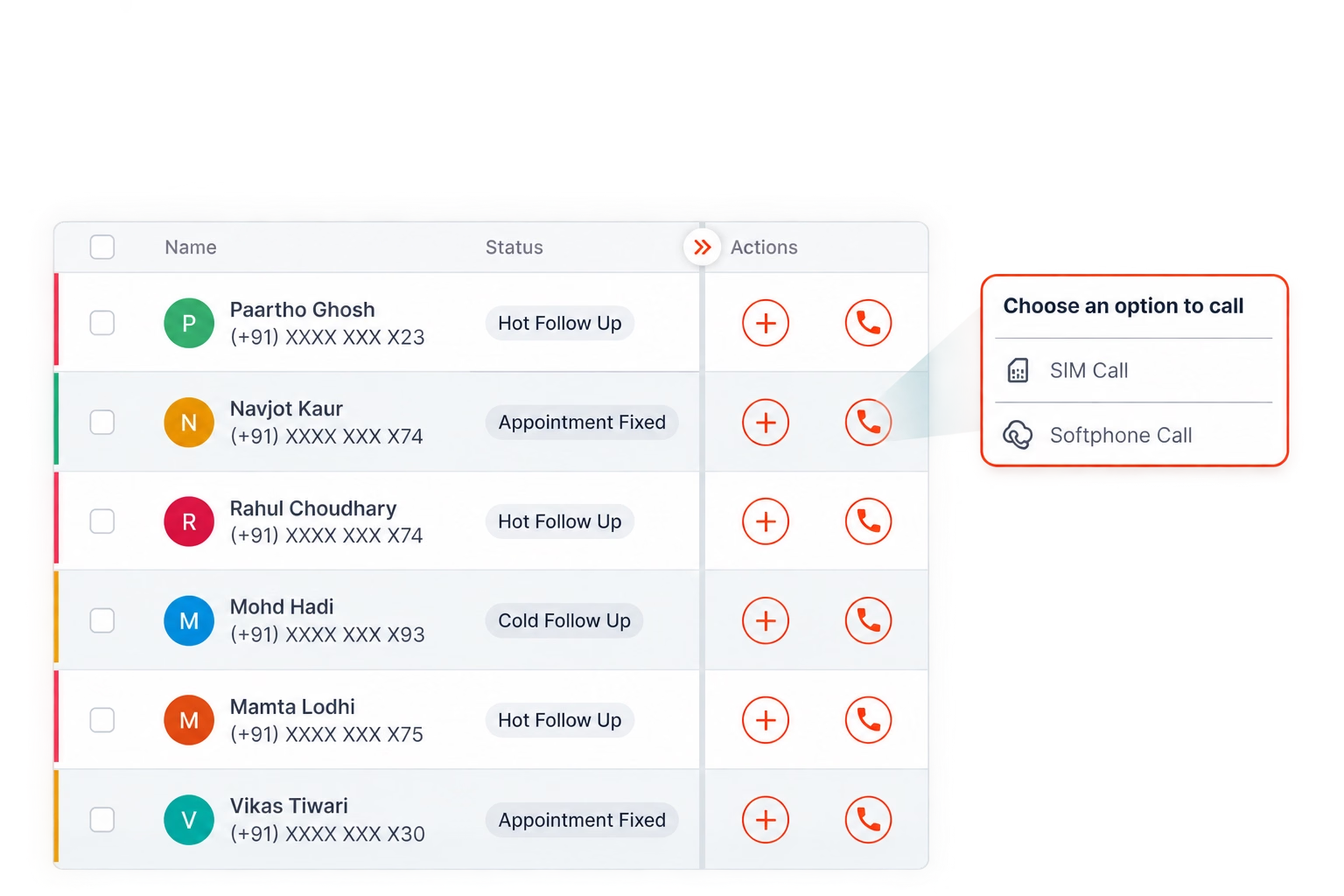
Runo is built for sales and telecalling teams that need more than one way to make calls. It combines SIM-based calling, cloud telephony, CRM workflows and AI-powered call intelligence in one platform.
Its key differentiator is the choice between SIM-based calling through a mobile network and cloud calling. Teams can use the calling method that fits their workflow while keeping customer interactions and calling activity connected to the CRM.
This is particularly useful when your team spends much of its day calling leads, updating records and following up with prospects. Instead of treating every call as an isolated activity, Runo helps maintain a record of the conversation and what needs to happen next.
Key features:
- SIM-based and cloud calling: Place calls through a mobile SIM or supported cloud-calling setup, depending on the selected configuration.
- Built-in CRM and lead management: Manage leads, track their status and maintain customer interaction history.
- AI call intelligence: Access call recordings, transcripts, AI-generated summaries, sentiment analysis and call quality scores.
- Auto-dialer and auto lead allocation: Reduce repetitive dialing and assign leads to the appropriate representatives.
- Follow-up reminders: Help representatives keep track of the next action after a conversation.
- Live team status and dashboards: Monitor agent activity and review calling and performance metrics.
- WhatsApp integration: Manage supported WhatsApp interactions alongside customer records and calling workflows.
- Call analytics and interaction history: Review calling activity and understand how conversations progress across the sales process.
- Advanced caller ID and call recording: Give representatives more context about customers and retain conversations for review.
- CRM customisation and workflow management: Adapt supported fields and workflows to the team's requirements.
Pros:
- Calling and customer records stay connected: Representatives can manage calls, leads and follow-ups in the same platform instead of switching between disconnected tools.
- AI makes call reviews more practical: Summaries, transcripts and quality scores help managers identify conversations that need attention without relying only on manual reviews.
- Flexible calling methods support different workflows: SIM-based and cloud calling give teams options depending on their calling setup and operational needs.
Cons:
- Match the platform to your calling workflow. Teams with complex inbound queues, skills-based routing or large contact-centre operations should evaluate those requirements carefully before choosing a solution.
- Account for telecom usage separately. SIM-based calling uses the applicable mobile calling plan, so include telecom expenses in your total operating-cost estimate.
- Check the selected plan against your requirements. CRM depth, reporting, automation and AI usage may vary by tier, so compare the features included in your intended configuration.
Best for:
Outbound sales teams, telecalling operations and field-sales teams that need calling, CRM, follow-up management and AI call intelligence in one workflow.
Pricing:
For more information on Runo’s cloud telephony, visit the pricing page.
FreJun
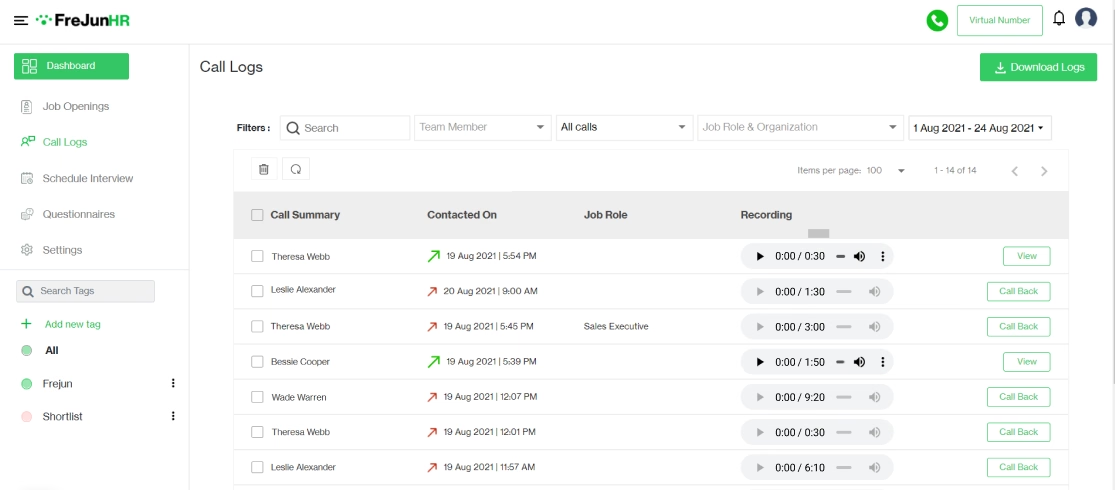
FreJun offers calling automation for business teams that want their calls connected to an existing CRM or applicant tracking system. It also provides programmable voice infrastructure for developers, so its offering extends beyond a standard business dialer.
For sales and recruitment teams, the value lies in connecting calling activity to the systems they already use. Call logs, recordings and outcomes can be synchronised with supported platforms, reducing the amount of manual data entry required after each conversation.
Key features:
- Click-to-call and auto-dialer: Start calls from supported CRM records or web pages and automate outbound dialing.
- CRM and ATS integrations: Connect with supported platforms such as Salesforce, HubSpot, Zoho and recruitment systems.
- Call recording and activity logging: Maintain records of conversations, durations and call outcomes.
- AI call insights: Access supported transcription, summaries and sentiment analysis capabilities.
Pros:
- Fits into an existing workflow. Teams can connect calling with supported CRM and ATS systems rather than immediately replacing their current software.
- Reduces manual call administration. Automatic logging and synchronisation help keep customer or candidate records updated.
- Supports different technical requirements. The separate business dialer and programmable voice infrastructure give teams options for ready-made calling workflows or custom applications.
Cons:
- Feature availability varies by plan. Check whether IVR, routing, AI insights and auto-dialing are included or charged separately.
- Additional usage can affect the total cost. AI insights, additional numbers and certain calling capabilities may have separate charges.
- Integration requirements need validation. Confirm that the required CRM fields, call outcomes and recording links synchronise as expected before rollout.
Best for:
Sales, recruitment and support teams that want calling integrated with an existing CRM or ATS, as well as businesses building custom voice workflows.
Pricing:
FreJun’s pricing plans range from ₹1349 to ₹1699/user/month.
Office24by7
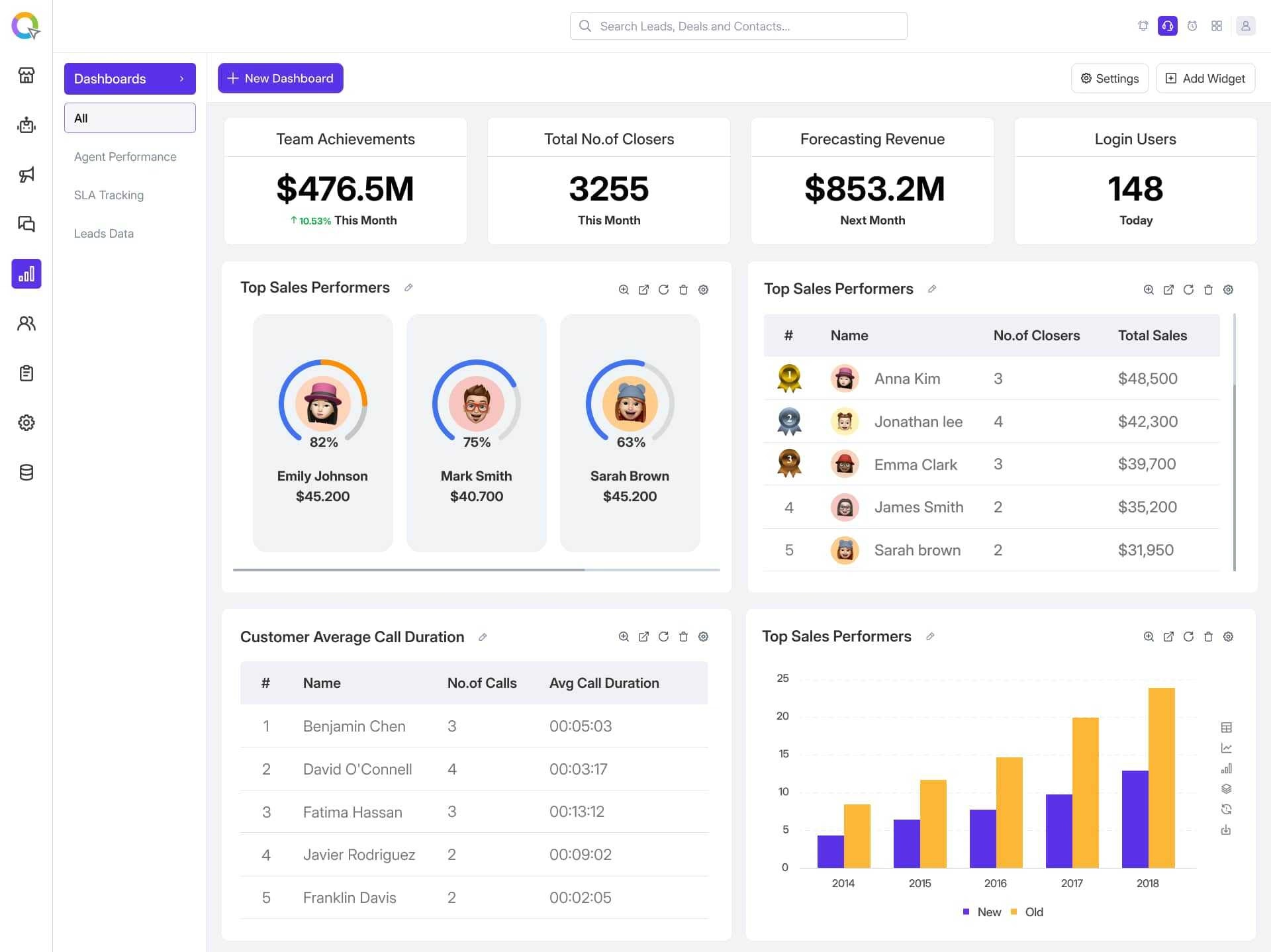
Office24by7 combines CRM and telephony with communication and workflow automation. Rather than treating calling as a separate tool, it connects customer records with calls and supported messaging channels.
This approach can be useful if your team wants a central system for customer interactions, lead management and operational workflows. It is also worth considering if you are evaluating whether to consolidate several existing tools.
Key features:
- Integrated CRM and telephony: Manage customer records alongside inbound and outbound calling.
- IVR, routing and dialers: Support incoming call handling and outbound calling workflows.
- Supervisor monitoring: Use supported monitoring features such as call listening, whispering and barging.
- Omnichannel communication and workflows: Connect voice with supported WhatsApp, SMS and email workflows, including no-code automation.
Pros:
- Customer interactions can stay in one system: Integrating calling with CRM and messaging reduces the need to maintain separate records across multiple tools.
- Supports both calling and workflow automation: Teams can evaluate the platform for more than basic phone functionality.
- Offers supervisory capabilities: Monitoring tools can help managers review agent conversations and provide guidance.
Cons:
- CRM migration may require planning: If you already use another CRM, evaluate the effort involved in moving data and adapting existing workflows.
- Pricing needs a detailed quote: Ask for a breakdown of user licences, calling usage, integrations and any setup costs.
- Integration depth should be tested: Verify how the platform handles the CRM systems and communication channels your team already uses.
Best for:
Businesses that want CRM, telephony and omnichannel workflows in a more unified system, particularly teams that are open to adopting or consolidating around a single platform.
Pricing:
Office24by7 doesn’t publicly publish their pricing plans, so contact their team for more information.
CallerDesk
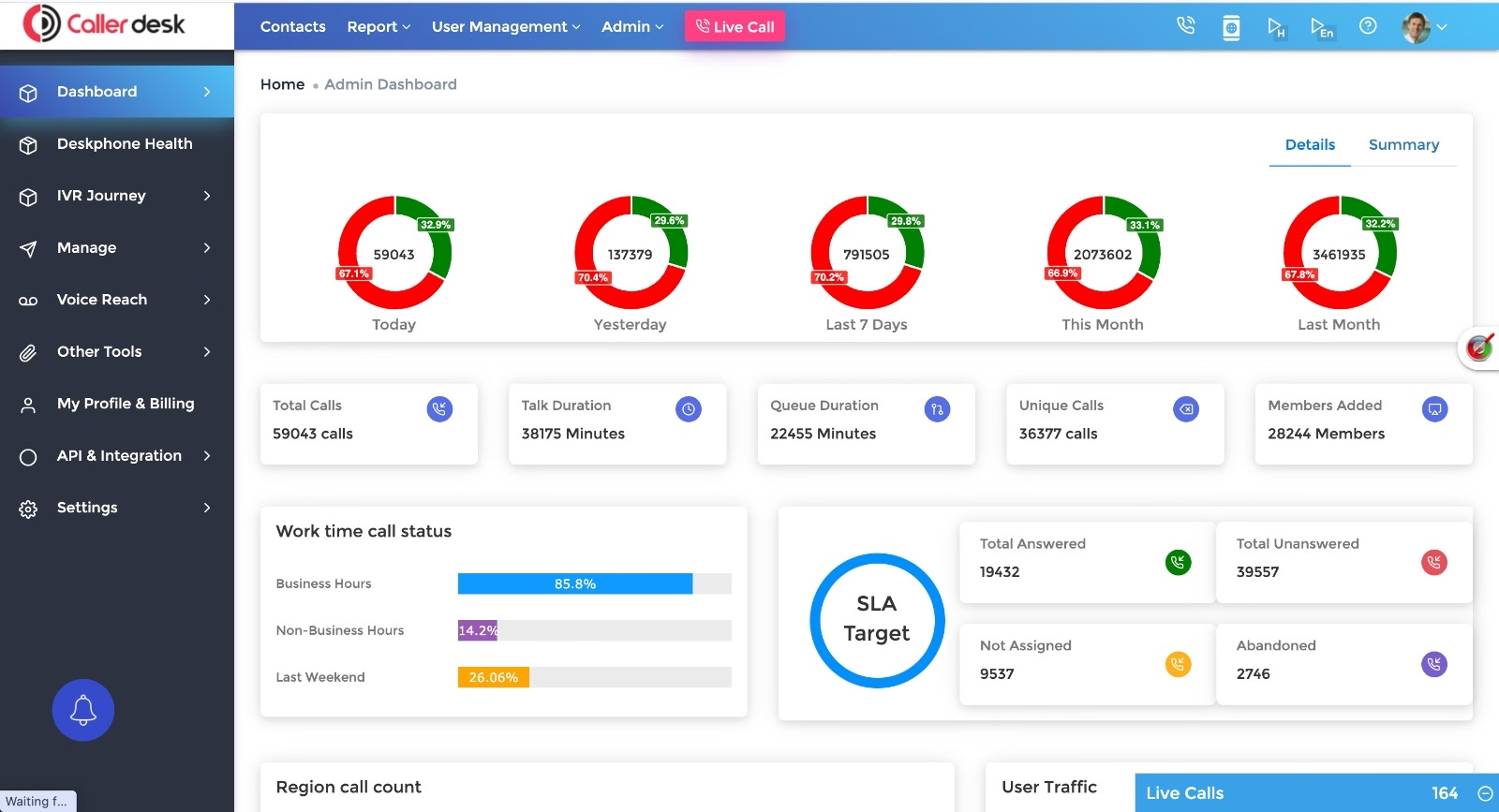
CallerDesk focuses on virtual call-centre capabilities for businesses that need to manage incoming and outgoing calls without building a traditional call-centre setup.
Its feature set centres on practical call management, including IVR, dialing, recording and voice-based communication workflows. This makes it worth considering for smaller sales and support teams that need a structured calling environment.
Key features:
- IVR and call routing: Direct incoming callers through configured menus and routing workflows.
- Auto-dialer and click-to-call: Support outbound calling and reduce repetitive manual dialing.
- Call recording and tracking: Maintain records of calls for follow-up and review.
- Voice broadcasting and surveys: Support use cases such as announcements, notifications and customer feedback collection.
Pros:
- Covers common call-centre workflows: IVR, dialing and recording provide the core functions many small teams need.
- Supports different calling use cases: Voice broadcasts and surveys extend its use beyond one-to-one sales calls.
- Flexible billing models may suit different call volumes: Check whether per-user, usage-based or other billing options are available for your specific requirements.
Cons:
- Advanced analytics need closer evaluation: Ask for a demonstration of the reporting and AI capabilities available in the relevant plan.
- CRM integration depth matters: Verify whether call records, outcomes and recordings can be synchronised with your existing system.
- The total cost depends on usage and configuration: Confirm call-minute allowances, number charges and any additional fees instead of relying on a headline price.
Best for:
Small sales and support teams that need virtual call-centre functions, outbound dialing and basic call management.
Pricing:
CallerDesk’s pricing plans range from ₹1500 - 12,000/user/month.
Acefone
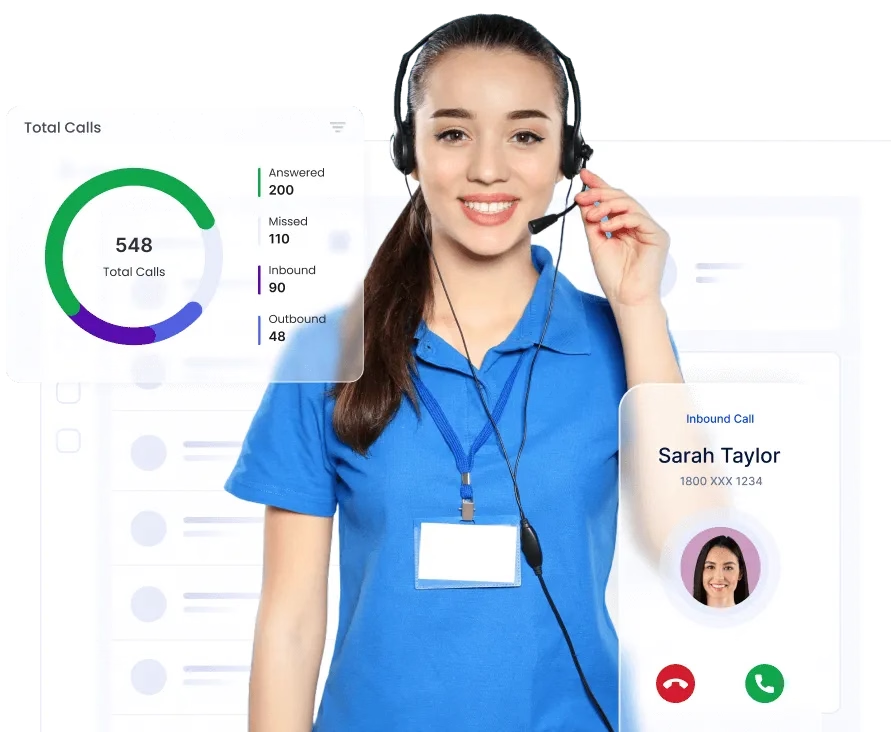
Acefone offers cloud phone systems and contact-centre solutions for businesses that need structured call handling, agent management and integrations.
Its Contact Center Studio has different plans for different operational requirements. The distinction matters because a team that mainly handles inbound calls may not need the same capabilities as one running outbound campaigns and advanced contact-centre workflows.
Key features:
- IVR and call distribution: Route incoming calls and manage how calls reach agents.
- Call recording and monitoring: Give supervisors a way to review conversations and monitor performance.
- CRM and business-tool integrations: Connect supported systems such as Salesforce, Zoho, HubSpot and other business applications.
- Contact-centre capabilities: Depending on the plan, access campaign management, reporting, dialer functions and additional communication channels.
Pros:
- Supports structured contact-centre operations: Call routing, monitoring and reporting help teams manage conversations beyond basic business calling.
- Published plans make evaluation easier: Buyers can compare available tiers, seat requirements and listed features before speaking to sales.
- Offers integration options: Supported CRM and business-tool connections can help maintain customer context across workflows.
Cons:
- Minimum seat requirements may affect smaller teams: Check the applicable plan's minimum seats before calculating the total cost.
- Features differ between tiers: Verify which plan includes the dialer, outbound functionality, reporting and integrations you need.
- Add-ons affect the final cost: WhatsApp, additional numbers, recording retention and other requirements may change the overall price.
Best for:
Businesses that need a structured contact-centre setup, particularly teams handling a high volume of inbound calls or a mix of inbound and outbound activity.
Pricing:
Acetone’s plans range from ₹1599 - ₹1999/user/month.
TeleCMI
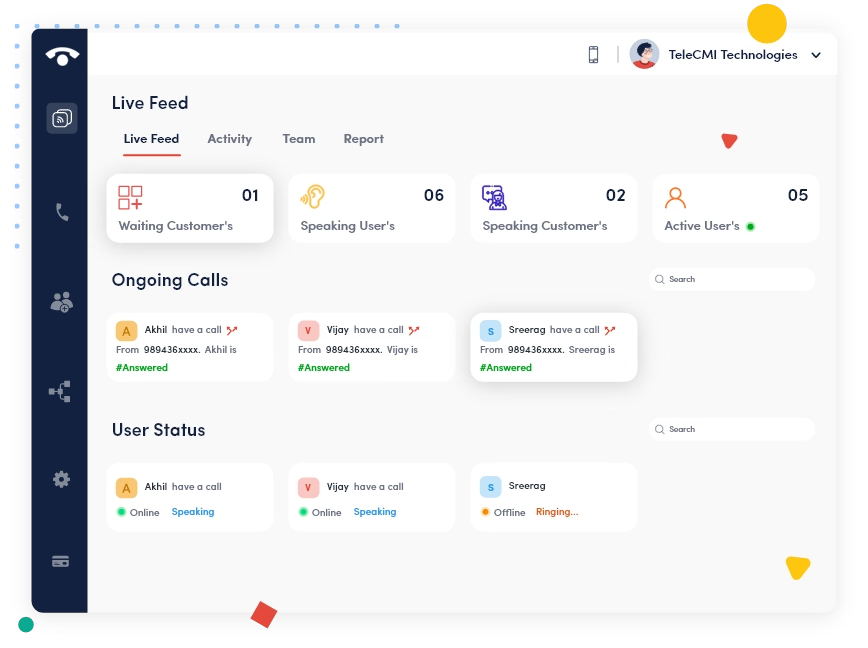
TeleCMI offers hosted PBX and cloud contact-centre solutions for businesses that want to move away from traditional phone systems or build a more structured call-management setup.
Its offering covers core call handling, including IVR, queues, monitoring and integrations. The right fit depends on whether you need a basic hosted phone system or more advanced contact-centre functionality.
Key features:
- Hosted PBX and IVR: Manage business calls through a hosted phone system and configured menus.
- Call queues and monitoring: Organise incoming calls and monitor agent activity.
- Call analytics and reporting: Review calling activity and operational performance.
- CRM and communication integrations: Connect supported business tools and communication channels.
Pros:
- Offers a path from traditional telephony to the cloud: Businesses can evaluate hosted PBX and contact-centre options within the same provider's portfolio.
- Supports supervisory workflows: Monitoring and queue management are useful for teams handling incoming calls at scale.
- Integration options support connected operations: CRM and communication integrations can help reduce disconnected call records.
Cons:
- Choose the correct product tier: Hosted PBX and advanced contact-centre requirements may involve different capabilities.
- Verify AI feature availability: Ask which AI-assisted routing and analytics functions are included in the plan you are evaluating.
- Check the complete pricing structure: Confirm seat minimums, usage charges, integrations and support terms before comparing offers.
Best for:
Small and mid-sized businesses moving away from legacy phone systems, along with teams building more structured call-centre operations.
Pricing:
TeleCMI’s basic plans start from ₹734/user/month.
Ozonetel
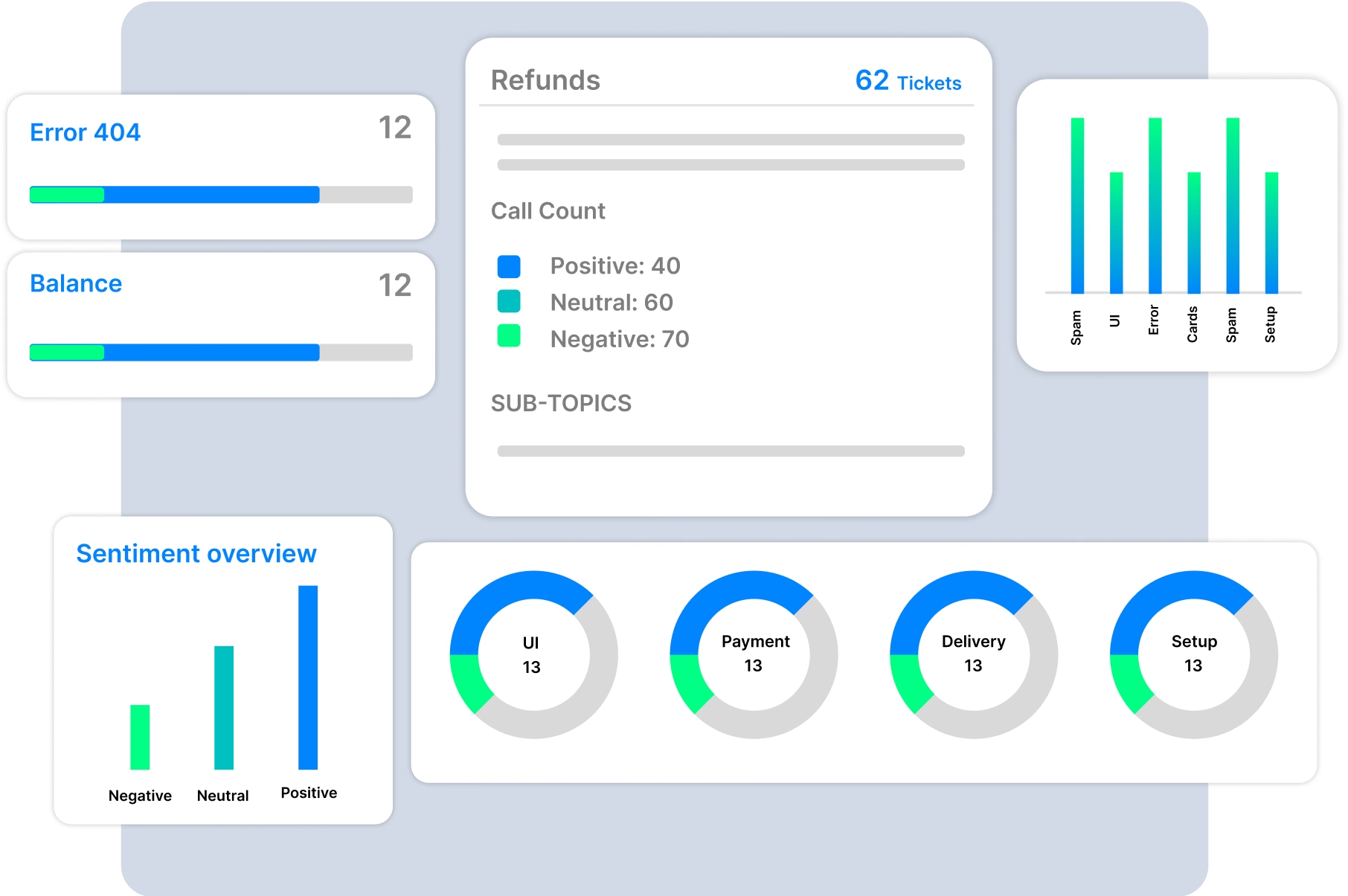
Ozonetel is geared towards contact-centre operations that need advanced routing, agent monitoring, reporting and omnichannel communication. Its CloudAgent platform is designed to manage customer interactions across voice and supported digital channels.
For larger operations, these capabilities matter because supervisors need more than call recordings. They need to understand queues, monitor service levels and evaluate performance across a large team.
Key features:
- Advanced IVR and call routing: Configure call flows and direct customers to the appropriate agents or teams.
- Advanced dialers and call distribution: Support outbound campaigns and distribute incoming calls.
- Omnichannel agent workflows: Manage supported voice, chat, email, SMS and social interactions through a contact-centre environment.
- Reporting and AI capabilities: Access operational reports, voicebots, conversation intelligence and automated call quality audits, depending on the configuration.
Pros:
- Designed for complex contact-centre operations: Advanced routing, dialers and monitoring support large-scale workflows.
- Offers detailed operational visibility: Reporting and quality-monitoring tools help supervisors evaluate agent performance.
- Supports multiple deployment requirements: Public cloud, private cloud and hybrid options can be relevant to businesses with specific infrastructure needs.
Cons:
- Implementation needs careful planning: Complex routing, integrations and deployment requirements may require more configuration than a basic calling system.
- Pricing requires a sales discussion: Request a quote based on seats, channels, usage and deployment requirements.
- The full feature set may exceed smaller teams' needs: A small outbound team should assess whether it will use the additional contact-centre capabilities.
Best for:
Large support teams, blended contact centres and businesses that need advanced routing, omnichannel workflows and detailed operational reporting.
Pricing:
Ozonetel offers quotation-based pricing plans.
Exotel
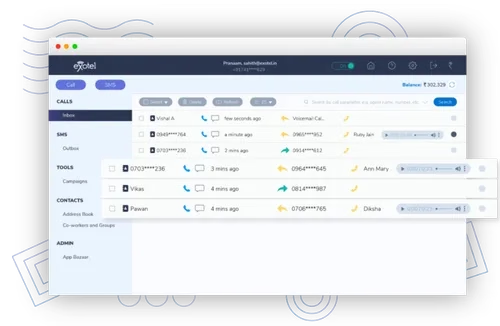
Exotel combines cloud telephony, contact-centre capabilities and communication APIs. It is particularly relevant when calling and messaging need to be integrated into an application or a broader customer communication workflow.
For example, a delivery platform may need to connect customers with delivery personnel while masking personal numbers. A service business may want calls and messages triggered by events in its own application.
Key features:
- Number masking: Help protect personal phone numbers during customer and business interactions.
- Voice and messaging APIs: Integrate supported voice, SMS and WhatsApp communication into applications.
- Custom IVR and call flows: Configure how incoming calls are handled and routed.
- Contact-centre tools: Access business phone systems and contact-centre capabilities, depending on the selected product.
Pros:
- Supports application-led communication: APIs give technical teams options for building calling and messaging into existing systems.
- Number masking serves specific operational needs: It is useful for marketplaces, delivery operations and other workflows where personal numbers should not be exposed.
- Offers more than a basic phone system: Businesses can evaluate telephony, APIs and contact-centre capabilities within one provider's portfolio.
Cons:
- Usage-based billing requires planning: Understand how credits or usage charges apply across voice, SMS, WhatsApp and other services.
- Integration work may require technical resources: API-led workflows can involve development and ongoing maintenance.
- The full platform may be unnecessary for simple sales calling: A team that only needs a dialer, lead management and follow-up tracking should compare simpler options as well.
Best for:
Businesses that need number masking, communication APIs or calling and messaging embedded in applications, including marketplaces, delivery operations and larger customer-service workflows.
Pricing:
Exotel’s pricing plans range from ₹9999 - ₹49999/month.
Fonada
Fonada is a communications platform provider offering cloud telephony alongside messaging and programmable communication capabilities. Its CPaaS-oriented approach makes it relevant to businesses that need to coordinate voice and messaging through a common provider.
This is a different use case from a sales-first CRM. If your requirements involve notifications, verification, messaging workflows or custom communication integrations, Fonada is worth evaluating.
Key features:
- Cloud telephony and virtual numbers: Support business calling through hosted telephony services.
- IVR and call management: Configure call handling, routing and supported voice workflows.
- Messaging and communication APIs: Connect supported SMS, WhatsApp Business and other messaging services.
- Programmable communication workflows: Evaluate APIs and automation tools for integrating voice and messaging into business applications.
Pros:
- Combines voice and messaging capabilities: Businesses can evaluate multiple communication channels through one provider.
- Supports custom integration requirements: APIs can help technical teams connect communication services with existing applications.
- Useful for notification-led workflows: Voice broadcasts and messaging capabilities can serve operational use cases beyond sales calls.
Cons:
- A CPaaS platform may need integration work: Teams should evaluate the development effort required to connect services to their applications.
- Pricing needs a detailed quote: Confirm charges for numbers, messaging, call usage and APIs.
- Sales teams should validate the agent workflow: Check the available calling interface, CRM integration and follow-up features if representatives will use it throughout the day.
Best for:
Businesses that combine voice with transactional messaging, notifications, verification and custom communication workflows.
Bonvoice
Bonvoice provides cloud telephony services for businesses that need virtual numbers, IVR and call-management capabilities. Its focus on core telephony functions makes it an option for teams managing customer enquiries, support calls and straightforward calling workflows.
If your primary requirement is to manage incoming calls professionally, rather than build a complex sales CRM or application-level communication system, Bonvoice is worth including in your shortlist.
Key features:
- Virtual numbers and IVR: Set up business numbers and route incoming callers through configured menus.
- Inbound and outbound calling: Manage business conversations through a cloud-based calling setup.
- Call recording and analytics: Maintain recordings and review available call reports.
- Voice broadcasting and CRM integrations: Support broadcast workflows and connect supported business systems.
Pros:
- Covers core telephony needs: Virtual numbers, IVR and recording are useful for teams that need structured business calling.
- Supports both incoming and outgoing calls: Businesses can evaluate it for enquiry handling as well as outbound communication.
- Broadcasting extends its use beyond individual calls: Supported voice broadcasts can help with reminders and announcements.
Cons:
- Public material emphasises IVR, routing and broadcast over AI call analysis
- Plan names and minute allowances have shifted over time, so get them in writing
Best for:
Small and mid-sized businesses that want a flat monthly cost.
How to Choose the Right Cloud Telephony Provider?
Start with what your agents actually do all day. That will help you narrow down the options before comparing prices.
For Sales and Telecalling Teams
Your team needs more than a dialer. Calls should connect to the right lead record, and representatives should know what to do after each conversation.
Look for:
- Automatic call logging and recording
- Lead management and follow-up reminders
- AI summaries and call quality analysis
- Auto-dialing and team performance dashboards
Runo is worth considering if you want SIM-based calling, CRM workflows and AI call intelligence together. FreJun and Office24by7 are also worth evaluating if integration with an existing CRM or a broader CRM-based workflow is a priority.
For Inbound Support Teams and Contact Centres
Here, routing and queue management matter as much as the ability to make calls. A platform should help you direct callers to the right team and give supervisors visibility into performance.
Look for:
- IVR and call queues
- Automatic call distribution
- Live monitoring and recording
- Reporting on call handling and agent performance
Acefone, TeleCMI, CallerDesk and Ozonetel are options to compare based on the size and complexity of your operation.
For Businesses Using an Existing CRM
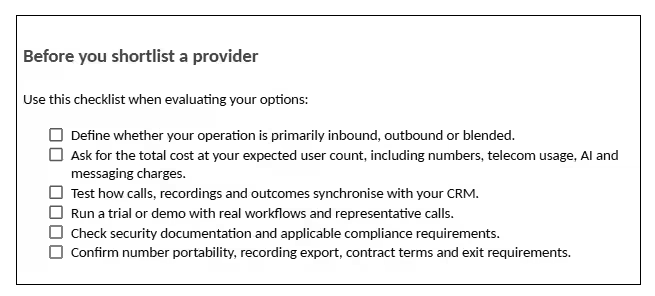
Check how the integration works before committing. A connection that only initiates calls is not the same as one that automatically logs recordings, call outcomes and follow-up tasks.
Ask the provider to demonstrate the workflow using your CRM and the fields your team actually uses.
For Teams Evaluating AI Call Analysis
Don't treat every AI feature as the same thing. A transcript captures what was said, a summary condenses the conversation, sentiment analysis evaluates conversational tone, and a quality score assesses the call against defined criteria.
During a demo, check:
- Whether transcripts and summaries are generated automatically
- Whether insights appear in the relevant customer record
- Whether managers can review and compare agent performance
- Which AI features are included in the selected plan
Run the evaluation on representative calls and in the languages your agents use. That will tell you more than a feature checklist alone.
For Larger Operations with Complex Integrations
Large contact centres may need advanced routing, multiple communication channels, custom APIs and specific deployment or security requirements.
Ozonetel and Exotel are worth evaluating for these requirements. The decision should be based on the complexity of the workflow, integration requirements and total cost, not simply the number of features advertised.
Wrapping It Up
Choosing a cloud telephony provider comes down to the work you need it to handle. A sales team that depends on lead management and follow-ups has different requirements from a support operation managing queues or an enterprise integrating voice into its applications.
Compare the calling model, CRM capabilities, reporting, integrations and total operating cost before making a decision. Then test the workflows your team will use every day.
The right platform should do more than connect calls. It should help your team manage conversations, maintain accurate records and take the next action without adding unnecessary work.
Runo offers a 10-day free trial without a credit card. You can use the trial to evaluate the calling experience, CRM workflow, AI insights and follow-up process with your team.
Start a Free Trial
Frequently Asked Questions (FAQs)
What are the best cloud telephony providers in India?
The right provider depends on your calling requirements. Runo is worth considering for sales calling, CRM and AI call intelligence. FreJun suits teams integrating calling with existing business systems, while Office24by7 combines CRM and telephony. Acefone, TeleCMI and Ozonetel are options for structured contact-centre workflows, and Exotel and Fonada are relevant for API-led communication requirements.
How much does cloud telephony cost in India?
Pricing varies by provider, user count, calling volume and features. Some providers publish per-user plans, while others use usage-based pricing or provide custom quotes. Compare the full cost, including virtual numbers, call usage, integrations, recording retention and AI features, rather than relying only on the starting price.
What is the difference between cloud telephony and VoIP??
VoIP is a technology that carries voice over an IP network. Cloud telephony is a managed business calling service that can include routing, IVR, recording, reporting and integrations. Some cloud telephony systems rely on internet-based calling, while SIM-based calling uses a mobile network for the call itself.
What features should businesses look for in cloud telephony software?
Start with the calling model and how calls are routed. Then evaluate call recording, reporting, CRM integration, dialers, scalability and support. If your team handles outbound sales, lead management and follow-up tracking may matter as much as the calling features. For contact centres, queue management and supervisor tools are often essential.
Can cloud telephony be integrated with a CRM?
Yes. Depending on the provider, calling can be connected to a CRM through native integrations, APIs or built-in CRM functionality. Check whether the integration supports automatic call logging, recordings, outcomes and follow-up workflows. The depth of the integration matters more than the mere presence of a connection.
Is cloud telephony suitable for small businesses?
Yes. Cloud telephony can help small businesses manage calls professionally without maintaining traditional phone infrastructure. Before choosing a provider, check minimum seat requirements, calling allowances, setup costs and whether the features included in the plan match your needs.
What is the difference between cloud telephony and a contact center solution?
Cloud telephony provides business calling capabilities such as virtual numbers, IVR, routing and recording. A contact-centre solution typically adds more advanced queue management, agent distribution, supervisor monitoring, reporting and omnichannel workflows. Some providers offer both, while others focus on one type of use case.