

Key Takeaways
- WhatsApp Business API is an enterprise messaging solution for medium and large businesses, enabling automation, CRM integration, and bulk messaging at scale.
- Unlike the WhatsApp Business app (limited to 5 devices), the API supports unlimited agents, chatbots, and advanced workflows.
- Pricing is conversation-based, with four categories: Marketing, Utility, Authentication, and Service (first 1,000 Service conversations free per month).
- Access requires a Meta-certified Business Solution Provider (BSP) like Runo, Twilio, Infobip, or WATI-or direct integration via Meta Cloud API.
- Common use cases include order notifications, cart abandonment, customer support, 2FA, and promotional campaigns.
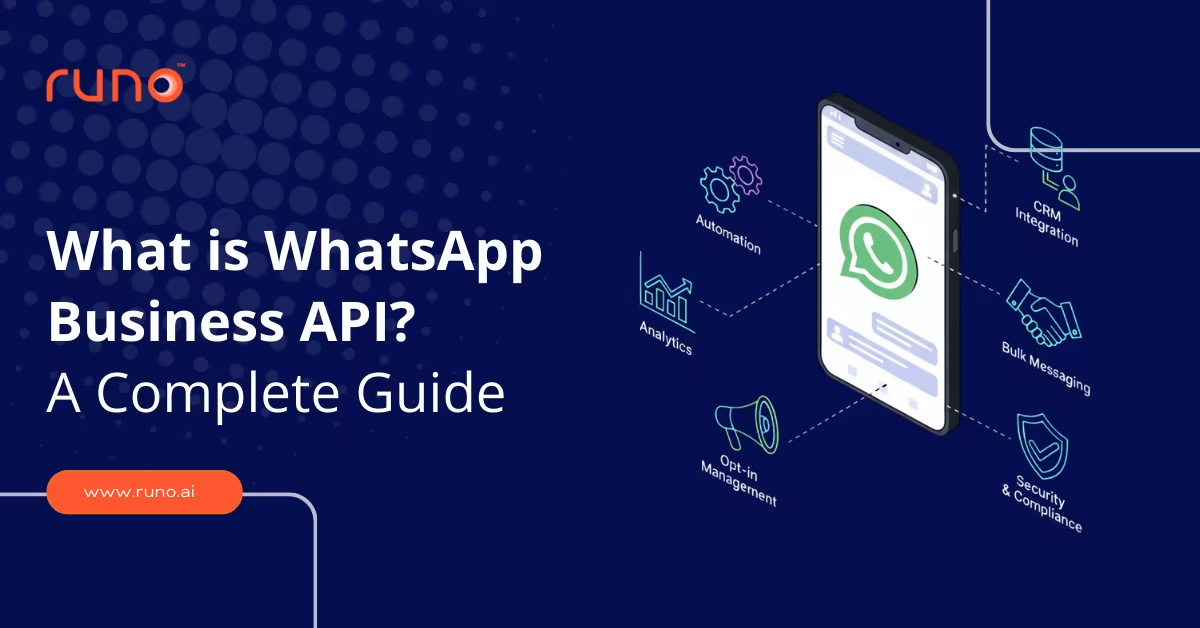
The WhatsApp Business API is an enterprise-level messaging solution designed for medium and large businesses to communicate with customers at scale. Unlike the regular WhatsApp Business app, it allows automation, CRM integration, bulk messaging, and structured customer engagement. This WhatsApp API for business supports customer-initiated chats and business-initiated messages after opt-in. It is built for teams that need reliability, compliance, and integration beyond what a simple WhatsApp web API can provide. In this blog, we will cover the features of the WhatsApp Business API, the setup and configuration of the cloud calling API, and how Runo helps accelerate sales.
Why Large Organizations Choose WhatsApp Business API
WhatsApp Business API for large organizations solves challenges that the standard app cannot handle: coordinating hundreds of agents across departments, maintaining compliance with data residency and GDPR, and integrating with enterprise systems like Salesforce, SAP, and Oracle. Large organizations use the API to unify customer communication across sales, support, and operations-ensuring every team has access to the same conversation history and customer data. Unlike the app, WhatsApp Business API for large organizations supports role-based permissions, audit logs, and SLA-driven workflows, making it the only viable option for enterprises managing tens of thousands of daily conversations.
Features of WhatsApp API
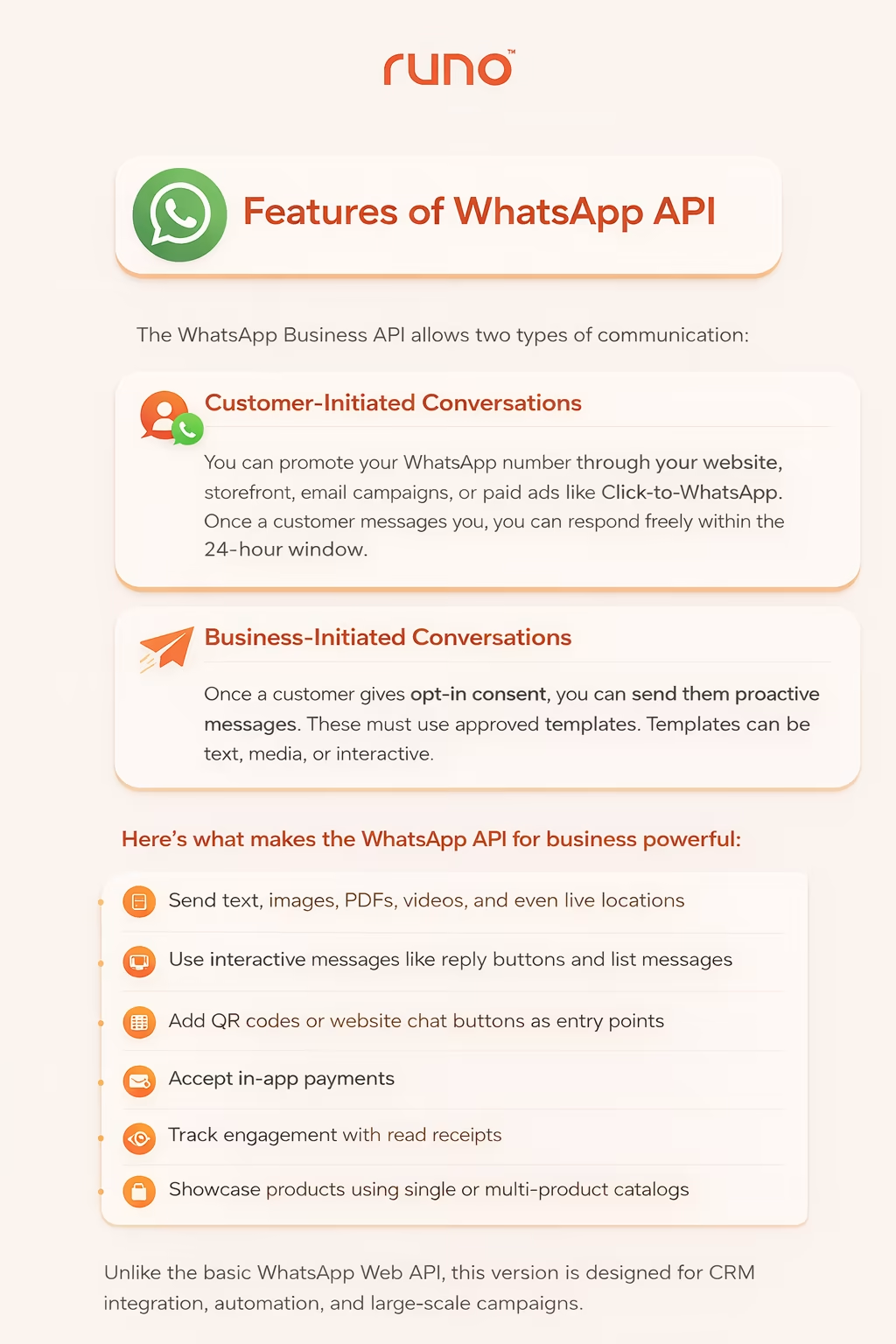
The WhatsApp Business API allows two types of communication.
First, customer-initiated conversations.
You can promote your WhatsApp number through your website, storefront, email campaigns, or paid ads like Click-to-WhatsApp. Once a customer messages you, you can respond freely within the 24-hour window.
Second, business-initiated conversations.
Once a customer gives opt-in consent, you can send them proactive messages. These must use approved templates. Templates can be text, media, or interactive.
Here’s what makes the WhatsApp API for business powerful:
- Send text, images, PDFs, videos, and even live locations
- Use interactive messages like reply buttons and list messages
- Add QR codes or website chat buttons as entry points
- Accept in-app payments
- Track engagement with read receipts
- Showcase products using single or multi-product catalogs
Unlike the basic WhatsApp Web API, this version is designed for CRM integration, automation, and large-scale campaigns. For step-by-step guidance on connecting WhatsApp Business API to your CRM, marketing automation platform, or helpdesk, see our guide on WhatsApp Business API integration best practices.
If you want to choose the best WhatsApp CRM tool , here are the top 10 options.
How to Get Started with WhatsApp Business API (Step-by-Step)
Setting up WhatsApp Business API takes 3–7 days depending on your provider and business verification speed. Here’s the process:
Step 1: Create a Facebook Business Manager Account
Go to business.facebook.com and create a Business Manager account. Add your business details, website, and verify your domain.
Step 2: Choose a Meta-Certified BSP
Select a Business Solution Provider (see comparison table above). Popular options in India: Runo, WATI, Gupshup, Twilio, 360dialog. Most BSPs offer free trials or sandbox accounts.
Step 3: Submit Business Verification Documents
Meta requires business verification before API access. Upload: business registration certificate, GST certificate (India), address proof, and authorized signatory ID.
Step 4: Register and Verify Your WhatsApp Business Number
Choose a dedicated phone number (cannot be used on personal WhatsApp). Your BSP will guide you through OTP verification. This number becomes your official business contact.
Step 5: Create and Submit Message Templates for Approval
Business-initiated messages require pre-approved templates. Create templates for common scenarios (order confirmation, cart reminder, OTP) in your BSP dashboard. Meta reviews and approves within 24-48 hours.
Step 6: Integrate with Your CRM or Helpdesk
Connect the API to your existing tools (Salesforce, HubSpot, Zoho, or Runo CRM). This ensures all WhatsApp conversations sync with customer records and sales pipelines.
Step 7: Launch Your First Campaign or Enable Support
Once templates are approved, send your first broadcast campaign or enable customer support. Monitor delivery rates, reply rates, and opt-outs in your BSP analytics dashboard.
WhatsApp Business API is an enterprise messaging platform that allows medium and large businesses to send automated, personalized messages to customers at scale. Unlike the WhatsApp Business App (limited to 5 devices), the API supports unlimited agents, CRM integration, chatbots, and bulk messaging through Meta-certified Business Solution Providers (BSPs). It is designed for teams that need automation, compliance, and structured customer engagement beyond what the standard app offers.
Why WhatsApp for Business? India has over 487 million WhatsApp users, making it the platform’s largest market globally. Messages sent via WhatsApp achieve 98% open rates compared to 20% for email, and over 50 million businesses worldwide now use WhatsApp Business tools to connect with customers.
Top WhatsApp Business API Use Cases
Businesses across industries use WhatsApp Business API to automate communication and improve customer experience. Here are the most common use cases:
- Order Confirmations & Shipping Updates : Automatically notify customers when orders are placed, shipped, or delivered.
- Abandoned Cart Recovery : Send personalized reminders to customers who left items in their cart, often with a discount incentive.
- Customer Support & Helpdesk : Enable multi-agent support with shared inbox, ticket assignment, and chatbot triage.
- Appointment Reminders : Reduce no-shows by sending automated reminders for appointments, bookings, or reservations.
- Lead Qualification & Follow-Up : Capture leads from ads or website forms and nurture them with automated WhatsApp sequences.
- Two-Factor Authentication (2FA) : Send one-time passwords (OTPs) and verification codes securely via WhatsApp.
- Promotional Campaigns : Broadcast product launches, sales, and offers to opted-in customer segments.
- Feedback & Surveys : Collect post-purchase feedback or NPS scores directly in WhatsApp.
These use cases require approved message templates and customer opt-in for business-initiated messages.
Cloud API Calling: Setup and Configuration
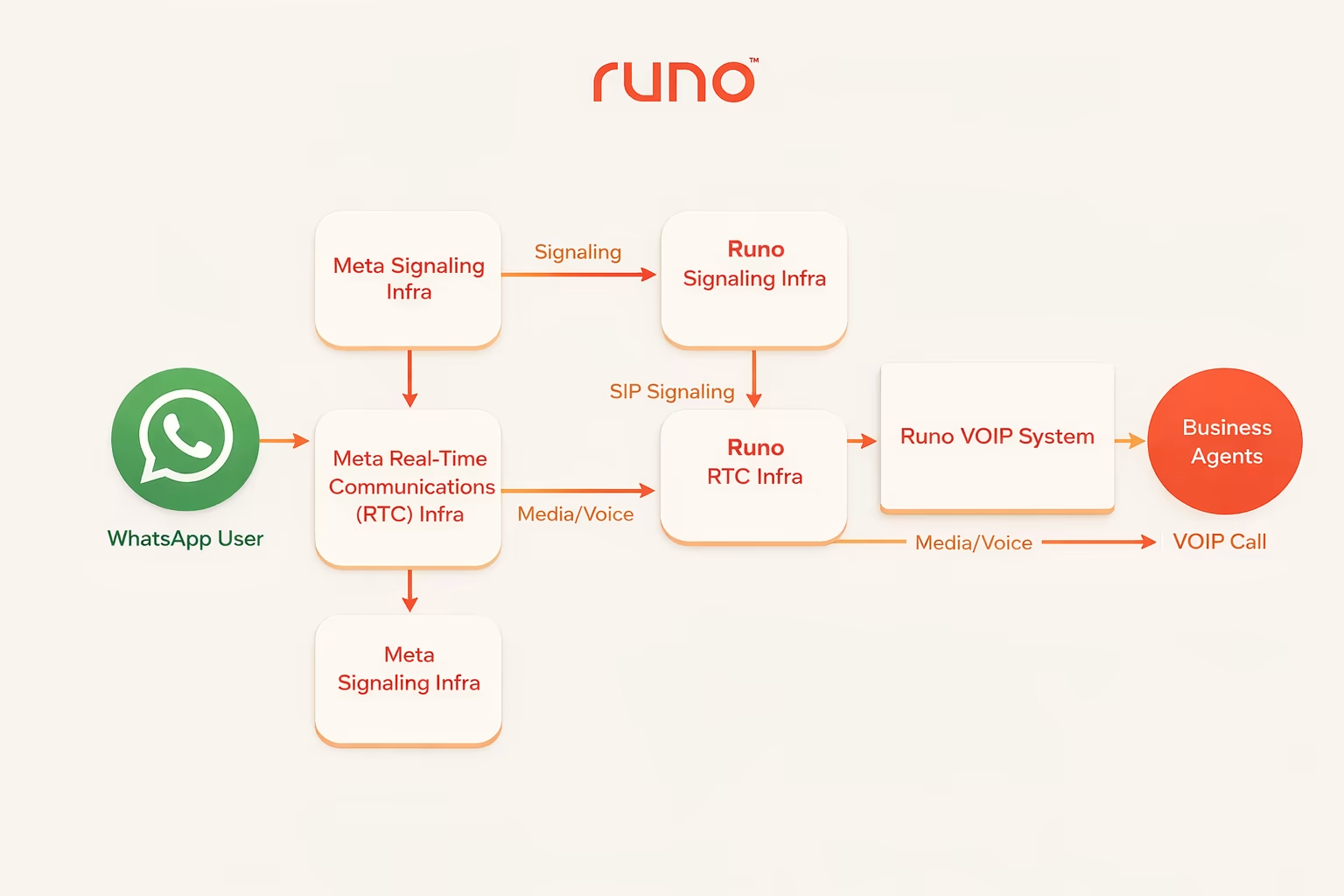
The WhatsApp Business Calling API extends the WhatsApp Business API beyond messaging. It allows businesses to initiate and receive voice calls directly on WhatsApp using VoIP. If you’re already using the Cloud API for messaging, calling becomes a natural extension.
Here’s how it works - step by step.
Step 1: Understand the Signaling and Media Configurations
Once calling is enabled, there are different ways to configure signaling and media.
| Configuration | Default (Graph API + Webhooks) | SIP with WebRTC | SIP with SDES |
| Signaling Protocol | Graph APIs + Webhooks | SIP (explicit enablement required) | SIP (explicit enablement required) |
| Signaling Transport | HTTPS | TLS | TLS |
| Media Protocol | WebRTC (ICE + DTLS + SRTP) | WebRTC (ICE + DTLS + SRTP) | SDES SRTP (explicit enablement required) |
| Audio Codec | OPUS | OPUS | OPUS |
By default, Cloud API uses Graph APIs and Webhooks for signaling and WebRTC for media transmission. SIP and SDES require explicit configuration.
Step 2: Meet the Prerequisites
Before enabling Cloud API Calling:
- Your business number must be connected to Cloud API (not the WhatsApp Business App).
- Your app must subscribe to the calls webhook field (unless using SIP).
- The same app must be linked to your WhatsApp Business Account.
- The app must have WhatsApp Business Messaging permissions.
- Your account must support at least 2000 business-initiated conversations in a rolling 24-hour period.
Once these conditions are met, calling can be enabled in phone number settings.
Step 3: Configure Optional Calling Features
You can control how calls appear to users.
- Inbound Call Control : Disable inbound calls if needed.
- Business Call Hours : Define operating hours to avoid missed calls.
- Callback Requests : Allow users to request a callback if you’re unavailable.
These controls help manage call flow efficiently.
Step 4: Make and Receive Calls
Cloud API Calling supports two types:
- User-initiated calls (customer calls your business).
- Business-initiated calls (you call a user after permission).
For testing, Sandbox accounts provide relaxed limits and public test numbers. Calling is turned off by default on test numbers and must be manually enabled.
Runo + WhatsApp Business API: Centralize Conversations. Accelerate Sales
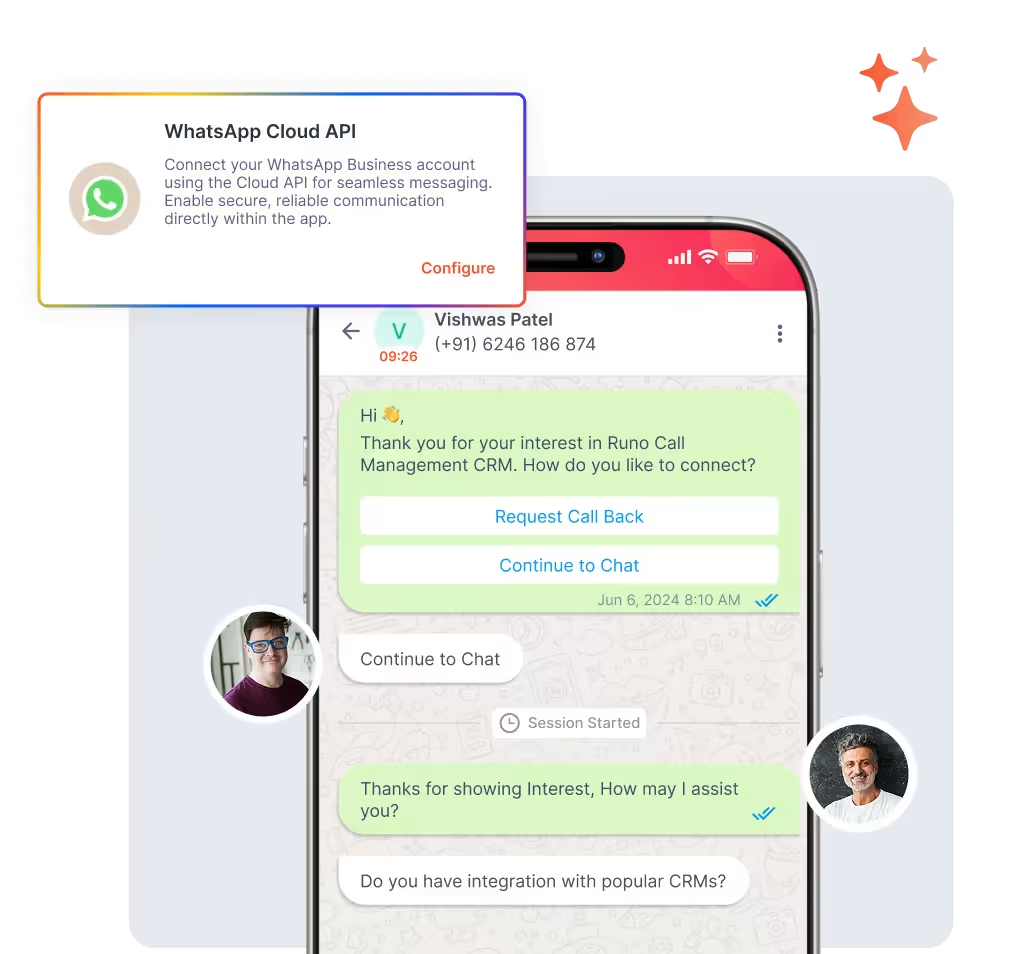
If you’re using the WhatsApp Business API, managing chats separately from your CRM quickly becomes messy. Conversations get scattered. Follow-ups are missed. Teams lose visibility.
Runo solves that.
Runo’s WhatsApp CRM integration brings every conversation, campaign, and lead into one unified dashboard. Instead of switching between tools, your team works inside a single system where WhatsApp chats, calls, emails, and notes are connected to each contact.
What Is WhatsApp CRM Integration, And Why It Matters
Runo connects the WhatsApp Business API directly with CRM workflows. That means:
- All customer chats are logged automatically.
- Leads are captured in real time.
- Campaigns are tracked inside the pipeline.
- Every interaction is visible in one timeline.
No separate tracking. No manual entry. No confusion.
Unified WhatsApp Management from One Verified Number
With Runo, you can run bulk and personalized campaigns from a single verified business number.
You can:
- Segment audiences using CRM data.
- Personalize messages with names, offers, and dynamic fields.
- Attach images, PDFs, videos, or location pins.
- Schedule campaigns in advance.
- Trigger campaigns automatically based on user actions.
Whether you’re nurturing 50 leads or 5,000, everything runs through one professional WhatsApp presence.
Explore the Top Benefits of WhatsApp CRM Integration for Small Businesses .
Engagement & Automation That Moves Faster
Speed matters in WhatsApp communication.
Runo improves response time by combining automation with team workflows.
- Auto-replies (coming soon) for instant engagement.
- Smart lead routing based on workload.
- Auto-assignment rules inside CRM.
- Real-time notifications to sales teams.
This means no lead waits. No conversation gets lost. And teams respond faster even outside business hours.
Unified Timeline: Calls + Emails + WhatsApp in One View
One of the biggest limitations of using the WhatsApp Web API alone is the lack of context.
Runo fixes that.
Every WhatsApp chat appears in the same interaction timeline as:
- Outbound calls
- Inbound calls
- Emails
- Notes
- Follow-ups
Managers can see the complete customer journey at a glance. Sales teams never lose context.
Analytics That Actually Show Impact
Running campaigns is one thing. Measuring them is another.
Runo provides dashboards that track:
- Message open rates
- Reply rates
- Conversion rates
- Team response times
- Campaign ROI
Instead of guessing performance, you see exactly what’s working.
Secure, Compliant, and Industry Ready
Runo keeps all WhatsApp conversations encrypted and compliant with global standards, including GDPR.
It is built for industries where speed and personalization matter:
- Sales teams
- E-commerce brands
- Healthcare providers
- Education institutions
- Support teams
- Real estate companies
Call Tracking + CRM + WhatsApp Business API
Here’s what you get when everything works inside one system:
- One centralized number to run all WhatsApp campaigns professionally
- Rich campaigns with images, videos, PDFs, documents, and location pins
- Bulk messaging with personalization using CRM data fields
- Unified interaction timeline that tracks WhatsApp chats, calls, emails, and notes together
- Auto-replies and quick responses (coming soon) for faster engagement
- Unified Inbox to manage all WhatsApp conversations inside Runo CRM
- Analytics and visual dashboards to measure campaign and sales performance
How Runo’s WhatsApp CRM Software Works
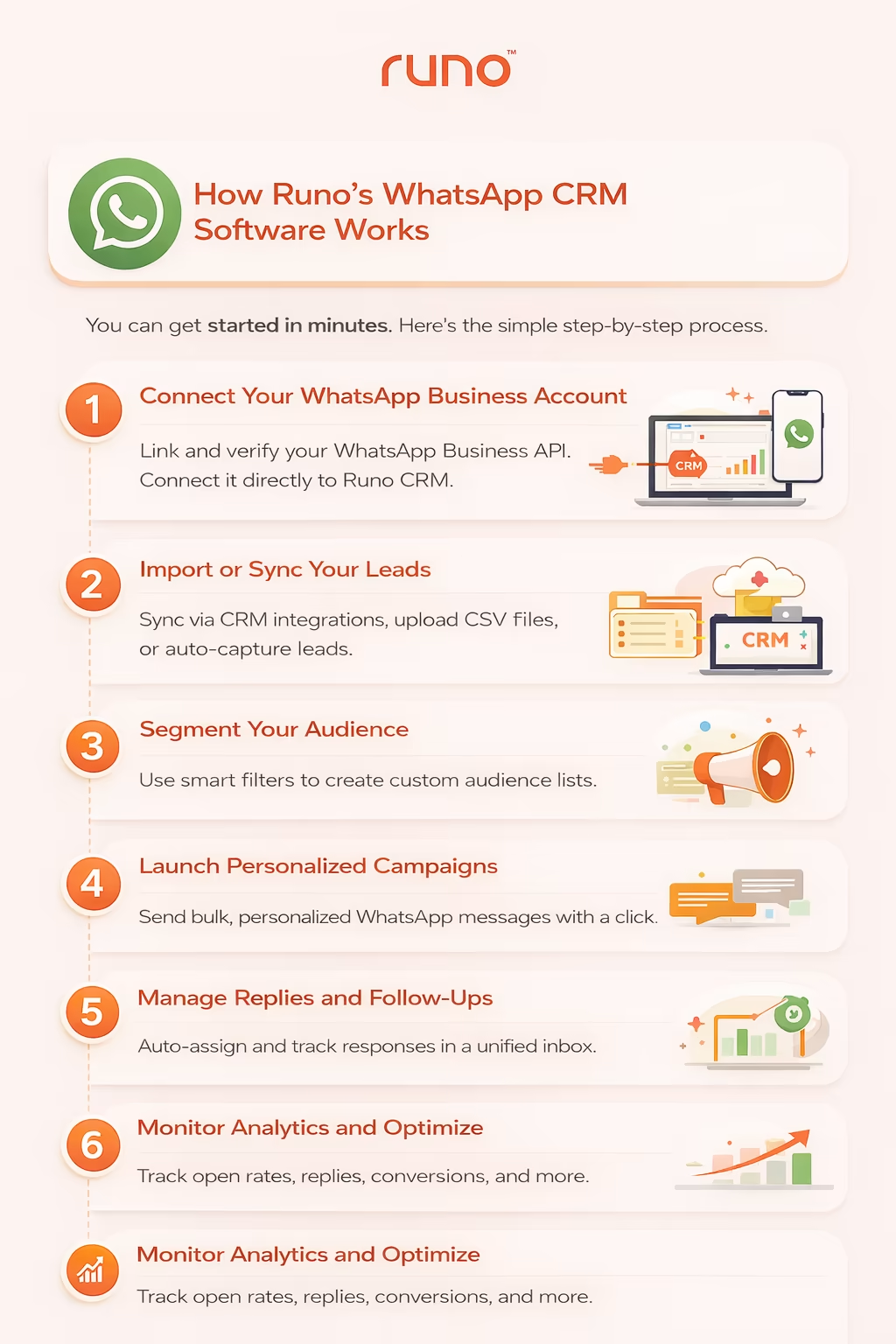
You can get started in minutes. Here’s the simple step-by-step process.
Step 1: Connect Your WhatsApp Business Account
During onboarding, link your WhatsApp Business account and verify your business number. Once verified, your WhatsApp Business API is connected directly to Runo CRM.
Step 2: Import or Sync Your Leads
Bring your leads into Runo through multiple options. You can sync via CRM integrations, upload CSV files, or automatically capture leads from website forms and ad campaigns.
Step 3: Segment Your Audience
Use smart filters in Runo CRM to create custom audience lists-segmented by source, stage, geography, interest level, or previous interactions.
Step 4: Launch Personalized Campaigns
Create rich WhatsApp campaigns with text, media, and interactive elements. Send bulk messages with personalized fields such as name, offer, or product details - all in one click.
Step 5: Manage Replies and Follow-Ups
All incoming chats appear inside the unified inbox. Chats can be auto-assigned to team members, responses can be tracked, and follow-ups can be scheduled directly from the timeline.
Step 6: Monitor Analytics and Optimize
Access real-time dashboards to track open rates, replies, conversions, chat resolution time, and revenue impact. Use insights to refine messaging and improve campaign performance.
FAQs
What is WhatsApp Business API used for?
WhatsApp Business API is used by medium and large businesses to automate and scale customer communication. Common uses include order confirmations, shipping updates, abandoned cart reminders, customer support, appointment scheduling, two-factor authentication, promotional campaigns, and lead nurturing. It requires approved message templates and customer opt-in for business-initiated messages.
Can WhatsApp Business API support multi-agent teams?
Yes. WhatsApp Business API allows multiple team members to manage conversations simultaneously through CRM integration, enabling structured collaboration, internal notes, and controlled access without sharing login credentials.
Is WhatsApp Business API suitable for small businesses?
Absolutely. While originally built for scale, small and growing businesses can use the WhatsApp API through approved providers to automate communication and handle higher message volumes professionally.
Does WhatsApp Business API allow chatbots?
Yes. Businesses can integrate chatbots to automate FAQs, lead qualification, order tracking, and appointment scheduling while seamlessly handing over complex conversations to live agents when required.
Can businesses use WhatsApp API internationally?
Yes. WhatsApp Business API supports global communication, allowing businesses to send approved template messages across countries while complying with local opt-in and messaging regulations.
How is WhatsApp Business API different from the WhatsApp Business App?
The API is built for scale and automation. Unlike the app, it supports CRM integration, bulk messaging, multi-user access, automation workflows, and advanced analytics for growing businesses.
What are the WhatsApp Business API usage guidelines?
WhatsApp Business API usage guidelines require businesses to obtain explicit opt-in consent before sending messages, use only Meta-approved message templates for business-initiated conversations, and comply with Meta's Commerce Policy and Business Messaging Policy. Businesses must not send unsolicited promotional messages, share customer data without consent, or use the API for prohibited industries (gambling, tobacco, weapons). Violating WhatsApp Business API usage guidelines can result in account suspension or permanent ban. Always review Meta's official policies before launching campaigns.