

Mobile applications have revolutionized the way one manages the business. These apps allow the user to access & manage tasks remotely on a phone or tablet. The same goes for Mobile CRM software.
In today’s hyper-connected world, where phones have become an extension of our hands, harnessing the capabilities of mobile devices is crucial for businesses to excel.
Say goodbye to tedious paperwork or the need of having a laptop or personal computer and hello to streamlined operations, increased productivity, and extraordinary customer experiences in your palm.
In this blog, we unveil The Top 9 Mobile CRM apps that are transforming the way businesses thrive in the digital age.
Best CRM Apps at a Glance
Not sure which mobile CRM to pick? Here is a quick comparison of all 9 best mobile CRM apps for business so you can evaluate them side by side before diving into the details.
| CRM App | Best For | Free Plan | Starting Price | Mobile Offline | G2 Rating |
| Runo | Telecalling + CRM for sales teams | 10-day trial | Custom pricing | Yes | 4.3/5 |
| Zoho CRM | SMBs want the best value | Yes (3 users) | $14/user/mo | Yes (full) | 4.1/5 |
| HubSpot | All-in-one marketing + sales | Yes (unlimited) | $15/seat/mo | Partial | 4.4/5 |
| Freshsales | AI-assisted SMB sales | Yes (3 users) | $9/user/mo | Cache-based | 4.5/5 |
| Salesflare | B2B teams, minimal data entry | No (30-day trial) | $29/user/mo | Yes | 4.8/5 |
| Pipedrive | Visual pipeline management | No (14-day trial) | $14/user/mo | Yes (full) | 4.3/5 |
| CapsuleCRM | Small teams, simplicity | Yes (2 users) | $18/user/mo | Yes | 4.5/5 |
| Salesforce | Enterprise-grade CRM | No | $25/user/mo | Yes | 4.3/5 |
| Bitrix24 | Large teams, all-in-one platform | Yes (unlimited) | $49/mo flat | Yes | 4.1/5 |
What is a Mobile CRM App?
A Mobile CRM App refers to a specialized software application designed to enable businesses to manage their customer relationships effectively using mobile devices such as smartphones and tablets. It empowers businesses to stay connected, organized, and responsive to their customer’s needs while on the go.
The best CRM apps offer a range of features and functionalities that are tailored to the unique requirements of mobile devices. These apps allow users to access and update customer data, track interactions, manage sales pipelines, and collaborate with team members, all from the convenience of their mobile devices.
The purpose of a Mobile CRM App is to provide businesses with the flexibility and agility they need to manage customer relationships seamlessly in today’s fast-paced digital landscape. By leveraging the power of mobile technology, businesses can enhance productivity, improve customer service, and drive sales growth.
How does a mobile CRM benefit your business?
Access Data Remotely from the phone:
Business owners and their teams must stay connected and responsive on the go. Mobile CRM allows access to customer information anytime, anywhere, using smartphones or tablets. It enables prompt responses, quick follow-ups, and the ability to seize business opportunities wherever they arise.
Get done more in less time:
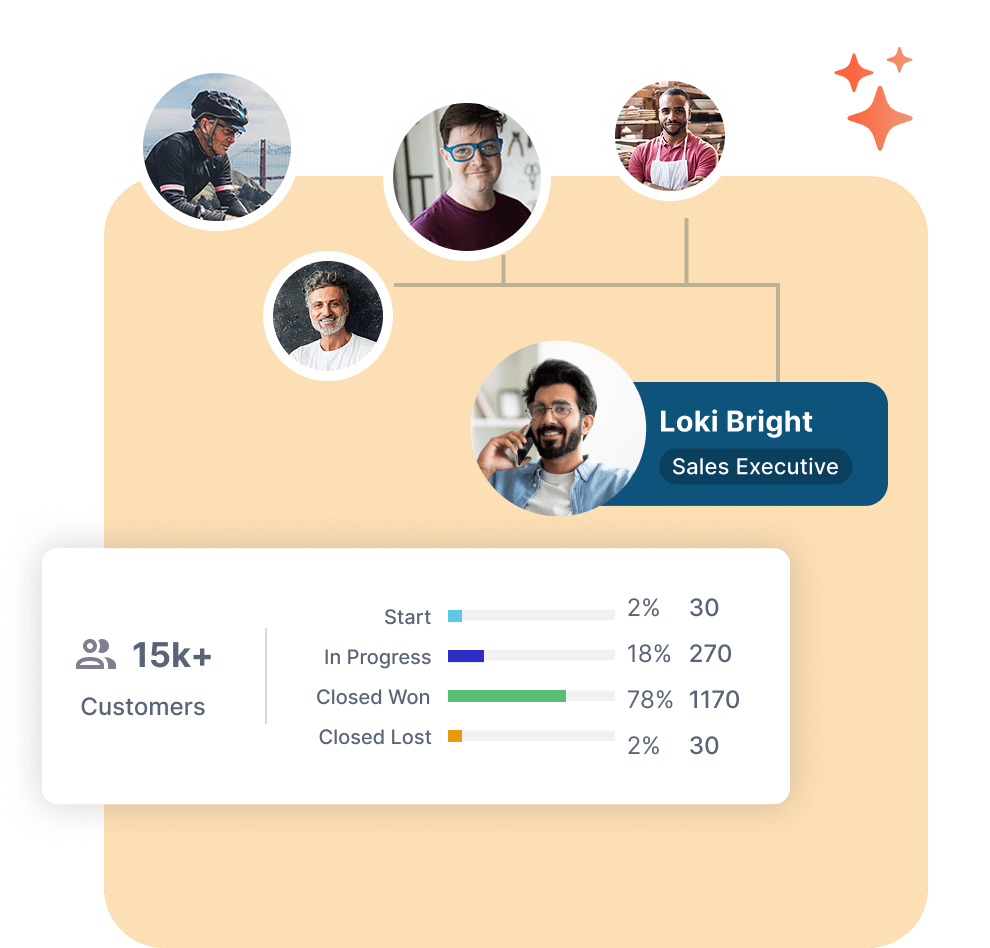
Mobile CRM apps streamline tasks and automate manual processes, maximizing productivity. Sales teams can manage leads , update customer records, and track sales activities in real-time from their mobile devices.
Improved Customer Interactions:
Exceptional customer service is vital for businesses. Mobile CRM empowers businesses to deliver personalized and prompt experiences. Access to customer history, targeted marketing messages, and real-time issue resolution allows for a personalized touch and stronger customer relationships.
Light on pocket:
Businesses need cost-effective solutions. Mobile CRM offers affordability by eliminating expensive hardware and software installations. Subscription-based pricing models allow businesses to choose plans that suit their needs and scale as they grow. Mobile CRM provides advanced CRM functionalities without breaking the bank.
Now that you know all about Mobile CRM let’s check out the 9 best Mobile CRM Apps.
What is the impact of mobile CRM?
For businesses, mobile CRM enhances operations by providing seamless accessibility to customer data and sales pipelines, empowering sales teams to make informed decisions and prioritize leads. It also improves collaboration among team members, resulting in streamlined teamwork and increased operational efficiency.
In terms of customer experience, mobile CRM enables personalized interactions by giving sales representatives real-time access to customer information, leading to tailored conversations, targeted marketing messages, and stronger customer relationships. Prompt responsiveness to customer inquiries and the ability to deliver relevant information enhances engagement and customer satisfaction.
Additionally, the convenience and accessibility of mobile CRM contribute to a seamless and convenient customer experience.
What are the uses of mobile CRM?
Mobile CRM serves various essential purposes that benefit businesses in managing customer relationships and driving sales growth. Here are some key uses of mobile CRM
- On-the-Go Access: Access customer data, sales pipelines, and tasks from anywhere using mobile devices.
- Real-Time Updates and Collaboration: Ensure up-to-date information and seamless collaboration among team members.
- Lead and Opportunity Management: Capture, track, and update leads and opportunities on the go for improved conversion rates.
- Customer Engagement and Follow-Ups: Engage customers promptly with personalized interactions and timely follow-ups.
- Task and Activity Management: Create, update, and track tasks, appointments, and sales activities on mobile devices.
- Offline Functionality: Access and work with customer data even without internet connectivity.
- Instant Notifications: Receive real-time notifications for important updates, such as lead assignments or customer inquiries.
- Sales Pipeline Tracking: Monitor and track the progress of sales deals and opportunities.
- Call Integration: Make and receive calls directly within the mobile CRM app, ensuring seamless communication and call logging.
- Offline Data Synchronization: Automatically sync data when the internet connection is restored after working offline.
How to Choose a CRM App
With dozens of CRM software with mobile app options available in the market, picking the right one can be overwhelming. Here is what to evaluate before making your decision:
- Team Size and Scale: Small teams (under 10 people) need simplicity and affordability, options like Zoho or Freshsales work well. Mid-sized teams need better collaboration and reporting. Enterprises require advanced security and extensive customization.
- Mobile-First or Mobile-Companion: Some CRMs are built mobile-first (like Runo and Salesflare), while others offer a mobile app as a companion to their desktop product. If your team works primarily on the phone, prioritize a truly mobile-first CRM.
- Offline Access: Field sales teams cannot always rely on internet connectivity. Look for a best mobile app CRM that offers full or cache-based offline mode, Pipedrive and Zoho CRM offer full offline access, while Freshsales offers cache-based offline support.
- AI and Automation Features: Modern CRMs are increasingly AI-powered. Look for features like lead scoring, call summaries, sentiment analysis, and predictive insights, especially important for sales teams making high-volume calls.
- Integration with Your Existing Tools: Check whether the CRM integrates with your current tools, email (Gmail, Outlook), WhatsApp, social media lead sources, and your calendar. Deep integrations save time on manual data entry.
- Pricing Transparency: Always evaluate total cost of ownership, not just the starting price. Factor in per-seat pricing, feature gating across tiers, add-ons (like calling credits), and mandatory onboarding fees.
- Ease of Onboarding: Simple CRMs like HubSpot and Pipedrive get teams running within days. Enterprise platforms like Salesforce can take 3–6 months to implement properly. Choose based on your team’s technical capacity.
- Customer Support: Evaluate support quality, live chat, phone support, knowledge base, onboarding assistance, and community resources all matter, especially during initial setup.
How to Choose a CRM App
With dozens of CRM software with mobile app options available in the market, picking the right one can be overwhelming. Here is what to evaluate before making your decision:
- Team Size and Scale: Small teams (under 10 people) need simplicity and affordability, options like Zoho or Freshsales work well. Mid-sized teams need better collaboration and reporting. Enterprises require advanced security and extensive customization.
- Mobile-First or Mobile-Companion: Some CRMs are built mobile-first (like Runo and Salesflare), while others offer a mobile app as a companion to their desktop product. If your team works primarily on the phone, prioritize a truly mobile-first CRM.
- Offline Access: Field sales teams cannot always rely on internet connectivity. Look for a best mobile app CRM that offers full or cache-based offline mode, Pipedrive and Zoho CRM offer full offline access, while Freshsales offers cache-based offline support.
- AI and Automation Features: Modern CRMs are increasingly AI-powered. Look for features like lead scoring, call summaries, sentiment analysis, and predictive insights, especially important for sales teams making high-volume calls.
- Integration with Your Existing Tools: Check whether the CRM integrates with your current tools, email (Gmail, Outlook), WhatsApp, social media lead sources, and your calendar. Deep integrations save time on manual data entry.
- Pricing Transparency: Always evaluate total cost of ownership, not just the starting price. Factor in per-seat pricing, feature gating across tiers, add-ons (like calling credits), and mandatory onboarding fees.
- Ease of Onboarding: Simple CRMs like HubSpot and Pipedrive get teams running within days. Enterprise platforms like Salesforce can take 3–6 months to implement properly. Choose based on your team’s technical capacity.
- Customer Support: Evaluate support quality, live chat, phone support, knowledge base, onboarding assistance, and community resources all matter, especially during initial setup.
List of 9 Best Mobile CRM Apps for Business
- Runo
- Zoho CRM
- HubSpot
- Freshsales
- Salesflare
- Pipedrive
- CapsuleCRM
- Salesforce
- Bitrix24
1. Runo
When you think of a mobile CRM, you just can’t simply ignore Runo Call Management CRM . Runo has been a game-changing solution designed to reshape how you manage customer relationships.
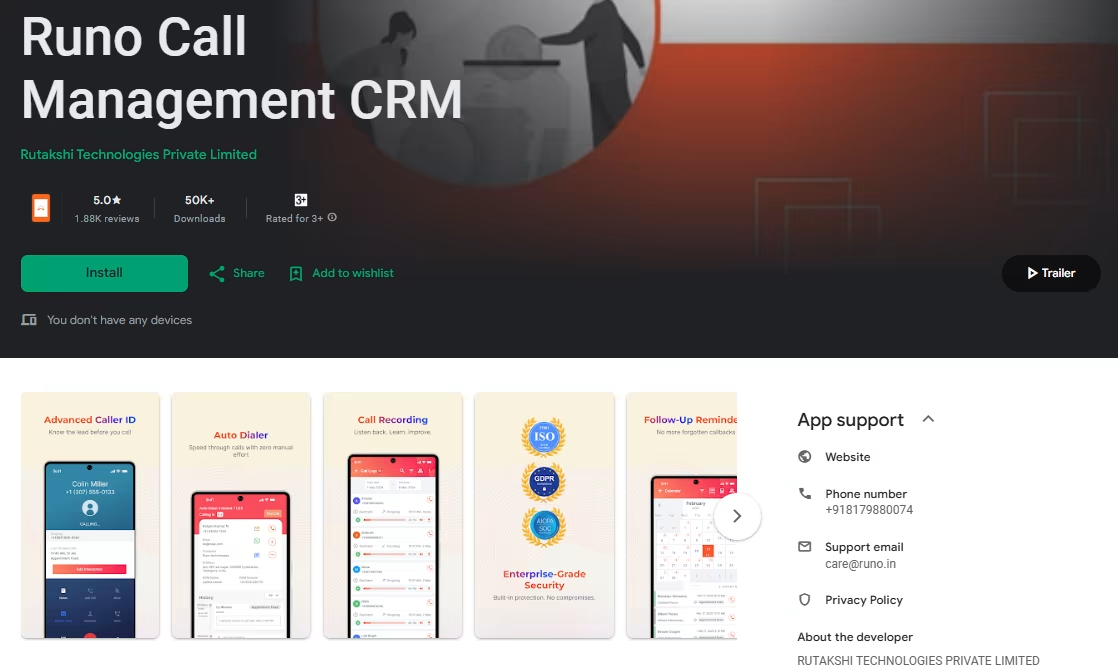
The platform has an easy-to-use interface that requires almost no learning curve. Additionally, Runo is useful for picking up the sales pipeline, managing contacts, and keeping you updated with the customer flow.
It also has features like follow-up notifications, & it can be tailored according to the business needs. Secondly one can also integrate Runo with different lead generation sources like Meta (Facebook), Gmail, Google Sheets, & also with Whatsapp, Google Sheets & calendar.
What sets Runo apart from the other platforms on the list is that it is not just a Mobile CRM, but also a Call management tool. Runo manages
outbound calls at the SIM level
. That means businesses can make sales calls with a normal SIM number, &
track sales calls on the phone
itself.
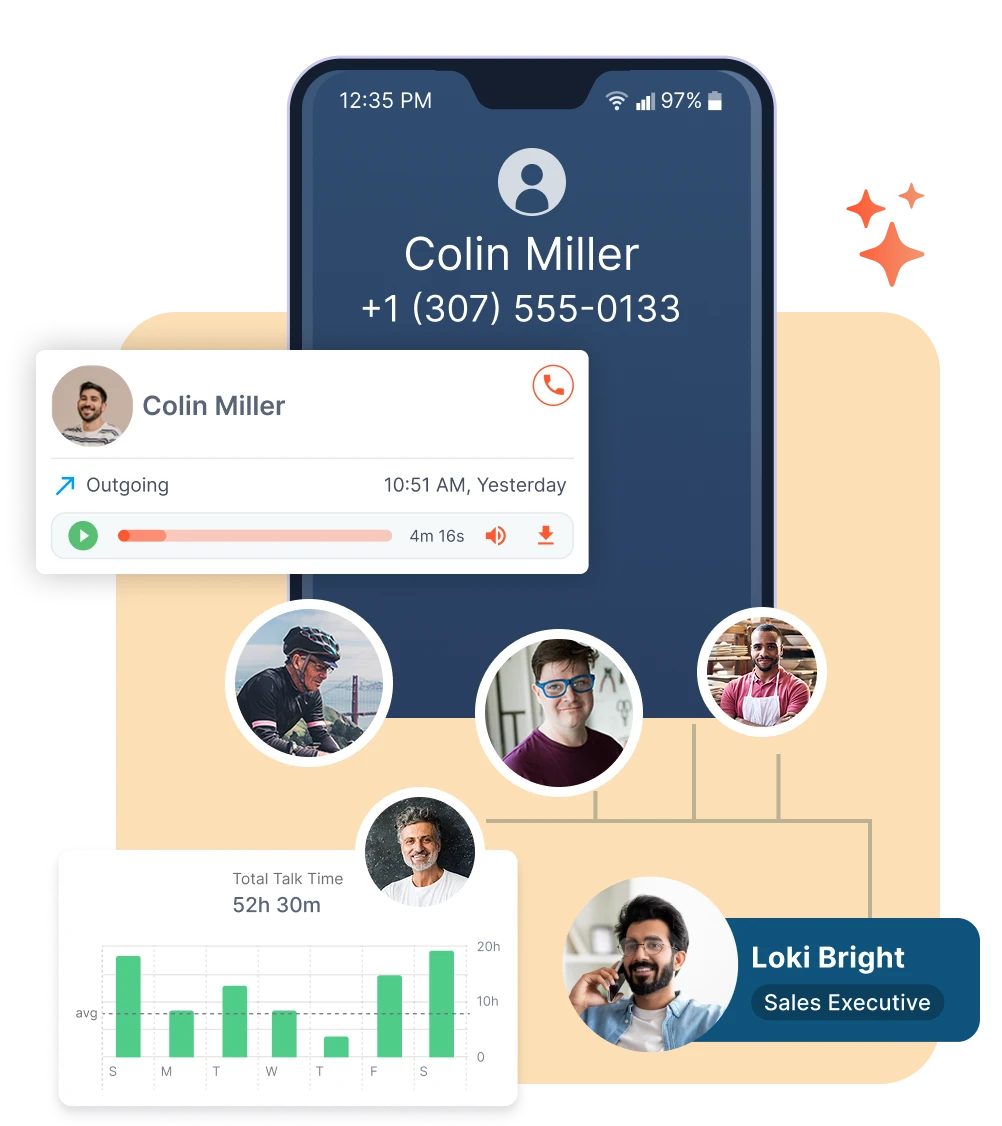
Runo brings on a CRM & with that a cutting-edge Call Management tool. This
telecalling CRM app
is everything your sales team needs, it can be used to track calls & has a Mobile CRM in-built. You can download Runo for free from
Google Play Store
&
Apple’s app store
.
Runo Mobile CRM – Key Features That Power Your Sales Team
Live Team Status
Easily see who’s available, on a call, or on break, so you always know your team’s real-time activity without needing constant check-ins.
AI Sentiment Analysis
Go beyond numbers and understand emotions. AI tells you how leads or customers actually felt during the call, helping you respond better next time.
Call Recording
Never miss a detail. Record calls to monitor quality, revisit conversations, and train your team with real examples.
AI Call Summaries
Skip long recordings. AI gives you quick summaries of each call so you know exactly what happened in just seconds.
Real-Time Dashboards
Stay on top of performance. Live dashboards show agent activity, calls made, and outcomes, all in one simple view.
Auto Dialer
Save time and effort with auto dialer software . Let the system dial numbers automatically so your reps can focus on talking, not typing.
AI Chat Assistant
Need quick insights? Just ask the AI. From scheduling calls to pulling data, it acts like your smart sales sidekick.
Auto Lead Allocation
Leads never slip through the cracks. The system instantly assigns new leads to the right rep for faster follow-ups.
Interaction Timeline
See the full story. Every call, message, and note with a lead is shown in one place, so you’re always in context.
Funnel Management
Manage deals visually. Drag and drop leads between stages and watch your pipeline move forward smoothly.
Follow-Up Notifications
Stay consistent with your outreach. Get automatic reminders for every follow-up so nothing gets missed.
Advanced Caller ID
Know who’s calling before you answer. See the caller’s name and their recent conversation history instantly.
Message Templates
Reply faster with ready-to-use, natural-sounding message templates to keep your communication professional yet quick.
CRM Customisation
No two businesses are the same. Tailor your CRM by adding custom fields that match your unique sales process.
Runo Pricing:
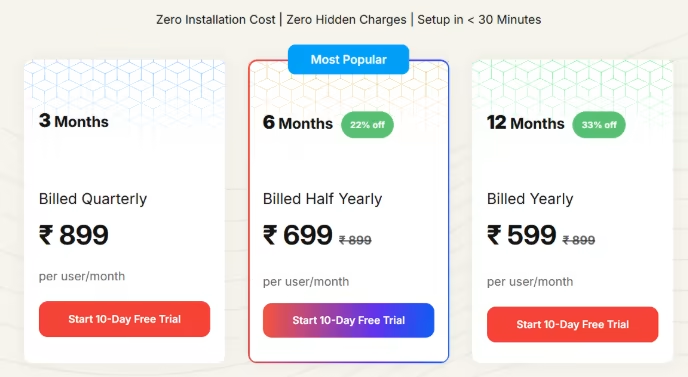
Runo comes with a 10-day free trial. Choose a pricing plan that fits your business needs with quarterly, half-yearly, or yearly options. Check Runo’s official pricing here.
2. ZohoCRM
Zoho is a well-known name in the CRM industry, offering a range of products tailored to different business needs. Zoho CRM Plus, their top-tier offering, provides businesses with a cost-effective alternative to Salesforce.
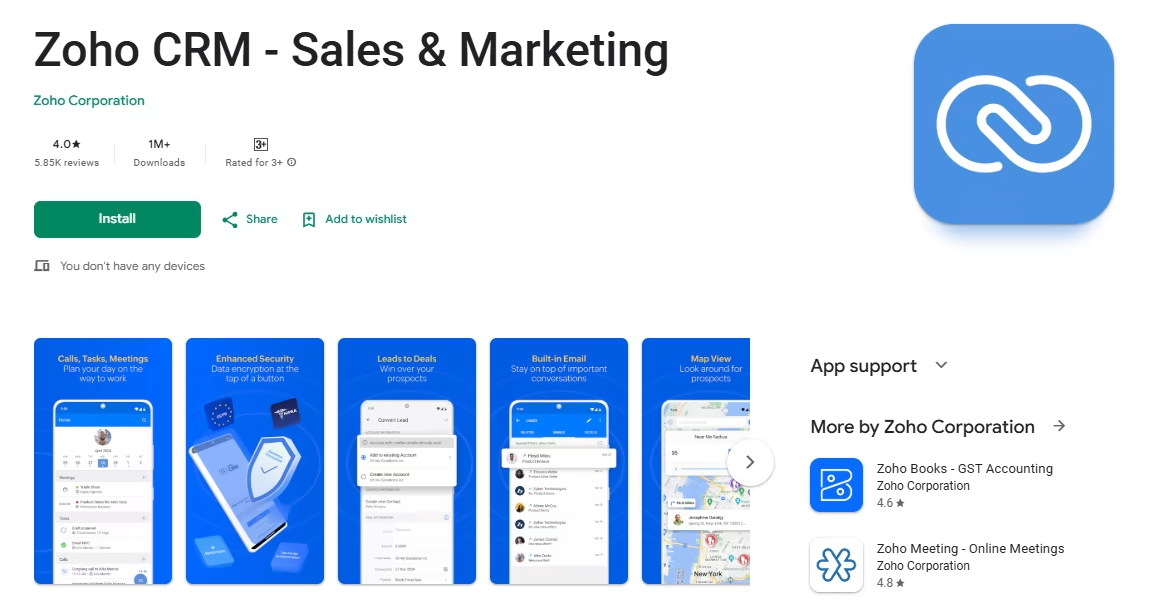
The mobile CRM app allows users to access and add records even offline, making it a convenient option for those on the go.
With its seamless interface, the Zoho mobile CRM app offers interactive features such as location-based sales opportunity identification and visit logging.
It also provides real-time reports and AI-powered capabilities, making it a powerful resource for sales teams. While primarily designed for the sales department, Zoho CRM can be explored and utilized for various aspects of business management.
Experience the power of Zoho CRM, an affordable and feature-rich solution that empowers businesses to streamline operations and enhance customer relationships.
Pros:
- One of the best value-for-money CRMs, feature-rich at a low price point.
- Full offline mode, ideal for field sales teams.
- Zia AI offers lead scoring, deal insights, and conversation intelligence.
- Deep ecosystem integration with 45+ Zoho apps and 800+ third-party tools.
- Free plan available for up to 3 users.
Cons:
- The interface can feel dated compared to HubSpot or Pipedrive.
- Learning curve can be steep for users new to the Zoho ecosystem.
- Customer support quality varies across tiers.
Pricing:
- Free: Up to 3 users
- Standard: $14/user/month
- Professional: $23/user/month
- Enterprise: $40/user/month
- Ultimate: ~$52/user/month
3. HubSpot
HubSpot’s scalable sales CRM combines functionality and convenience seamlessly. With advanced CRM features like deals on the go, reminders, task creation, and a detailed activity feed, it provides a comprehensive solution for managing customer relationships on the move.
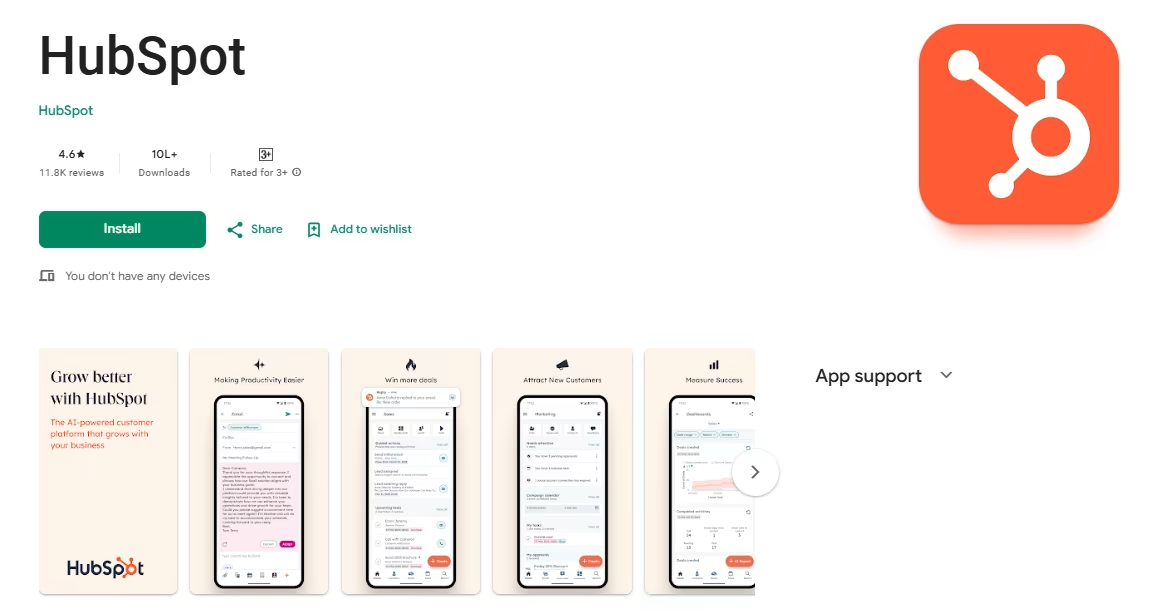
The app also supports live chat, detailed caller ID, meeting outreach, and quick email, ensuring efficient communication and engagement.
Team collaboration is simplified with accessible storage, real-time notifications, task assignment, and more. Designed to cater to businesses of all sizes, HubSpot’s mobile CRM offers scalability, power, and user-friendly simplicity.
It excels in lead assignment, sales process monitoring, and recording customer interactions across channels. Compatible with G Suite and Microsoft Office, HubSpot ensures a hassle-free experience.
Pros:
- Generous free plan, unlimited users, contact management, and pipeline tracking.
- Great for teams that need marketing + sales in one platform.
- Strong ecosystem with 1,500+ integrations.
- Breeze AI delivers predictive scoring and email writing assistance.
- The mobile app is well-designed with positive app store reviews.
Cons:
- The free-to-paid pricing jump is steep; the professional plan costs $90/seat/month plus a mandatory $1,500 onboarding fee.
- Mobile app offers a reduced feature set compared to the desktop version.
- Live notifications on mobile can be unreliable at times.
Pricing:
- Free: Unlimited users, limited features
- Starter: $15/seat/month
- Professional: $90/seat/month (plus mandatory onboarding fee)
- Enterprise: $150/seat/month
4. Freshsales
Freshsales is a feature-rich and user-friendly CRM designed to streamline sales processes for businesses of all sizes. With its robust capabilities for contact, account, sales pipeline, and deal management, Freshsales offers a comprehensive solution to effectively track and nurture leads.
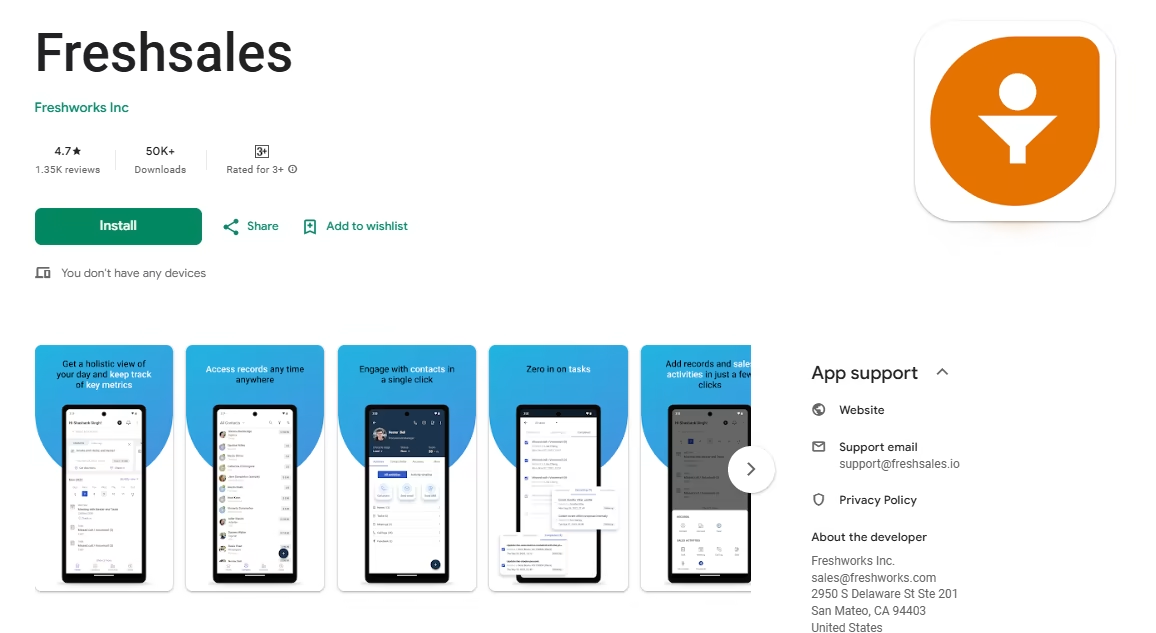
The platform’s built-in communication features, including email and phone integration, simplify customer interactions. One notable aspect of Freshsales is its intuitive interface, making it easy to navigate and utilize its various features.
The CRM also offers lead engagement tracking and sorting, allowing businesses to prioritize their leads effectively. Additionally, Freshsales provides customizable forms and data input options, ensuring flexibility in capturing and organizing crucial customer information.
While Freshsales shines in its core functionalities, it’s worth noting that integration with other SaaS products may be limited. For businesses seeking a comprehensive suite of products, Freshsales offers additional solutions within their ecosystem.
Pros:
- Affordable AI-powered CRM, Freddy AI, on mobile without enterprise pricing.
- Clean, intuitive mobile interface with cache-based offline mode.
- Built-in phone and email integration, no additional tools needed.
- Strong lead engagement tracking and sorting.
- Free plan available for up to 3 users.
Cons:
- Freddy AI features are locked behind the Pro plan ($39/user/month).
- Phone calling credits cost extra ($0.02/minute for US calls).
- Integration with third-party SaaS products can be limited compared to Salesforce or HubSpot.
Pricing:
- Free: Up to 3 users
- Growth: $9/user/month
- Pro: $39/user/month
- Enterprise: $69/user/month
5. Salesflare
Founded in 2014 Salesflare promises to be a mobile-first CRM, catering to the needs of businesses with its seamless mobile experience.
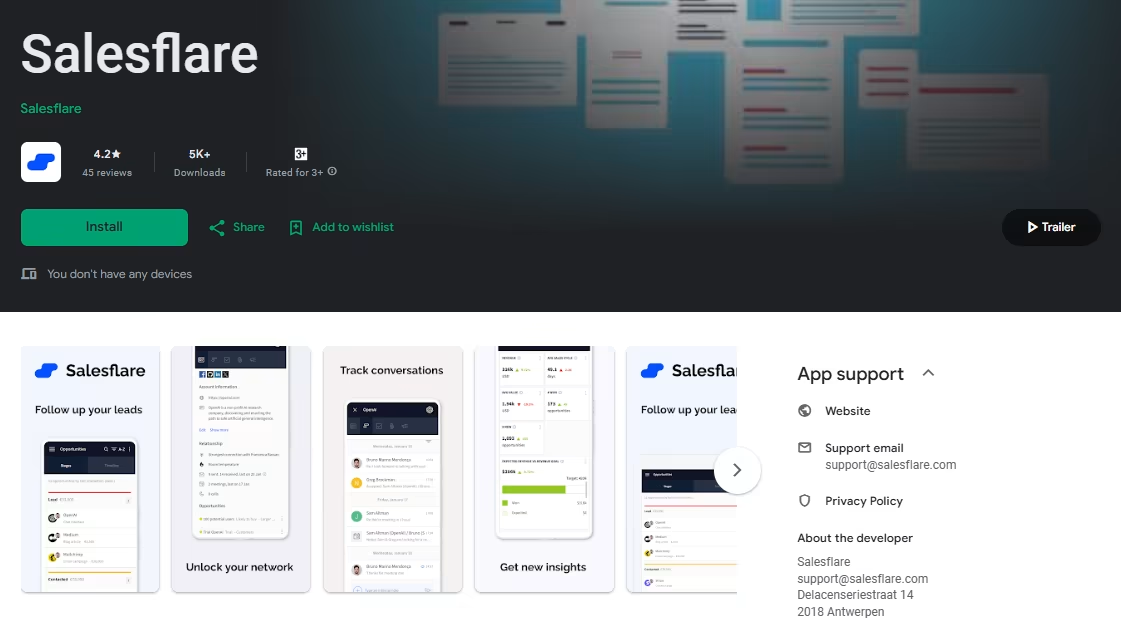
Salesflare eliminates the hassle of manual input and ensures accurate and up-to-date customer information.
While a free plan and in-app dialer are not included, Salesflare remains a good choice for agile customer management with its robust mobile CRM capabilities that seamlessly complement the desktop app.
Pros:
- Mobile-first by design, some of the strongest mobile CRM capabilities available.
- Highly automated data capture, minimal manual input needed.
- Timeline view provides a clear chronological overview of all contact interactions.
- Seamless integration with Gmail and Outlook.
- 30-day free trial, one of the longest in the category.
Cons:
- No free plan, paid plans start at $29/user/month.
- No in-app dialer, better suited for email-heavy sales than phone-heavy outreach
- Best suited for B2B teams, may not fit B2C sales motions well
Pricing:
- Growth: $29/user/month (annual) or $35/month
- Pro: $49/user/month
- Enterprise: $99/user/month
6. Pipedrive
Pipedrive offers a CRM solution designed to cater to the needs of sales teams. Since its establishment in 2011, Pipedrive has been providing a straightforward and practical tool for sales professionals.
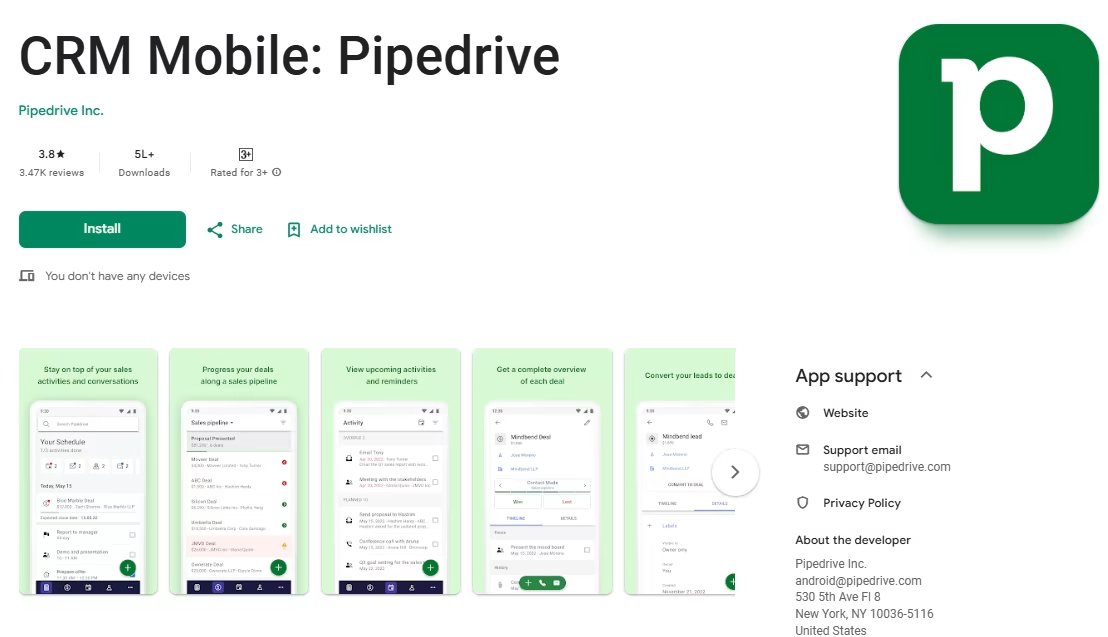
With a focus on simplicity, Pipedrive aims to streamline essential tasks like data entry and activity tracking. While there may be some manual effort involved, the user-friendly interface enhances efficiency and productivity for sales teams.
While the mobile app may have room for improvement in terms of user experience, Pipedrive remains a viable option for sales teams seeking a no-frills CRM solution.
Pipedrive’s CRM features include a visual sales pipeline and tools for managing leads, contacts, deals, and activities. Different plans are available to accommodate various business requirements.
Pros:
- Visual pipeline is intuitive and requires minimal training
- Full offline access on mobile, critical for field sales teams
- 400+ integrations including Gmail, Outlook, Slack, Trello, and Zapier
- Strong activity tracking, never miss a follow-up
- Focused purely on sales, no marketing feature bloat
Cons:
- No free plan, 14-day trial only
- Mobile app user experience has room for improvement
- Limited marketing automation capabilities compared to HubSpot or Zoho
- Advanced reporting and forecasting only available on higher tiers
Pricing:
- Essential: $14/user/month
- Advanced: $29/user/month
- Professional: $59/user/month
- Enterprise: $99/user/month
7. CapsuleCRM
Capsule CRM is a user-friendly CRM app that provides essential tools for sales agents to streamline their tasks. With features like deal and contact management, sales pipeline monitoring, and workflow automation, Capsule CRM offers a solid foundation for effective sales management.
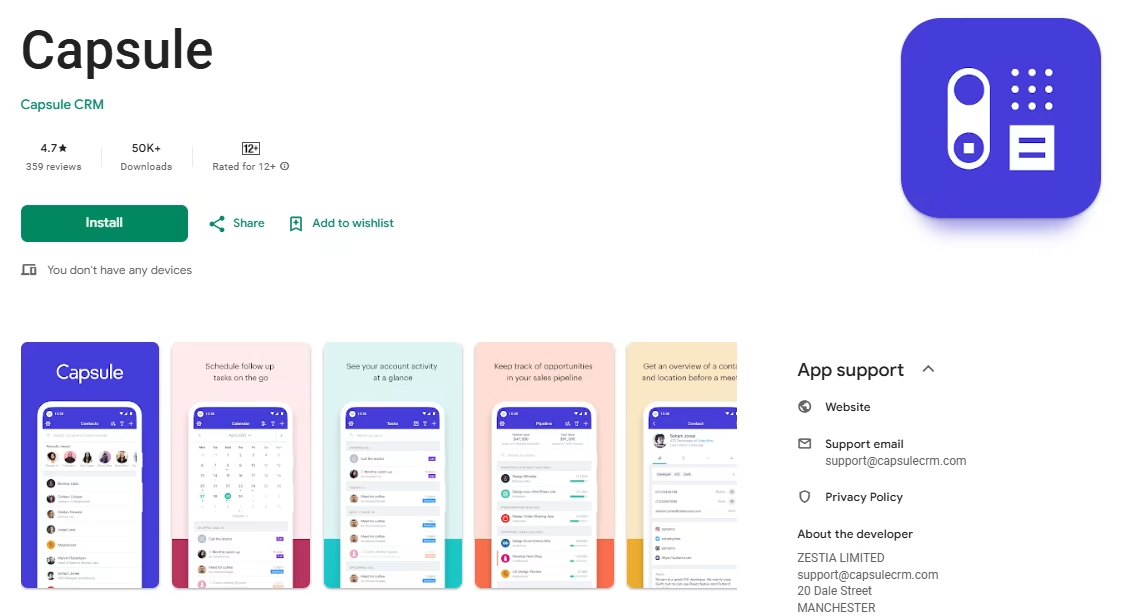
While it may not offer advanced sales tools like analytics and territory management, Capsule CRM focuses on simplicity and ease of use. It allows you to maintain better organization and collaboration within your team by providing a comprehensive view of all your customers in one centralized location.
With Capsule CRM, you can allocate tasks and responsibilities effectively using the teams and roles feature. Sales pipeline management helps you track the progress of your deals and make informed decisions.
Capsule CRM is designed to get you up and running quickly, with easy customization to fit your business needs. Simplify your sales process and achieve better results with Capsule CRM.
Pros:
- Very easy to set up and use, ideal for non-technical users
- Free plan available for up to 2 users
- Good collaboration tools, task assignment and team visibility
- Clean, uncluttered mobile app experience
- Competitive pricing compared to larger platforms
Cons:
- Lacks advanced analytics and territory management features
- Zapier integration is locked behind paid tiers
- Limited AI or automation capabilities compared to Freshsales or Zoho
- Not ideal for large or enterprise-level sales operations
Pricing:
- Free: Up to 2 users, 250 contacts
- Starter: $18/user/month
- Growth: $36/user/month
- Advanced: $54/user/month
8. Salesforce
Salesforce is a renowned CRM provider that caters to businesses of all sizes. Their scaled-down version, Salesforce Essentials, offers powerful sales automation, lead management, and customer support tools. With a competitive price point of $25 per month, it’s an appealing choice for startups and small businesses.
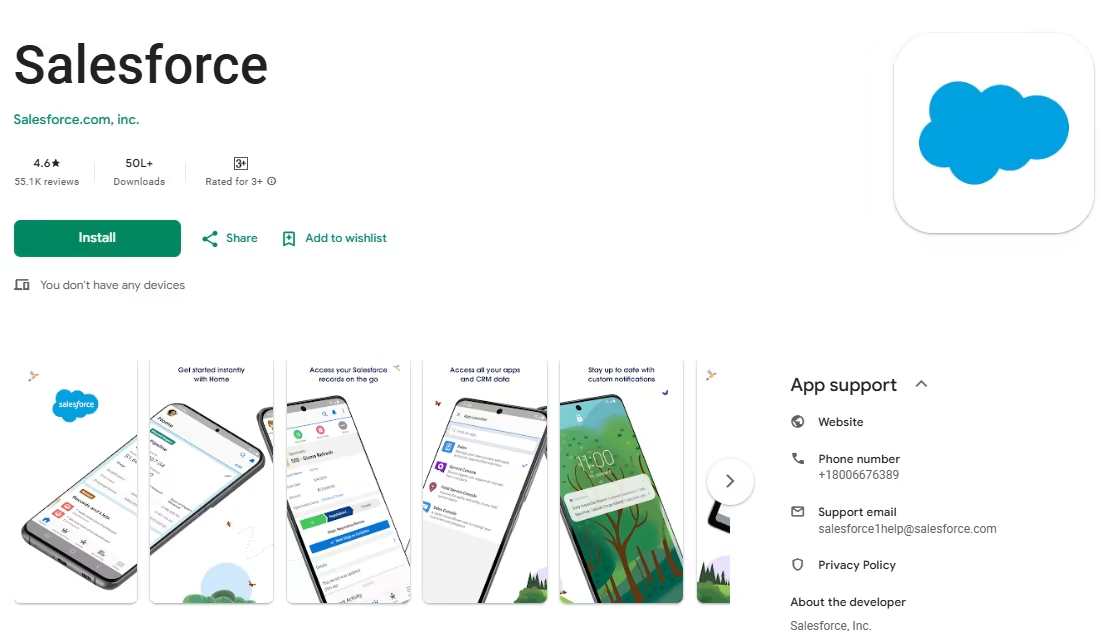
As the leading CRM company, Salesforce’s feature-rich dashboard provides a centralized view of customer information. In-app assistance, including guided setup and tutorials, ensures a smooth onboarding process.
While Salesforce has expanded its focus to serve enterprises, it still offers Salesforce Essentials for small businesses. However, compared to other CRMs, it may have limitations in terms of user-friendliness and customization tailored for sales teams.
If extreme customizability is a priority or you operate in a corporate environment, Salesforce can be a strong contender. However, it’s essential to carefully review the contract details.
Despite potential limitations in its mobile app, Salesforce provides a comprehensive set of features that empower businesses on the go.
Pros:
- Unmatched customizability, 3,000+ integrations in the AppExchange marketplace
- Comprehensive feature set, handles even the most complex enterprise sales processes
- Strong mobile app with offline access
- Industry-leading AI via Salesforce Einstein for predictive insights
- Best for large organizations with complex multi-stakeholder sales
Cons:
- Expensive, plans range from $25 to $330/user/month, with Einstein AI add-ons costing $75+/user/month extra
- Steep learning curve, implementation can take 3–6 months
- Requires a dedicated admin for most organizations
- Overkill for teams under 50 people in most cases
- Mobile app can feel complex compared to simpler alternatives
Pricing:
- Starter Suite: $25/user/month
- Pro Suite: $100/user/month
- Enterprise: $165/user/month
- Unlimited: $330/user/month
9. Bitrix24
Bitrix24 is a feature-rich CRM platform with specialized functionalities tailored for businesses running e-commerce stores. It offers a range of collaboration and customer management tools that can greatly benefit small businesses.
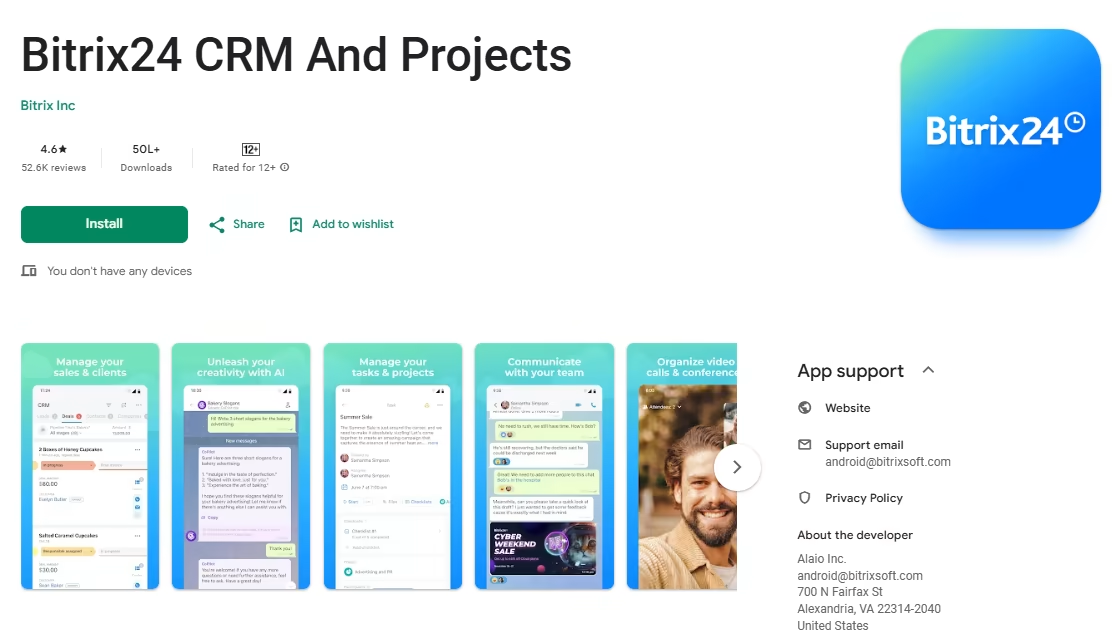
With its fair pricing structure, Bitrix24 provides suitable plans for businesses of all sizes. The platform encompasses various tools for client management, task and project management, customer support, internal communications, and e-commerce.
Bitrix24 stands out as an all-in-one CRM solution that can streamline operations and enhance business processes. Its extensive feature set caters to the diverse needs of small businesses, empowering them to effectively manage their sales and customer interactions.
Pros:
- Unlimited free users, best free plan for larger teams
- All-in-one platform replaces multiple tools (CRM, project management, communications)
- Flat-rate pricing model becomes very cost-effective at scale
- Good mobile app with offline access
- Specialized e-commerce CRM features
Cons:
- The sheer number of features can be overwhelming, steep learning curve
- Interface is less polished than HubSpot or Pipedrive
- Free plan limited to 5 GB storage
- Live technical support is limited to premium tiers
- Not ideal for small teams who need a focused, simple CRM
Pricing:
- Free: Unlimited users (5 GB storage, limited features)
- Basic: $49/month for 5 users
- Standard: $99/month for 50 users
- Professional: $199/month for unlimited users
- Enterprise: $399/month
Why Runo is the Best CRM Solution for Sales Teams
Among all the best mobile CRM apps listed above, Runo stands out as the definitive choice for sales teams that rely heavily on phone-based outreach. Here is why Runo is in a category of its own:
Mobile-First by Design: Unlike most CRMs that offer a mobile app as an afterthought to their desktop product, Runo was built from the ground up for mobile. Every feature, from call logging to lead management to AI summaries, is designed for use on a smartphone.
CRM + Call Management in One App: Runo uniquely combines a full-featured CRM with SIM-level call management. This means your team uses a single app for all selling activities, no switching between a calling app and a CRM.
AI-Powered Without the Enterprise Price Tag: Features like AI Sentiment Analysis, AI Call Summaries, and an AI Chat Assistant are built into Runo’s core offering, not locked behind prohibitively expensive enterprise tiers.
Zero Learning Curve: Runo’s interface is intuitive enough for any sales rep to get started without lengthy training sessions, making adoption fast and painless.
Deep Integration with Lead Sources: Runo connects directly with Meta (Facebook Leads), Gmail, WhatsApp, Google Sheets, and Google Calendar, so leads flow automatically into your CRM without manual data entry.
Real-Time Team Visibility: Managers get live dashboards and team status views, making it easy to monitor performance, coach reps, and course-correct in real time.
Designed for the Indian Market and Beyond: With SIM-based calling, Runo works seamlessly even in markets where internet connectivity is inconsistent, a key advantage for sales teams in India and other emerging markets.
If your sales team makes a high volume of outbound calls and needs the best mobile CRM app that keeps pace with that workflow, not just tracks it, Runo is the clear choice for your business.
Frequently Asked Questions
What is the best mobile CRM app?
The best mobile CRM app depends on your team’s specific needs. For telecalling-heavy sales teams, Runo is the top choice. It combines a full CRM with SIM-level call management, AI call summaries, and real-time dashboards in one mobile-first app. For teams that need a free starting point, HubSpot or Zoho CRM offer strong free plans. For pure pipeline management, Pipedrive is an excellent option. And for B2B teams that want automated data entry, Salesflare is the best mobile app CRM on the market.
How does a mobile CRM app help a sales professional?
A mobile CRM app helps a sales professional in several critical ways. First, it gives them instant access to all customer data, interaction history, and deal status, right from their smartphone, so they can walk into any conversation fully informed. Second, it automates time-consuming tasks like call logging, follow-up reminders, and lead assignment, freeing up more time for actual selling. Third, it enables real-time collaboration with teammates and managers, ensuring nothing falls through the cracks. Finally, AI-powered features in modern CRMs, like lead scoring, call summaries, and sentiment analysis, help sales professionals prioritize their effort and personalize their outreach more effectively.
How difficult is it to migrate data to a new CRM?
Data migration to a new CRM can range from straightforward to complex, depending on your current setup. Most CRMs accept data in CSV format or via API, making it technically feasible to migrate from any platform. The easiest migrations happen within the same provider family (for example, moving from Zoho Free to Zoho Standard). Cross-platform migrations require careful field mapping and data cleaning, common issues include duplicate records, mismatched field names, and data formatting inconsistencies. The most important step before migration is to clean and verify your data so you are not importing a messy dataset into your new system. For most SMBs, a well-prepared migration to a platform like Runo, HubSpot, or Zoho CRM can be completed within a few days.