

A callback slips through. A manager wants to know why one rep is converting more leads than another, but has to listen to recordings to find out. Meanwhile, WhatsApp follow-ups sit outside the CRM, making it harder to see the full customer conversation.
These are the kinds of everyday problems that lead sales and telecalling teams to look for TeleCRM alternatives. The right replacement depends on how your reps make calls, how you manage leads and follow-ups, and how much visibility managers need into conversations.
This guide covers 10 TeleCRM alternatives, including their key features, practical pros and cons, and starting prices, to help you find the right fit for your team.
Quick Guide: Runo, NeoDove, GoDial, Salesmax.ai, Kylas, LeadSquared, Zoho CRM, Freshsales, JustCall, and HubSpot Sales Hub are worth considering. Runo suits teams looking for SIM-based and cloud calling with AI call insights. Other options cater to teams that prioritise outbound dialling, lead management, or a broader sales CRM.
TeleCRM Alternatives at a Glance
| Software | Best for | Calling method | CRM & lead management | AI Call Intelligence | Pricing | |
| Runo | SIM-first telecalling teams that want AI insights | SIM-based calling & cloud telephony | Built-in lead allocation and follow-up automation | Messaging integration (Whatsapp, email, SMS) | Call summaries, sentiment & scoring analysis | ₹199/user/month |
| NeoDove | Outbound teams that rely on auto-dialer | SIM-based mobile & cloud telephony | Automatic lead capture & distribution, including Meta Ads | Native integration | AI voice agents, automated transcripts, sentiment & summary analysis | ₹17,999/month for 10 users |
| GoDial | Small mobile-first teams that need a simple dialer | Calls from the phone’s own cellular plan | Call statuses, notes, callbacks, DNC filtering | Official Whatsapp business API integration & broadcast inbox | Basic call summaries & performance analytics | ₹ 449/user/month |
| Salesmax.ai | Teams focused on calling & whatsapp deal tracking | SIM-based calling & cloud telephony | Automated deal pipeline & lead tracking | Supported | AI call intelligence (sentiment, scoring, follow-ups, chatbots) | ₹599/user/month |
| Kylas | Growing teams | Cloud telephony/Click-to-call integrations | Lead capture, activity logging, task reminders | Built in, per reviewers | AI call insights (tone, mood, customer intent detection) | ₹12,999/user/month |
| LeadSquared | Teams with high-volume lead capture from ad channels | Cloud telephony & mobile SIM call tracking | Lead routing, task assignment, funnel tracking | Native Whatsapp Business API integration | AI call insights & automated transcription via Voice AI extensions | ₹2500/user/month |
| Zoho CRM | Teams that want a configurable CRM ecosystem | Through telephony integrations | Custom fields, pipelines, workflow automation | Native Whatsapp Business API integration | Zia AI on advanced plan | ₹800/user/month |
| Freshsales | Sales teams already using Freshworks tools | Built-in cloud telephony | Visual pipelines, lead scoring, automation | Native whatsapp business API integration | Freddy AI lead scoring | ₹749/user/month |
| JustCall | Teams that prioritize cloud calling & SMS | Cloud/VoIP calling | Relies on CRM integrations | Native Whatsapp Messaging | Real-time transcripts & summaries | $29/user/month |
| HubSpot Sales Hub | Teams that want a full sales CRM | Built-in VoIP calling & third-party telephony | Pipelines, sequences, meeting scheduling, automation | Native whatsapp integration & marketplace apps | HubSpot AI (Breeze AI) transcriptions & conversation intelligence | ₹585/seat/month |
How I Evaluated These TeleCRM Alternatives?
A feature list can tell you what a platform offers, but it does not always show how well it fits a telecalling team's daily workflow. I considered vendor information and user reviews, focusing on six criteria:
- Calling architecture: Whether calls use mobile SIMs, cloud telephony, or VoIP.
- Call recording and logging: Whether calls are recorded and logged automatically, and which devices are supported.
- Lead management: How leads are assigned, tracked, and followed up.
- WhatsApp: Whether messaging is built in or requires an integration.
- AI and manager visibility: Whether managers can access summaries, sentiment, scoring, and call analytics.
- Cost and effort: Starting price, billing basis, add-ons, setup, and ease of use.
Disclosure: Runo is our product and has been reviewed based on the six criteria.
Top 10 Best TeleCRM Alternatives
Runo: Best for SIM and Cloud Calling with AI Intelligence
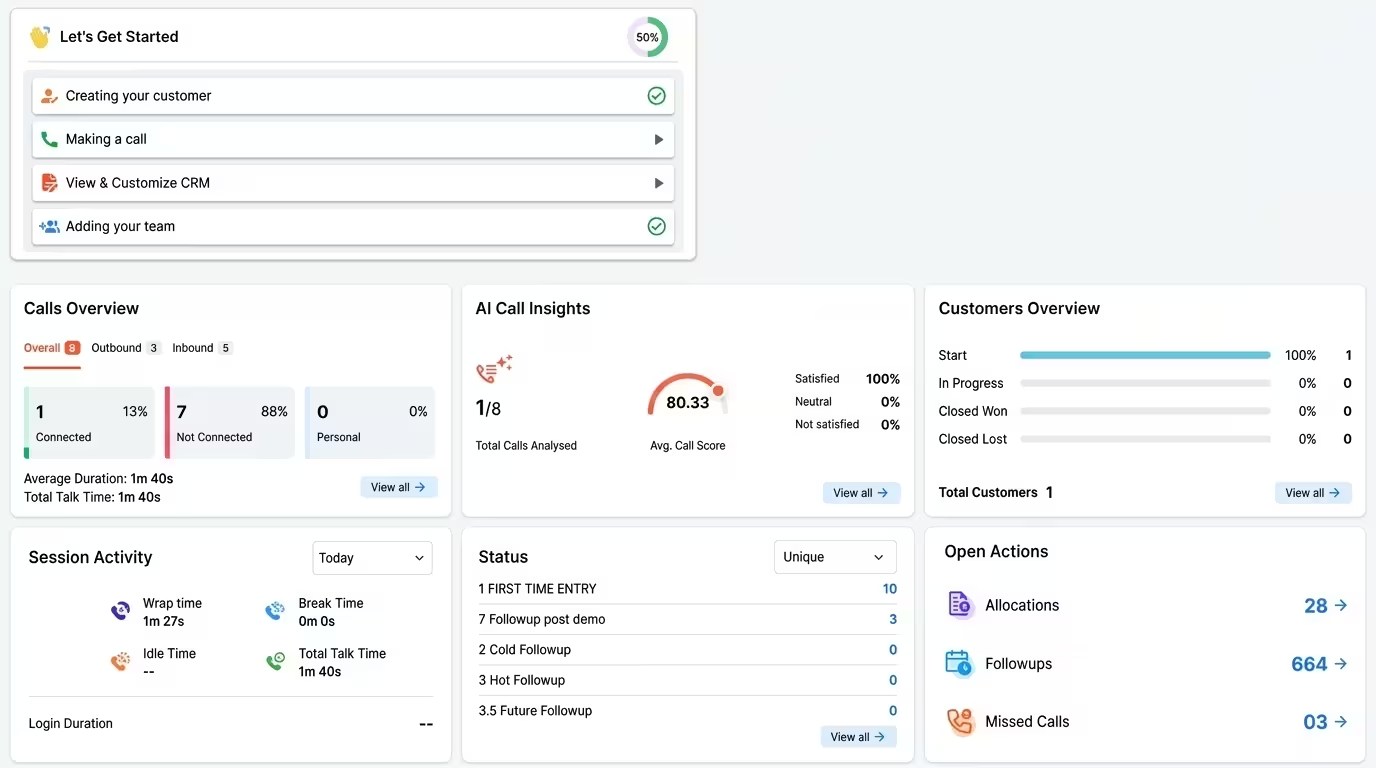
Runo is an AI calling intelligence platform that combines SIM-based calling, cloud telephony, CRM workflows, and AI-powered call insights. Reps can call from standard GSM SIM cards without call-centre hardware, while teams that need business numbers and centralised routing can use cloud telephony.
The platform brings calling activity, recordings, messaging, and follow-ups into one mobile dashboard. AI call summaries and scoring also help managers review conversations without having to listen to every recording.
Key features:
- SIM-based calling: Lets reps call from real mobile numbers without additional calling hardware.
- Cloud telephony: Supports business numbers and centralised calling and routing.
- Auto-dialer and call recording: Helps reps work through lead lists and keeps call records available for review.
- AI call summaries: Highlights customer requirements and next steps.
- Sentiment analysis and call scoring: Helps managers identify calls that need attention or coaching.
- Lead allocation and follow-up automation: Assigns leads and helps reps stay on top of callbacks.
- Messaging and analytics: Brings WhatsApp, email, and SMS activity alongside calling data.
Pros and Cons of Runo:
| Pros | Cons |
| No additional calling hardware or virtual numbers needed for SIM-based calling. | Best suited to Android-led workflows , as iOS restrictions affect automatic call recording on iPhones. |
| Calling and messaging in one mobile view . | Reports may require further analysis , and task creation can vary across external CRM integrations. |
Pricing:
Runo's plans start from ₹199/user/month. See the Runo pricing page for more information.
Verdict: Shortlist Runo if your reps use Android phones and your managers need call-level insights without listening to every recording. It is particularly relevant when you want to combine calling workflows with lead follow-ups and AI-assisted call review.
NeoDove: Best for High-Volume Outbound Calling
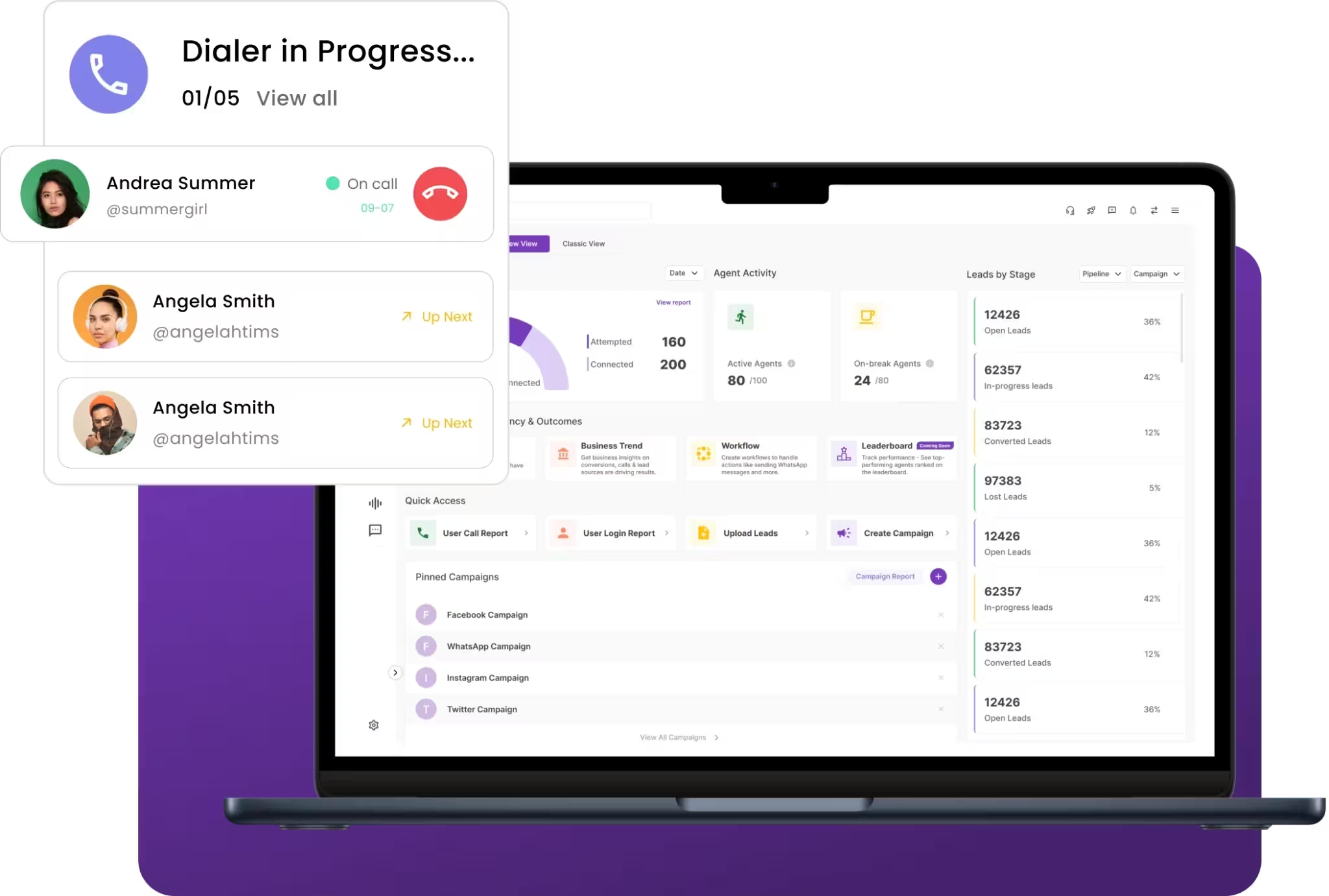
NeoDove focuses on predictive auto-dialling and automated lead distribution. It is designed for outbound teams that want to reduce manual list handling and get new leads to callers faster.
Key features:
- Predictive auto-dialer: Helps reps spend more time talking and less time manually dialling.
- Automatic lead distribution: Routes new leads to callers.
- Meta Ads lead capture: Brings ad-generated leads into the system.
- Web and mobile apps: Gives reps and managers access across devices.
Pros and Cons of NeoDove:
| Pros | Cons |
| Predictive dialling and lead distribution reduce manual work. | Custom website forms may require developer effort . |
| Relatively short learning curve for non-technical users. | Web and mobile experiences may differ , with reported glitches and app lag. |
Pricing:
NeoDove's basic plans start from ₹17,999/month for up to 10 users .
Verdict: Shortlist NeoDove if your team handles high outbound volumes and needs automated dialling and lead distribution. Assess integration requirements carefully if your workflows rely on custom forms or third-party tools.
GoDial: Best for Small Mobile-First Teams
GoDial lets reps call through their phones' existing cellular plans. Teams can upload a list, make calls, record outcomes, and track callbacks without setting up VoIP infrastructure.
Key features:
- CSV list upload: Gets calling lists ready for reps.
- Call status tagging and notes: Records outcomes during or after calls.
- Callback logging: Keeps promised follow-ups visible.
- DNC filtering and record export: Filters Do Not Call numbers and exports records.
Pros and Cons of GoDial:
| Pros | Cons |
| Automated dialing eliminates manual phone number entry. | At times the app glitches and crashes during peak hours. |
| Convenience of built-in features like contact status tracking, voice notes, callback reminders on mobile devices. | No native API integrations , so transferring data to other CRMs may require manual exports. |
Pricing:
GoDial's plans start from ₹449/user/month .
Verdict: Consider GoDial if you run a small team that needs a straightforward mobile dialer on a tight budget. It may be less suitable if your workflow depends on synced data and deeper CRM automation.
Salesmax.ai: Best for Calling and Whatsapp Deal Tracking
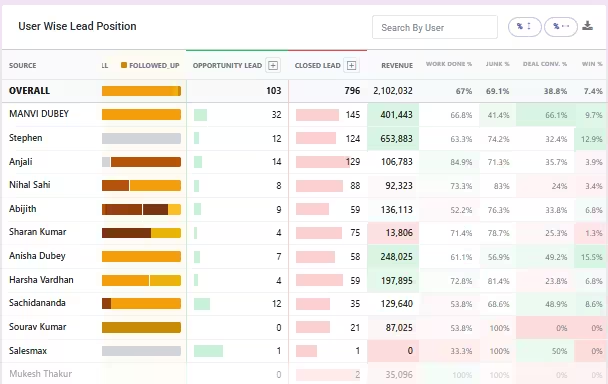
Salesmax.ai combines calling workflows with lead tracking, WhatsApp engagement, and automated pipeline updates. It is aimed at teams that want customer conversations and deal progress connected.
Key features:
- Automated deal pipeline: Updates deal stages based on rep activity.
- Lead tracking: Shows the status of each lead.
- WhatsApp engagement: Helps keep customer conversations together.
- Caller screen pop: Displays previous notes and history when a lead calls back.
Pros and Cons of Salesmax.ai:
| Pros of Salesmax.ai | Cons of Salesmax.ai |
| A deal pipeline that updates itself based on rep activity. | Constrained custom reporting and metrics compared to other enterprise CRMs. |
| Instant caller context through a popscreen when a lead calls. | Feature trade-offs for complex enterprise workflows. |
Pricing:
Salesmax.ai plans start at ₹599/user/month.
Verdict: Shortlist Salesmax.ai if automated pipeline tracking and WhatsApp-led engagement are priorities. Run a trial to check how well the platform handles your team's actual workflows.
Kylas: Best for Growing Sales Teams
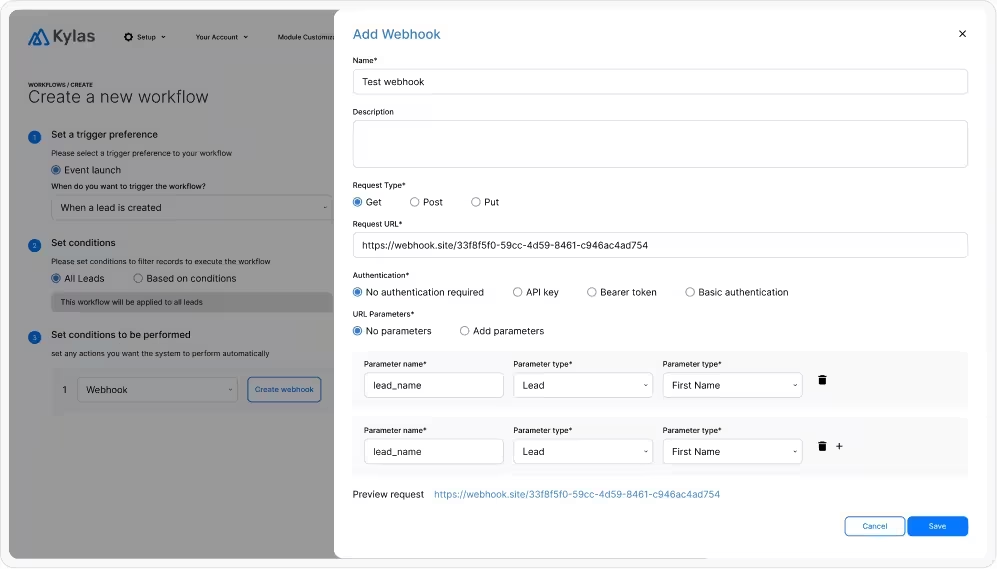
Kylas is a sales CRM built around lead capture, activity logging, and task reminders. It helps teams track customer interactions and manage follow-ups within a structured sales process.
Key features:
- Lead capture: Collects leads into one list for daily follow-up.
- Activity logging: Records interactions against every lead.
- Task reminders: Keeps next steps from slipping.
- In-app WhatsApp and telephony: Lets reps talk to clients from the same screen.
Pros and Cons of Kylas:
| Pros of Kylas | Cons of Kylas |
| Flat pricing with unlimited seats can help control costs as the team grows. | Slower performance on large datasets and a mobile app that lags behind the web dashboard. |
| Straightforward lead and activity management . | Customization may be restricted for complex workflows and reporting. |
Pricing:
Kylas plans start from ₹12,999/month.
Verdict: Consider Kylas if you want sales CRM with predictable seat costs and structured lead management. Check its reporting and customization capabilities before committing to complex sales processes.
LeadSquared: Best for High-Volume Lead Capture and Routing
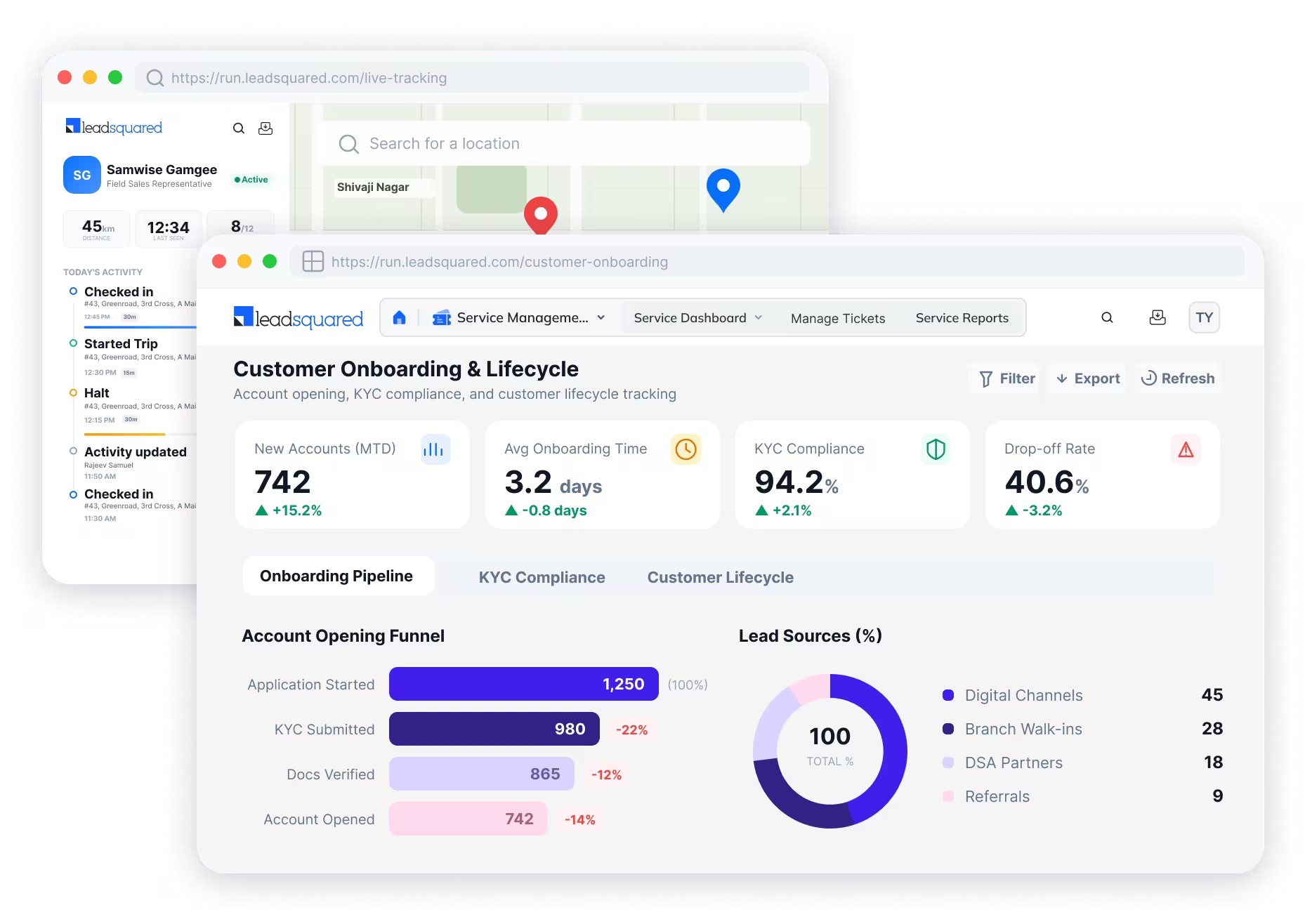
LeadSquared captures leads from advertising platforms and web portals, then routes them according to defined rules. It is useful for teams that need to manage large volumes of leads and monitor activity across sales channels.
Key features:
- Multi-channel lead capture: Collects leads from Google Ads, Meta Ads, and web portals.
- Automated task assignment: Assigns ownership based on configured rules.
- Lead disposition rules: Standardises how reps record call outcomes.
- Smart Views and activity logs: Helps managers monitor funnel progress and rep activity.
Pros and Cons of LeadSquared:
| Pros of LeadSquared | Cons of LeadSquared |
| Automated lead capture and routing across multiple sources. | Performance may slow down with high volumes or concurrent workflows. |
| End-to-end funnel visibility through Smart Views and activity logs. | Setup migration can take time , particularly for advanced integrations. |
Pricing:
LeadSquared pricing plans start from ₹2,500/user/month.
Verdict: Shortlist LeadSquared if lead volume, routing rules, and funnel visibility drive your decision. It may be less suitable if you need a low-cost tool that can be rolled out with minimal setup.
Zoho CRM: Best for Teams that Need a Configurable CRM
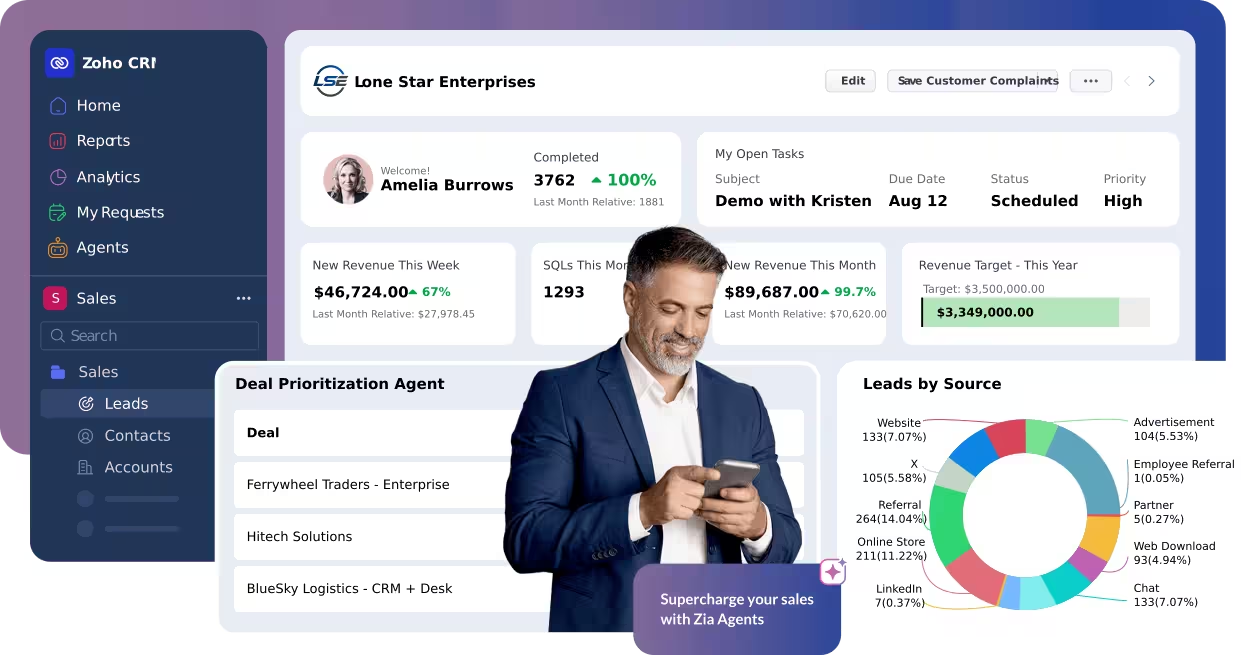
Zoho CRM supports custom fields, sales pipelines, and workflow automation. It also connects with other Zoho products, including Zoho Books, Desk, and Campaigns. Calling depends on the telephony integrations your team chooses.
Key features:
- Custom fields and pipelines: Adapts the CRM to your sales stages.
- Workflow automation: Handles follow-ups, deal transitions, and lead assignment.
- Zoho ecosystem integration: Connects sales data with finance, support, and marketing tools.
- Zia AI: Offers predictive and sales-assistance capabilities on advanced plans.
Pros and Cons of Zoho CRM:
| Pros of Zoho CRM | Cons of Zoho CRM |
| Deep customization across fields, pipelines, and workflows. | The number of features can create a steep learning curve. |
| Workflow automation with built-in AI features support sales processes. | Slower support and UI lag on complex tickets and when handling bulk data. |
Pricing:
Zoho CRM’s plans start from ₹800/user/month.
Verdict: Zoho CRM is worth considering if you need configurable CRM and already use the Zoho ecosystem. Account for the time required to configure the platform and connect your preferred calling solution.
Freshsales: Best for Teams using Freshworks
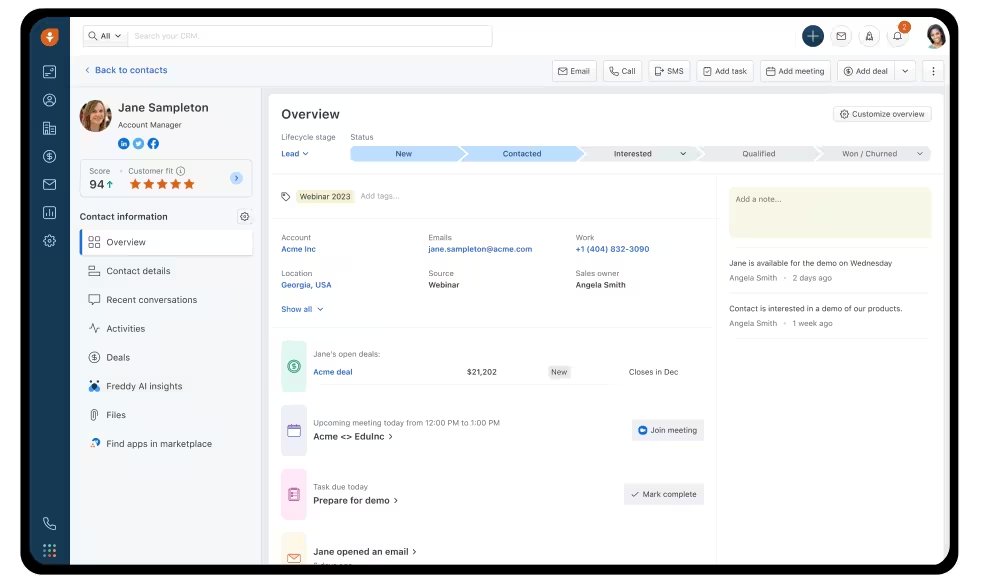
Freshsales combines visual sales pipelines, lead scoring, and automation with integrations across the Freshworks ecosystem. Its interface is designed to help sales teams manage deals without navigating a complicated setup.
Key features:
- Visual sales pipelines: Shows deal stages at a glance.
- Quick setup: Helps reps get started without extensive training.
- Freshdesk and Freshchat sync: Connects sales and support context.
- Freddy AI lead scoring: Helps prioritise leads for follow-up.
Pros and Cons of Freshsales:
| Pros of Freshsales | Cons of Freshsales |
| A modern dashboard and fast onboarding . | Custom reporting may be basic for teams with complex metrics. |
| Native Freshworks integrations and Freddy AI lead scoring. | CPQ and webhook limits may affect more complex workflows. |
Pricing:
Freshsales plans start from ₹749/user/month.
Verdict: Shortlist Freshsales if ease of use and Freshworks integrations matter to your team. Check its reporting capabilities against your requirements before choosing a plan.
JustCall: Best for Cloud Calling and CRM Integrations
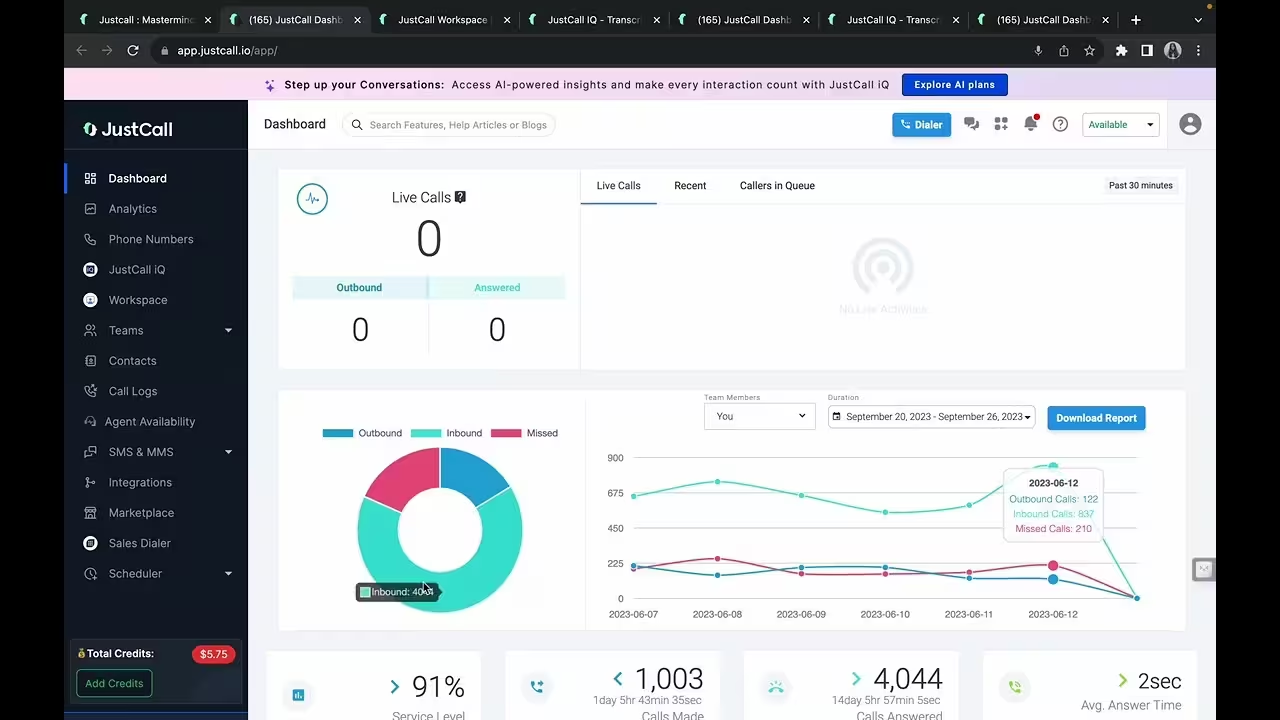
JustCall is a cloud calling platform that connects business calls with CRMs such as HubSpot, Salesforce, and Zoho. It is a fit for teams that need cloud-based calling, SMS workflows, and call intelligence alongside an existing CRM.
Key features:
- Multi-country virtual numbers: Lets teams call using local numbers.
- SMS sequences: Automates follow-up texts.
- Smart call routing: Routes calls to the appropriate rep.
- AI transcripts and summaries: Reduces manual call-note taking.
Pros and Cons of JustCall:
| Pros of JustCall | Cons of JustCall |
| Fast setup and CRM auto-logging into HubSpot, Salesforce, and Zoho. | Users report occasional call quality issues , including audio delays and dropped calls. |
| Broad telephony and AI features , including virtual numbers and call summaries. | SMS workflows and number registration can add friction. |
Pricing:
JustCall starts at $29/user/month.
Verdict: Consider JustCall if you already have a CRM and want to add cloud calling and messaging. If you prefer calling and CRM workflows in one platform, compare the integrations and total cost carefully.
HubSpot Sales Hub: Best for a Broader Sales CRM
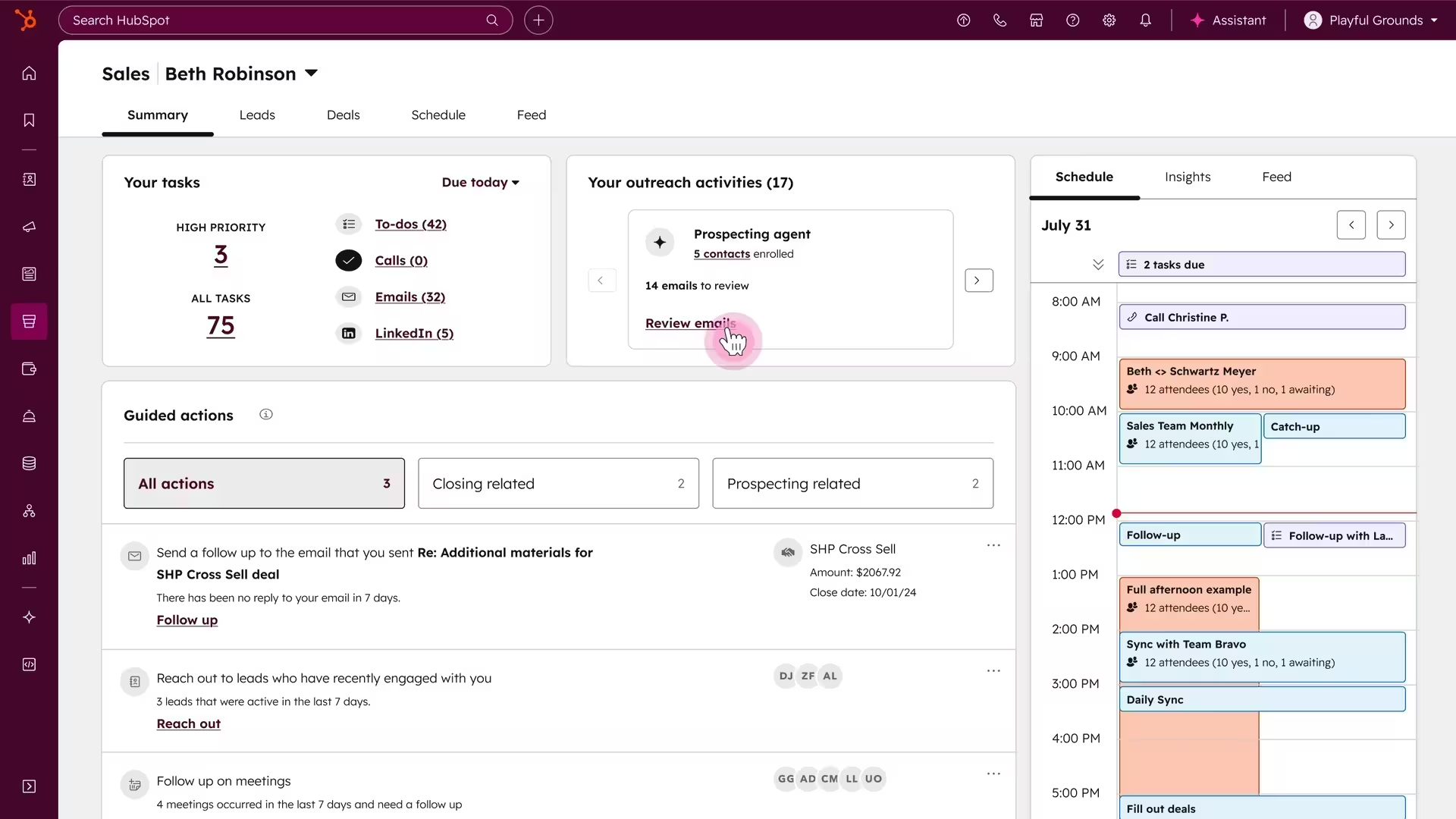
HubSpot Sales Hub combines pipeline management, email tools, meeting scheduling, and workflow automation. It is particularly relevant to teams that want sales activity connected with marketing and customer service data.
Key features:
- Pipeline tracking: Gives teams a central view of deals.
- Email templates and sequences: Helps standardise repeat outreach.
- Meeting scheduling: Lets prospects book meetings directly.
- Workflow automation: Creates tasks and updates deal stages automatically.
Pros and Cons of HubSpot Sales Hub:
| Pros of HubSpot Sales Hub | Cons of HubSpot Sales Hub |
| A clean, centralized pipeline view for email and meeting tools. | Costs can rise as advanced features are added. |
| Smooth workflow automation across sales and marketing. | Restricted enterprise customization for complex requirements. |
Pricing:
HubSpot Sales Hub plans start from ₹585/user/month.
Verdict: Shortlist HubSpot if you need sales, marketing, and service data connected in one ecosystem. Assess the cost of features and reporting you need as your team grows.
How to Choose the Right TeleCRM Alternative?
The best alternative depends on what is holding your team back today. Use these priorities to narrow the list.
For Teams That Need SIM-Based Calling
If reps call customers from their mobile phones, prioritise platforms such as Runo and GoDial. Check device compatibility, call recording limitations, and whether call activity is logged against the right lead.
For Teams That Need Cloud Telephony
If you need business numbers, centralised routing, or calling across locations, consider cloud telephony options such as Runo and JustCall. Compare call quality, number setup, routing controls, and the effort required to add new users. If you're still evaluating the model, this guide to cloud telephony explains how it works.
For Teams That Need Calling and CRM in One Platform
Look for a platform that connects calls, lead ownership, call history, and follow-ups. When calling depends on separate integrations, check whether data syncs reliably and whether you will need to manage multiple subscriptions.
For Teams That Need AI Call Intelligence
If managers need call summaries, sentiment analysis, or scoring, confirm which features are included in the plan you intend to buy. Ask for a demonstration using a typical call from your workflow, rather than relying on feature names alone.
For Teams That Need Whatsapp and Sales Automation
If WhatsApp is a key follow-up channel, check whether messaging is native or integration-based. Confirm template support, automation limits, and additional charges before switching.
What to Check Before Switching From TeleCRM?
Before moving the whole team to a new platform, test the transition with a small group of reps.
- Leads and contacts: Export your records and confirm the new system supports your custom fields.
- Call history and recordings: Check what can be migrated, downloaded, or retained.
- WhatsApp: Confirm how your number, templates, and existing workflows will be handled.
- Devices and onboarding: Test the platform on the actual phones your reps use, including iPhones if applicable.
- Assignments and automation: Rebuild lead routing, callback reminders, and follow-up rules, then test each workflow.
- Total cost: Include integrations, add-ons, onboarding, and plan restrictions rather than comparing starting prices alone.
A short pilot helps identify gaps before they affect the entire team. Have reps complete their regular calling and follow-up tasks in the new system, then review what works and what requires adjustment.
Final Takeaway: Choose the Right TeleCRM Alternatives
The best TeleCRM alternative depends on what your team needs most. If manual dialling is slowing reps down, look for a platform with an auto-dialer. If leads are slipping through the cracks, prioritise lead assignment and follow-up automation. And if managers struggle to understand what's happening on calls, look for call analytics and AI-powered insights.
Before making the switch, compare the calling methods, CRM capabilities, integrations, and total cost. Test your shortlisted tools with real workflows to see how well they fit your team.
Runo is worth considering if you want SIM-based and cloud calling, CRM workflows, and AI call insights in one platform.
Frequently Asked Questions (FAQs)
Q1. What are the best alternatives to TeleCRM?
Runo, NeoDove, GoDial, Salesmax.ai, Kylas, LeadSquared, Zoho CRM, Freshsales, JustCall, and HubSpot Sales Hub are options worth evaluating. The right choice depends on your calling method, CRM requirements, automation needs, reporting expectations, and budget.
Q2. Which TeleCRM alternative is best for telecalling teams?
Telecalling teams should prioritise dialling efficiency, call recording, lead assignment, and callback reminders. Runo and GoDial support mobile-first SIM calling, while platforms such as JustCall focus on cloud-based calling and CRM integrations.
Q3. Which TeleCRM alternatives support SIM-based calling?
Runo and GoDial support calling through mobile SIM cards. Before choosing either, check device compatibility, call-recording behaviour, and how call records are stored and linked to leads. These details can vary across devices and operating systems.
Q4. Which alternatives offer cloud telephony and CRM in one platform?
Runo combines cloud telephony with CRM workflows and AI call insights. JustCall focuses on cloud calling with integrations to external CRMs, while Zoho CRM relies on telephony integrations for calling functionality. Compare the full workflow, not just calling availability.
Q5. What should I compare before switching from TeleCRM?
Compare calling methods, lead and call-history migration, follow-up automation, WhatsApp support, integrations, pricing, and onboarding effort. Run a small pilot with real workflows before moving the entire team to the new platform.