

A sales manager can have hundreds of recorded calls sitting in a dashboard and still have very little idea what was actually discussed.
The problem is not a lack of recordings. It is the time needed to listen to them. A four-minute call may not sound like much, but reviewing dozens of calls every day quickly becomes impractical.
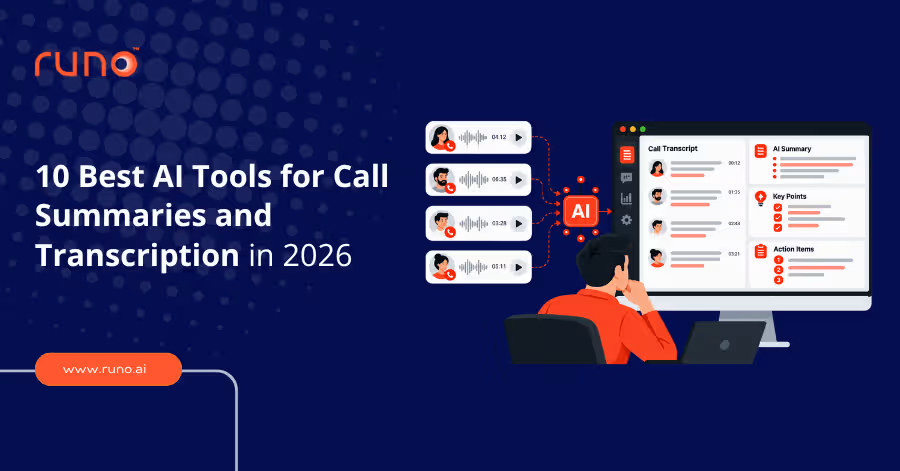
That is where AI call summary and transcription tools come in. Instead of replaying every conversation, these tools turn calls into searchable transcripts, concise summaries, action items, and other useful insights. Some are designed for meetings, while others work directly inside a sales calling platform.
So before choosing a tool, it helps to understand which type of AI call summary software matches how your team communicates.
The Main Types of AI Call Summary Tools
AI call summary software is not one single category. Some tools are built into calling CRMs, some focus on meetings, and others add deeper sales intelligence on top of conversations.
| Type | What it does | Examples |
| Calling CRM with AI summaries | Records, transcribes, and summarises sales calls inside the calling and CRM workflow | Runo |
| Meeting transcription tools | Records meetings and creates transcripts, summaries, and action items | Otter.ai, Fireflies.ai, Fathom, MeetGeek |
| Conversation intelligence platforms | Connects call insights with deals, coaching, and sales performance | Gong, Avoma, Sybill |
| General AI recording tools | Transcribes and summarises different types of audio or video | ScreenApp |
The most important distinction is where the call happens. A meeting recorder works well when your conversations happen on Zoom or Google Meet. A calling CRM is more useful when your team spends the day making outbound phone calls.
With that distinction in mind, here are the 10 AI tools worth considering in 2026.
1. Runo
Runo takes a different approach from standalone AI meeting assistants. Its AI call summaries are built directly into the calling and CRM workflow, so sales teams do not need to add another recording tool to every conversation.
That matters particularly for teams making large volumes of phone calls through SIM-based or cloud calling. Runo can automatically record calls and generate AI summaries from those recordings, while keeping the information connected to the lead and sales workflow.
What makes Runo different?
- Automatic AI summaries: Calls can be turned into concise summaries covering key discussion points, customer intent, objections, outcomes, and next steps.
- Call transcription: Full transcripts are available alongside summaries, making conversations searchable instead of leaving managers dependent on recordings.
- SIM and cloud calling: Runo supports both SIM-based and virtual-number calling, making the AI layer useful for mobile-first outbound teams and cloud calling setups.
- CRM-connected summaries: AI summaries and call information can connect to the lead record, so reps and managers have the conversation context where they need it.
- Sentiment and call analysis: Managers can go beyond the basic summary with sentiment, talk-ratio, and call-quality insights.
- Follow-up context: AI summaries capture important next steps so reps can act without replaying the complete conversation.
- Team visibility: Managers can combine call summaries with live team activity and performance data through Runo's call centre monitoring software.
The biggest advantage is that the summary does not sit separately from the call. It becomes part of the same workflow used to make the call, manage the lead, and follow up.
That makes Runo particularly relevant for sales teams where conversations happen through regular phone calls rather than scheduled online meetings. There is no meeting bot to invite and no separate recording workflow to remember.
Best for: Sales and telecalling teams that want AI call summaries, transcripts, and call intelligence built into their calling CRM.
2. Otter.ai
Otter is a strong choice when the transcript matters as much as the summary. It gives teams a detailed record of the conversation that they can then condense into key points and action items.
It also supports importing recorded phone calls for transcription and summarisation. However, direct phone call recording is not handled in the same way as a native calling platform, so teams may need to record the call separately and then import it.
Why consider Otter?
- Live transcription for meetings and conversations
- AI-generated summaries and action items
- Searchable conversation records
- Collaboration features for teams reviewing conversations
- Ability to import recorded phone calls for transcription
Otter is a better fit when your team wants a transcript-first conversation record rather than a complete sales calling system.
Best for: Teams that need detailed transcripts and summaries for meetings and recorded conversations.
3. Fireflies.ai
Fireflies is designed for teams that generate a large amount of conversation data and need a way to search through it later.
Its strength is not limited to producing one summary after one call. The platform can help teams find information across conversations, connect with CRM workflows, and work with calls from supported dialers and uploaded audio files.
Where Fireflies stands out
- Search across previous conversations
- AI-generated transcripts and summaries
- Mobile and desktop recording options
- CRM and workflow integrations
- Support for calls from selected dialers
- Audio and video file transcription
For teams that care about finding patterns and information across a large conversation library, Fireflies is more useful than a tool designed only for individual call recaps.
Best for: Teams handling a high volume of meetings and conversations that need searchable conversation history.
4. Fathom
Fathom is focused heavily on meeting capture and automated notes. It is particularly appealing to teams that want meeting recordings, transcripts, summaries, and action items without adding a complicated workflow.
Its biggest limitation for a phone-heavy sales team is that its core experience centres on online meetings rather than high-volume outbound phone calling.
Key strengths
- Automated meeting recording
- AI-generated summaries
- Action item capture
- CRM integrations
- Support for major video meeting platforms
Fathom makes more sense when your team's conversations happen mainly through Zoom, Google Meet, or Microsoft Teams rather than through mobile phone calls.
Best for: Sales and customer-facing teams that primarily conduct scheduled online meetings.
5. MeetGeek
MeetGeek focuses on automatically documenting meetings and organising the information that comes out of them.
Instead of giving users a generic recap, it can identify topics and structure summaries by conversation type. This makes it useful for teams that hold recurring meetings and want consistent documentation.
What stands out
- Automatic meeting recording and transcription
- Topic detection
- Structured meeting summaries
- Custom meeting templates
- CRM and workflow integrations
The platform is most useful when the challenge is keeping meeting documentation consistent across a team, rather than managing large volumes of mobile sales calls.
Best for: Teams that want automated meeting notes and structured summaries with minimal manual work.
6. Gong
Gong sits at the enterprise end of the market. It is not really a simple AI summarisation tool. Instead, it uses conversation data as part of a much broader revenue intelligence system.
That makes it relevant when managers want to use call data for more than documentation.
What Gong adds beyond summaries
- Conversation intelligence
- Sales coaching
- Deal and pipeline insights
- Forecasting and revenue analytics
- Large-scale sales performance analysis
The trade-off is complexity. A smaller team that simply wants quick AI summaries may not need an enterprise revenue intelligence platform.
Best for: Large sales organisations that need conversation intelligence, coaching, and revenue analytics at scale.
7. Avoma
Avoma takes a sales-management approach to conversation intelligence. Rather than treating the summary as the final output, it uses conversation data to support coaching and deal management.
Key capabilities
- Sales-focused conversation summaries
- Deal-stage context
- Conversation analytics
- Call scoring
- Coaching workflows
- CRM integration
This makes Avoma more suitable for teams where managers regularly review calls to understand why deals are progressing or getting stuck.
Best for: Sales teams that want AI summaries combined with coaching and deal intelligence.
8. Sybill
Sybill is particularly interesting for teams operating across multiple languages and markets. Its focus goes beyond basic transcription by connecting conversation information with sales workflows.
Where it can help
- Multilingual conversation analysis
- CRM updates
- Buyer-intent signals
- AI-generated summaries
- Sales workflow automation
For teams operating across regions, language support can become a key factor when evaluating AI transcription tools.
Best for: Global and multilingual sales teams that need conversation intelligence connected to CRM workflows.
9. ScreenApp
ScreenApp is broader than most of the sales-specific tools on this list. It works with recorded audio and video and isn't limited to one type of business conversation.
That flexibility makes it useful when a team wants transcription and summarisation without adopting a complete sales intelligence platform.
Key features
- Audio and video transcription
- AI-generated summaries
- Support for recorded files
- Searchable transcripts
- Broad language support
The trade-off is that ScreenApp does not provide the same native lead and deal context you would expect from a calling CRM.
Best for: Teams looking for a flexible transcription and summarisation tool rather than a sales-specific platform.
10. Zoom AI Companion
If your team already conducts most conversations through Zoom, you may not need another AI summarisation platform at all.
Zoom AI Companion can generate meeting summaries and action items within the Zoom environment, which makes it convenient for teams already using the platform.
What it offers
- AI-generated meeting summaries
- Action item capture
- Meeting recap
- Support for catching up on missed meeting content
- Integration with the existing Zoom workflow
The main limitation is also its biggest advantage: it works best when your conversations already happen inside Zoom. It is not designed to replace a phone-based calling CRM for teams making hundreds of outbound calls.
Best for: Teams already using Zoom for most of their customer and sales conversations.
Which AI Call Summary Tool Should You Choose?
The best option depends less on the summary itself and more on where your calls happen.
- If your team mainly uses Zoom or Google Meet, tools such as Otter, Fathom, MeetGeek, and Zoom AI Companion can handle meeting transcription and summaries effectively.
- If you need to search across a large library of conversations, Fireflies is worth considering. If your focus is sales coaching, deal intelligence, and forecasting, Gong or Avoma are better suited to that use case.
For teams making high-volume phone calls through SIM numbers or cloud telephony, you need the recording, transcription, summary, and CRM workflow to work together without requiring reps to start a separate recording process for every call.
Runo takes a different approach, with AI call summaries built into the same platform used for calling, lead management, recordings, follow-ups, and team monitoring.
Conclusion
AI call summaries are most useful when they remove work rather than create another step for sales reps. Meeting-focused tools are a good fit for scheduled video calls, while conversation intelligence platforms make more sense for larger sales organisations that need coaching and deal insights.
For teams making frequent phone calls, the more important question is whether AI summaries are connected directly to the calling and CRM workflow. Runo is built around that approach, combining calling, automatic recording, AI summaries, transcripts, sentiment analysis, lead management, and follow-ups in one platform.
Frequently Asked Questions
What is an AI call summary?
An AI call summary is a short, automatically generated overview of a conversation that highlights important discussion points, outcomes, decisions, and next steps.
What is the difference between an AI call summary and a transcript?
A transcript provides the conversation word for word, while an AI summary condenses it into the information someone needs to understand the call quickly.
Can AI tools summarise regular phone calls?
Yes, but the process depends on the tool. Some platforms require a recorded call to be uploaded, while calling platforms such as Runo can generate summaries from calls already captured within their calling workflow.
Are AI call summaries accurate?
Accuracy depends on factors such as audio quality, background noise, accents, and language. Teams handling multilingual or noisy calls should test the tool with real conversations before deploying it at scale.
Do AI call summary tools store recordings?
Many platforms can store recordings alongside transcripts and summaries, but storage, retention, and data handling policies vary between providers.
Can AI call summaries update a CRM?
Yes. Some platforms can connect summaries and conversation data with CRM records, while the level of automation depends on the specific tool and integration.