

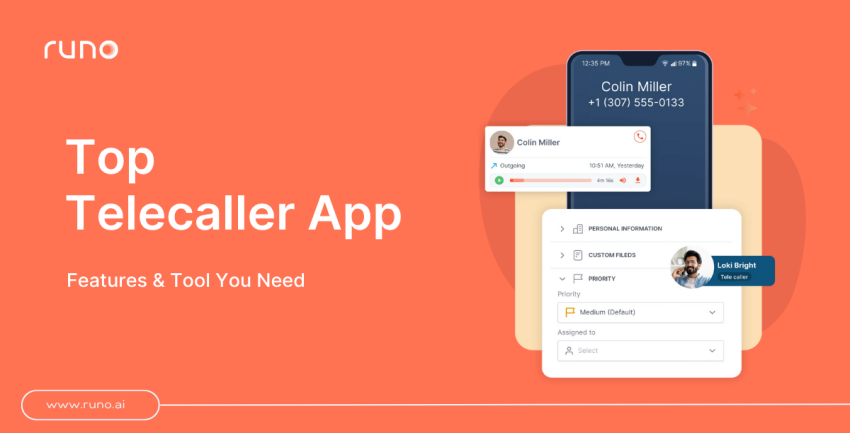
Reaching out to potential customers is a critical aspect that can either make or break a business. Today, businesses can connect with prospects with ease with the help of Telecaller software apps. Telemarketing is an old tactic used by businesses to market their products and services to customers.
Despite being old, it is still relevant today, according to a report by Hubspot X RAIN Group, ‘Cold calling is the preferred method of contact of buyers by 49% .
To execute telecalling, having the right tools at your disposal can make all the difference. Telecaller software apps have revolutionized the way businesses connect with customers, enabling seamless communication and boosting sales efforts.
In this blog, we will guide you on how to select the right telecaller app. & What are some of the top Telecalling app features that you should consider?
But first, do you know what telecaller software is?
What is a Telecaller Software App?
A telecaller software app is a user-friendly mobile application tool that helps businesses communicate effectively with prospects and customers, ideally using their existing SIM number. It simplifies outbound calls, manages inbound calls, manages sales, and even facilitates text messaging from a single platform.
These apps offer essential features like call recording, call tracking, and call reporting, making communication management effortless.
Telecaller apps can be customized to meet specific business needs.
With valuable analytics and reporting capabilities, businesses can track performance and identify areas for improvement, optimizing their strategies for success.
By leveraging a reliable telecaller software app, businesses can enhance communication, nurture relationships, and achieve remarkable growth. It’s the ultimate tool for seamless and effective customer interactions.
Now that you know what a Telecaller App is, let’s dive into what features you should look for while choosing the right one.
What are the benefits of Telecalling?
Telecalling offers businesses a range of exciting benefits. It allows for personalized connections with customers, driving stronger relationships and accelerated sales.
Real-time market insights help businesses stay ahead of trends, while flexible scalability enables growth and expansion. By fostering brand loyalty through regular follow-up calls and personalized interactions, businesses can turn customers into advocates.
Plus, telecalling provides cost-effective marketing compared to traditional methods. Embrace the power of telecalling to enhance customer connections, drive sales growth, and maximize your marketing efforts.
Best Telecaller Software App Features
The key features of the telecaller software app include:
1. Call Management
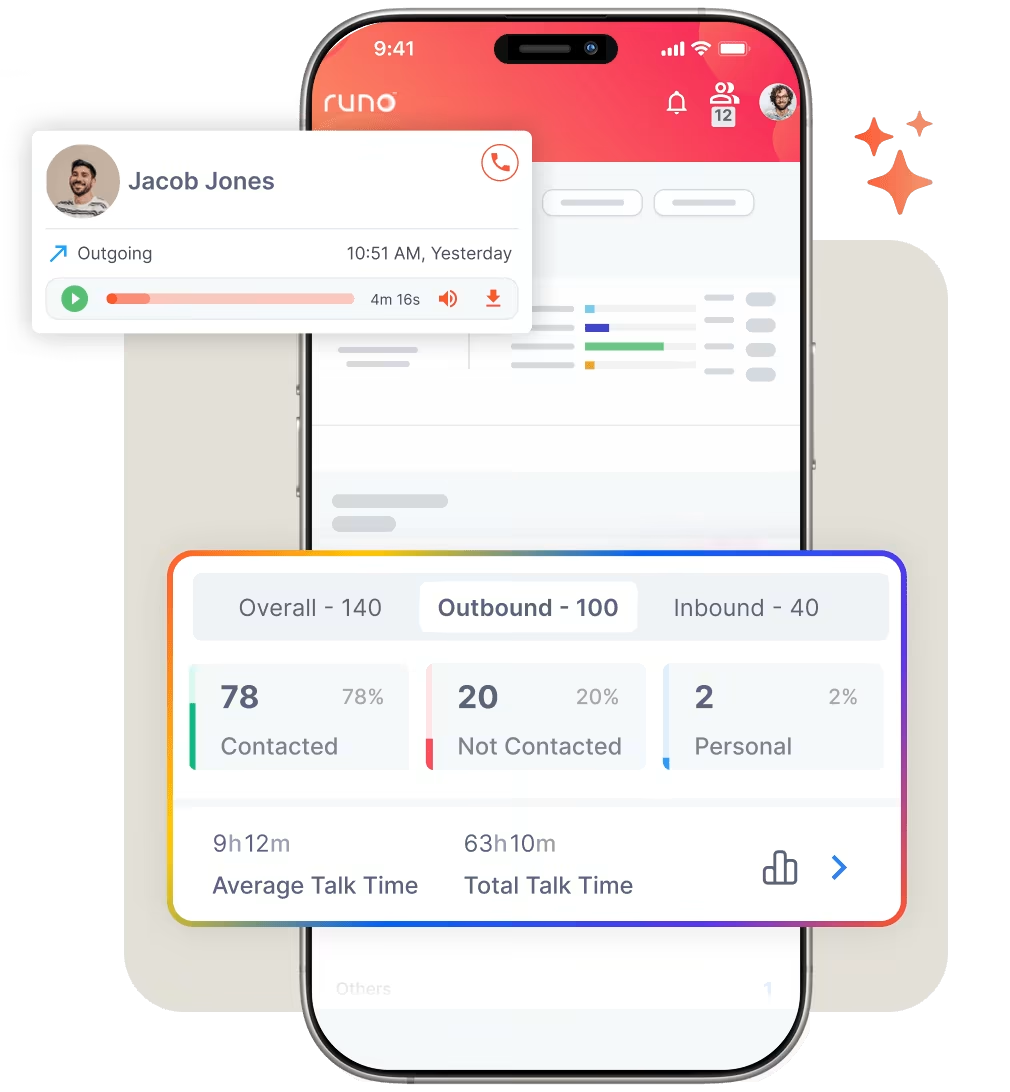
Although call management is a prominent feature of any telecaller app, it still needs to be mentioned in this list of features.
The reason is that it is the most crucial part of any telecalling app. While scouting, look for an app that allows you to handle incoming and outgoing calls seamlessly, ideally at a SIM level.
Make sure that within the call management solution, you’d also get features such as live team performance tracking, Call recording, and follow-up notifications to get the most out of the Telecaller App. According to industry research, businesses using advanced call management features see up to 35% improvement in call handling efficiency and 25% increase in successful connections.
2. CRM Integration
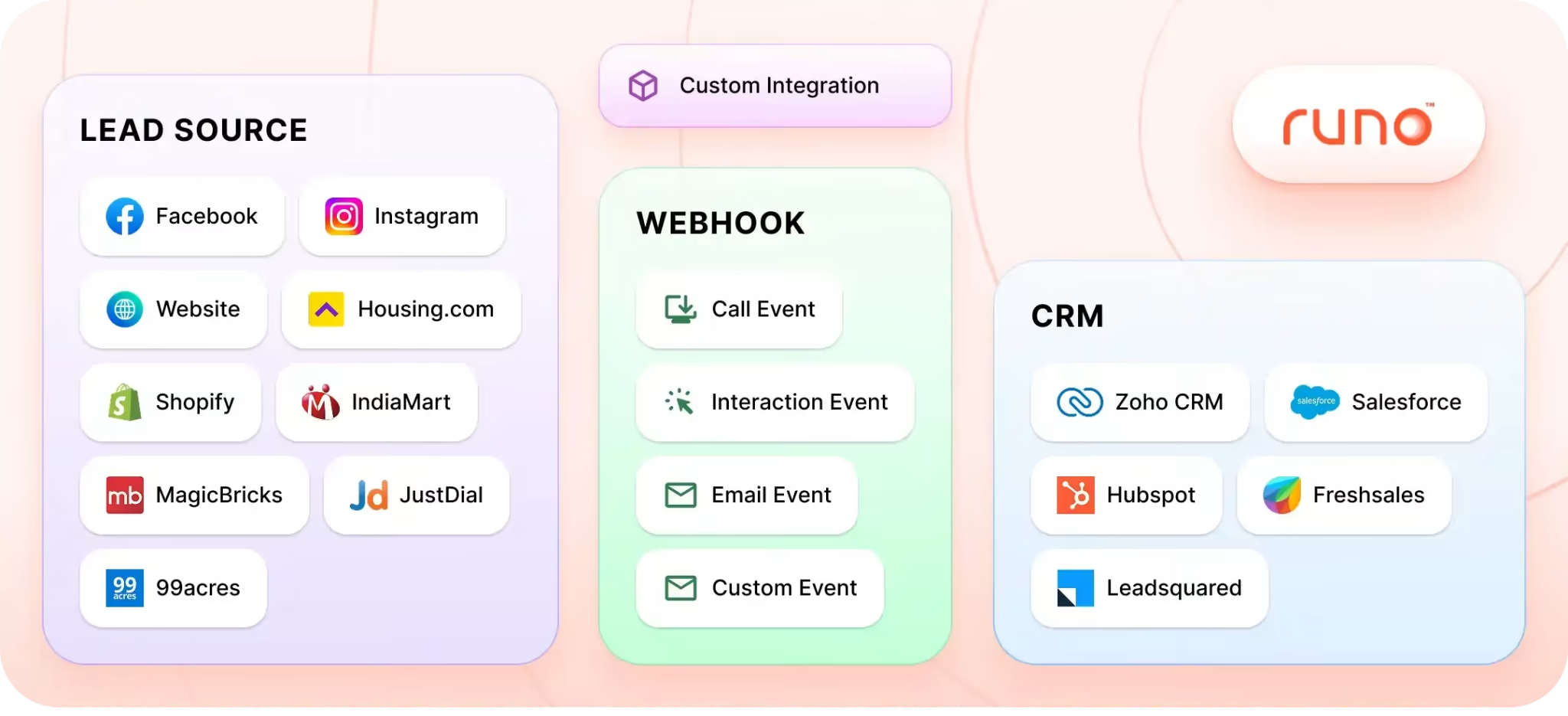
Integration with a Customer Relationship Management (CRM) system is an essential feature for telecalling apps. The telecalling app must have CRM integration with CRMs like Zoho, HubSpot, and more.
CRM integration enables telecallers to access customer data, call history, and other relevant information during the call.
This integration not only saves time but also enhances the customer experience by allowing telecallers to personalize conversations and offer targeted solutions based on the customer’s history and preferences.
There are some Telecalling Apps that also have CRM in-built, having CRM & Call Management in the same app, they are also called Telecalling CRM. Having both capabilities in one app makes life easier for the telecaller.
3. Auto Dialer
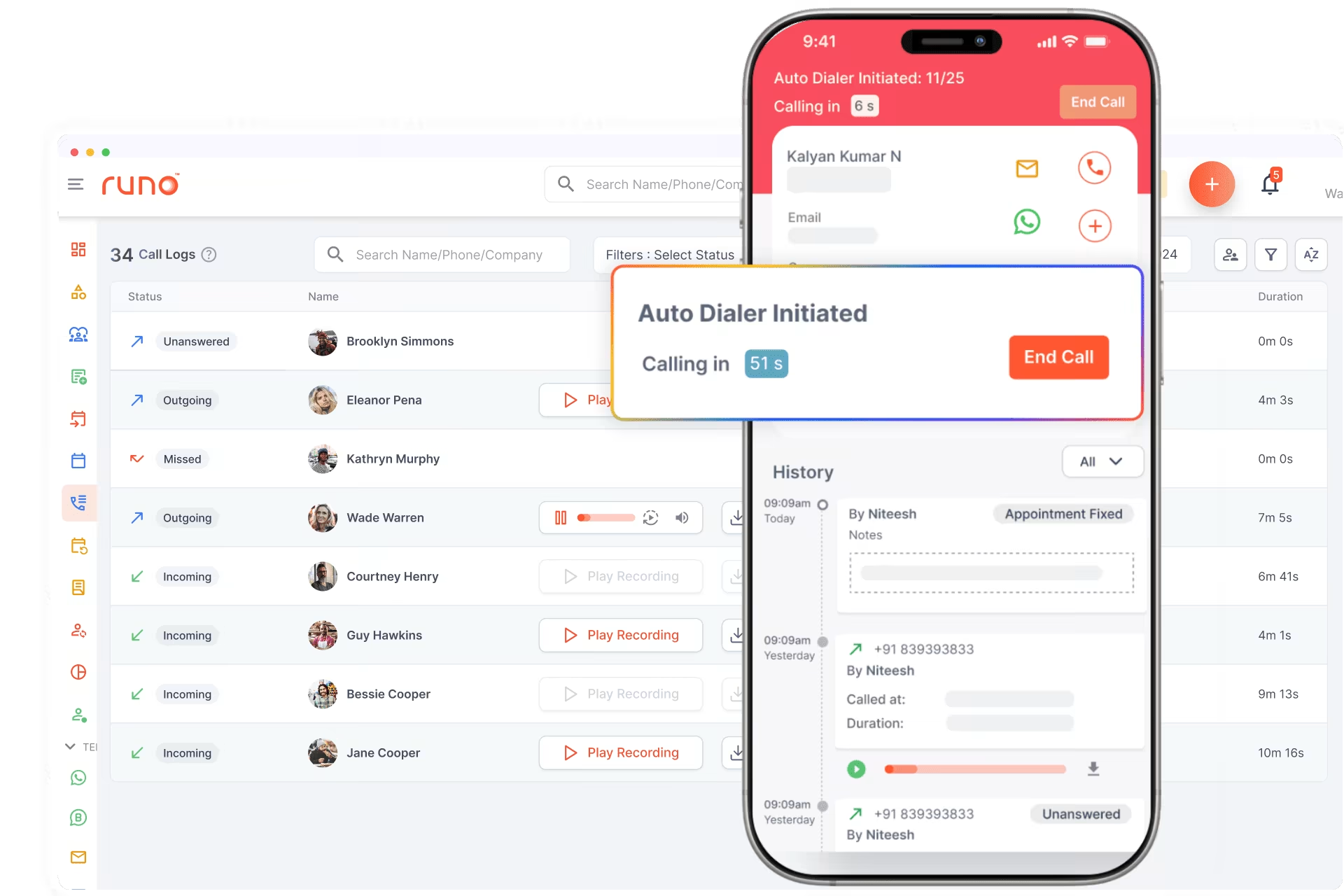
An auto dialer feature automates the process of dialing phone numbers, saving time and increasing productivity for telecallers. With an auto dialer , telecallers don’t need to manually dial numbers, eliminating the idle time between calls.
It helps a lot when the sales executive is going to call 100s of customers in one day.
Look for an app that offers different auto-dialing modes, such as predictive dialing or preview dialing, depending on your specific requirements.
4. Call Tracking
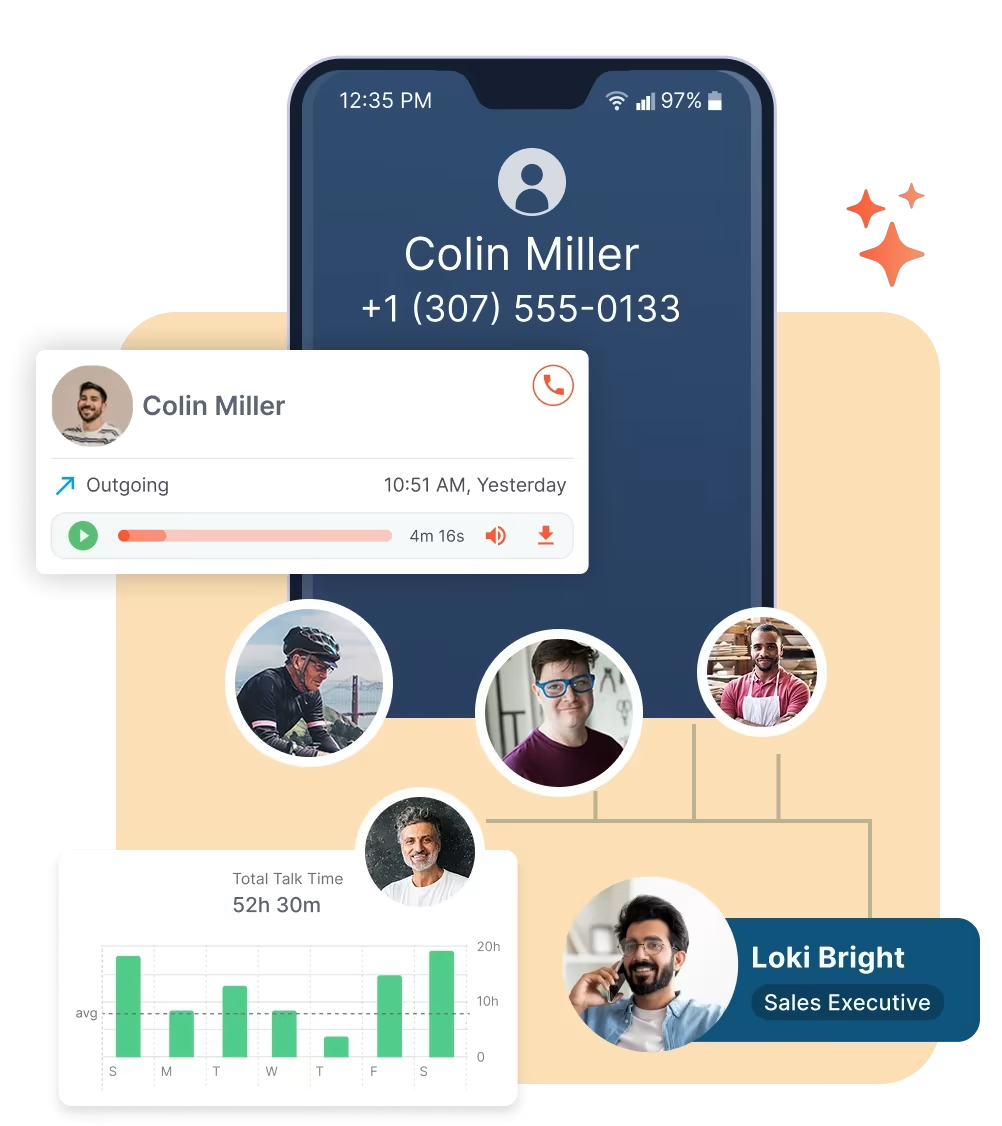
These features allow supervisors or managers to track the performance of their sales team.
With this feature, it becomes easier for managers to improve the quality of their outbound calls and help telecallers with feedback & coaching. Call tracking can give you real-time insights such as Total calls attempted, Contact Percentage, average talk time, Wrap-up time, missed calls, etc.
This feature is essential in case the team is monitored virtually or for monitoring a fairly large calling team.
5. Call Analytics and Reporting
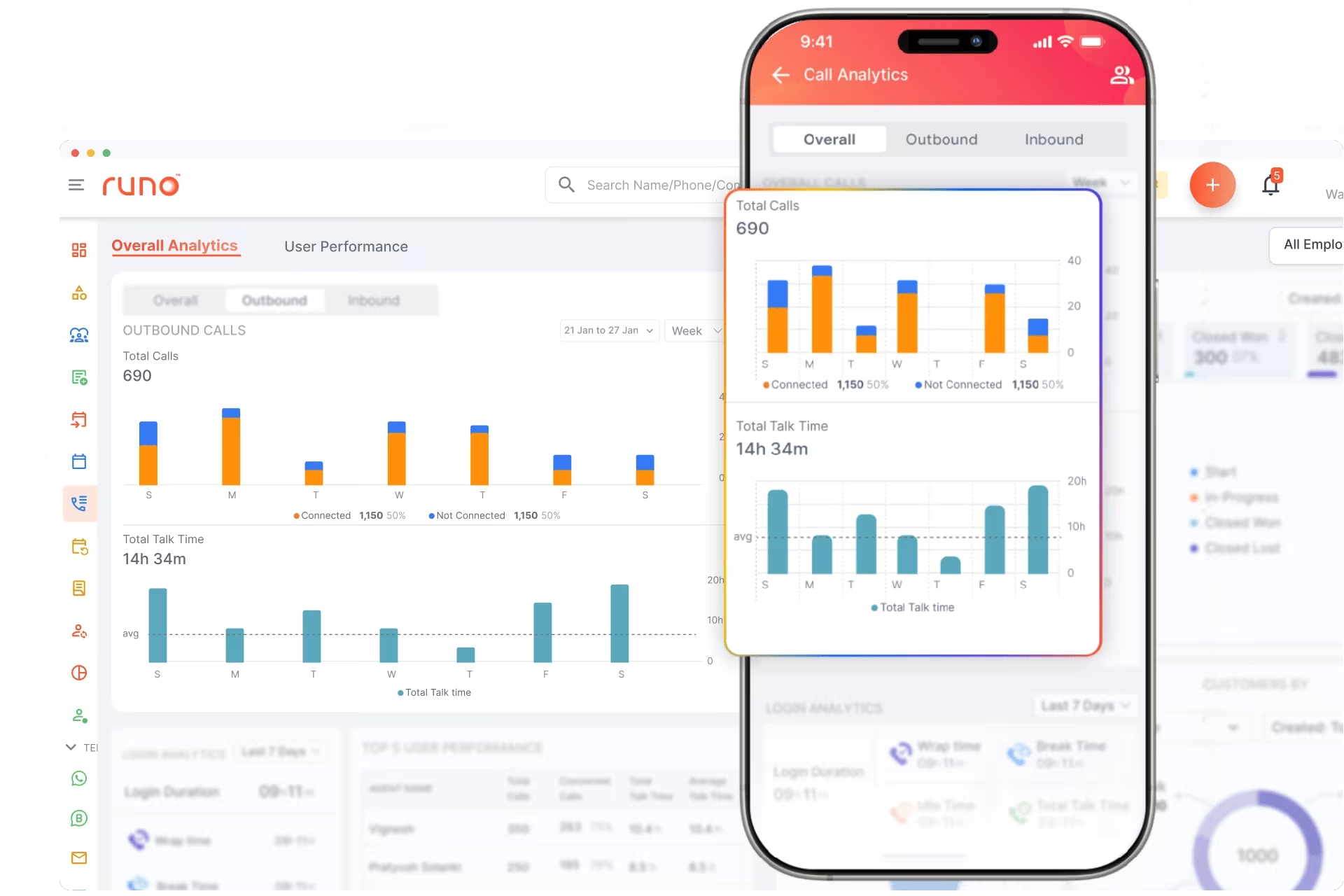
Comprehensive call analytics and reporting capabilities are vital for tracking the performance of your telecalling productivity.
Look for an app that provides detailed reports on call outcomes, conversion rates, call disposition, call duration, and other key metrics. This data allows you to measure your campaigns’ effectiveness, identify improvement areas, and make data-driven decisions.
6. Integration with Lead Sources
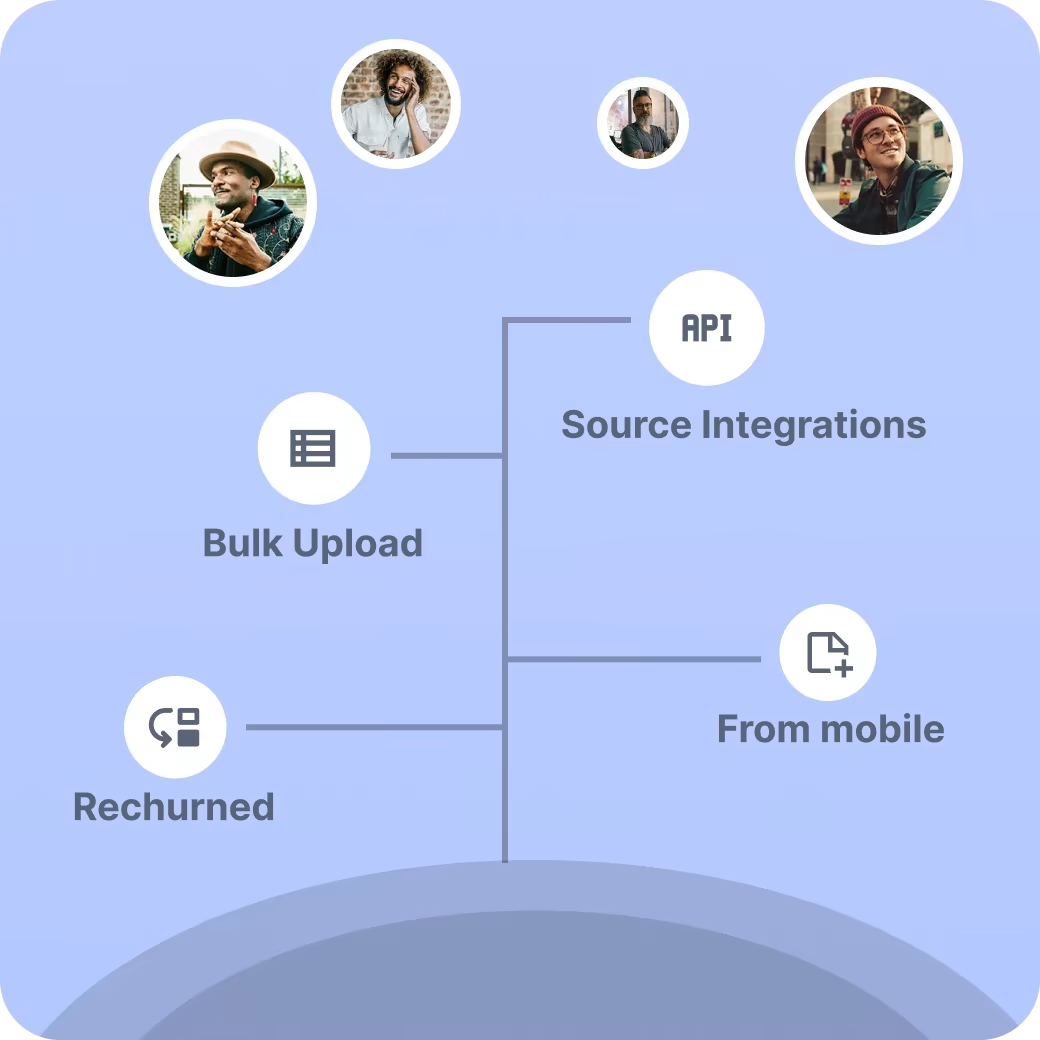
Consider telecalling apps that integrate seamlessly with your marketing platform, that generate leads for your business, such as Facebook (Meta), Website, marketplaces, and more.
This integration allows for automatic data synchronization, streamlined workflows, and a holistic view of customer interactions across different touchpoints.
In turn, it saves a lot of time for the telecaller who would instead have to feed all the data into the telecalling app and then start working on it.
7. Mobile Accessibility
In today’s mobile-centric world, having a telecalling app that offers mobile accessibility is a necessity. Look for apps that have dedicated mobile versions or are compatible with both Android& iOS platforms.
It enables telecallers to make and receive calls on the go, ensuring flexibility and productivity, especially for remote or field-based teams.
8. Customizable CRM and Reports
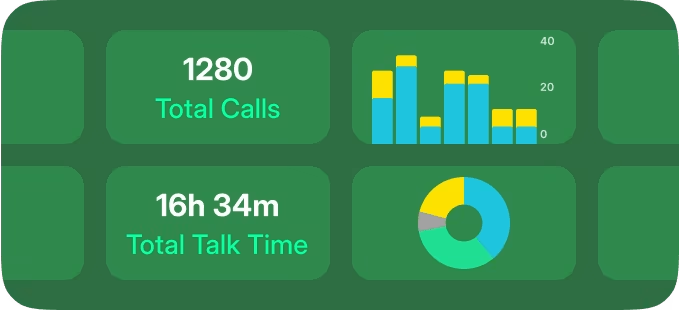
Look for a telecalling app that offers customizable CRM and reports. It allows you to personalize and track the specific metrics that matter most to your business.
Customizable reports provide a clear overview of performance, making it easier to identify trends, set goals, and monitor progress. It is better to go with an app that also offers integration with Google Sheets and Google Data Studio.
9. Call Recording
Telecalling apps with call recording features provide valuable insights into the effectiveness of your telecalling campaigns.
Call recording allows you to review conversations for training purposes, quality assurance, or dispute resolution.
Comparison Table: Telecalling Software Features
When choosing between basic calling tools and advanced telecalling software , the difference becomes clear in daily operations, call quality, and team control.
| Feature | Basic Calling Apps | Advanced Telecalling Software |
| Calling Method | Internet calling only | SIM-based calling using a mobile network |
| Call Quality | Depends on internet stability | More stable and natural call quality |
| Auto Dialer | Limited or unavailable | Yes |
| Call Recording | Basic or inconsistent | Yes, with easy access |
| CRM Integration | Rare | Seamless |
| Lead & Follow-Up Management | Manual | Built-in |
| Agent Performance Tracking | Not available | Detailed and real-time |
| Remote Agent Support | Limited | Fully supported |
| Cloud-Based Access | Partial | Yes |
| Scalability | Not suitable for growing teams | Scales easily with team size |
This comparison highlights why businesses that rely heavily on outbound or inbound calling prefer SIM-based telecalling software over basic or internet-only calling solutions. Studies show that SIM-based calling achieves 40% higher connection rates and 60% better call quality compared to internet-only solutions.
How to Choose the Best Telecaller App
Choosing the best telecalling software goes beyond basic calling features. The right tool should support your team’s daily workflow, improve call productivity, and offer better control over calling operations. Here are the key factors to consider.
Simple Setup and Easy Adoption
A good telecaller app should be quick to set up and easy to use. Agents should be able to start calling with minimal training. A clean and intuitive interface reduces errors and keeps teams focused on conversations, not software.
SIM-Based Calling for Better Connectivity
SIM-based calling is an important feature to look for. It allows calls to be placed directly using the agent’s mobile SIM instead of internet-based calling. It improves call quality, reduces call drops, and ensures higher connection rates, especially in regions with unstable internet. For many businesses, SIM-based calling offers a more reliable and natural calling experience.
Cloud-Based and Remote-Ready
Modern calling software for call center teams should be cloud-based. It allows agents to work from anywhere without special hardware. It also makes onboarding new agents faster and supports flexible work setups.
Smart Dialing Features
Auto-dialing and click-to-call features help agents connect with more leads in less time. These tools reduce manual effort and increase daily call volume without increasing workload.
Automatic Call Tracking and Recording
Every call should be logged automatically with call duration, status, and notes. Call recording is essential for quality checks, training, and performance reviews. A strong system ensures complete call visibility at all times.
Clear and Actionable Reports
Reports should go beyond basic call counts. Look for dashboards that show agent performance, follow-up status, and call outcomes. These insights help managers improve team efficiency and decision-making.
Smooth CRM Integration
The telecaller app should integrate easily with your CRM and lead management tools. It keeps customer data updated and removes the need for manual data entry after every call.
Strong Data Security and Compliance
Customer conversations contain sensitive information. The best telecalling software should offer secure data storage, role-based access, and compliance with data protection standards.
Scales as Your Team Grows
Whether you have a small team or a growing call operation, the software should scale smoothly. It should handle more agents and higher call volumes without affecting performance.
Use Cases of Telecalling Software
Telecalling software is used across industries where consistent and high-volume calling is part of daily operations. Below are the most common and practical use cases.
Sales and Inside Sales Teams
Sales teams use telecalling software to reach more leads, follow up on enquiries, and close deals faster. Features like auto-dialing, call tracking, and follow-up reminders help agents stay organised and avoid missed opportunities. SIM-based calling also ensures better call connectivity and higher pickup rates.
Customer Support and Service Teams
Support teams rely on telecalling software to handle inbound customer queries, service requests, and issue resolution. Call recording and call history help agents understand past interactions and provide quicker, more accurate support.
Call Centers and BPOs
Call centers and BPOs manage large call volumes every day. Calling software for call center operations helps monitor agent performance, track call outcomes, and maintain quality standards. Cloud-based access also supports remote and hybrid teams.
Recruitment and Staffing Agencies
Recruitment teams use telecalling software to connect with candidates, schedule interviews, and maintain conversation records. Automatic call logging saves time and keeps candidate data organised.
Real Estate and Property Consultants
Real estate teams handle frequent buyer and tenant enquiries. Telecalling software helps manage lead follow-ups, track conversations, and ensure timely callbacks, especially during peak enquiry periods.
Finance, Insurance, and Loan Services
Banks, NBFCs, and insurance firms use telecalling software for customer onboarding, renewals, payment reminders, and service calls. Secure call tracking and recordings help maintain compliance and transparency.
Education and Training Institutes
Institutes use telecalling software to follow up on admissions, student enquiries, and course updates. Lead management features ensure no enquiry is missed.
Healthcare and Appointment-Based Businesses
Clinics, diagnostic centres, and service-based businesses use telecalling software to confirm appointments, share updates, and handle patient queries efficiently.
Who Should Use a Telecaller App?
A telecaller app is suitable for any business that depends on regular phone communication to engage with customers, leads, or partners. It is beneficial for teams that handle multiple calls every day and need better control over their calling process.
Small and Medium Businesses
SMBs often manage sales, support, and follow-ups with limited resources. A telecaller app helps organise calls, track conversations, and improve productivity without increasing headcount.
Sales and Inside Sales Teams
Teams that rely on outbound calling for lead follow-ups, demos, or conversions benefit greatly from telecalling software. Features like auto-dialing, call tracking, and follow-up reminders keep sales efforts structured and consistent.
Call Centers and BPOs
Call centers handling high call volumes need reliable calling software for call center operations. A telecaller app helps monitor agent performance, maintain call quality, and manage distributed teams efficiently.
Customer Support and Service Teams
Support teams use telecaller apps to handle inbound queries, reduce missed calls, and maintain call history. It leads to faster resolution and better customer experience.
Remote and Field-Based Teams
Businesses with remote or field-based agents benefit from cloud-based, SIM-based telecalling software. Agents can work from anywhere while managers retain complete visibility into calling activity.
Startups and Growing Teams
Startups that are scaling quickly need systems that grow with them. A telecaller app provides structure, visibility, and scalability without heavy infrastructure costs.
Best Telecaller App to Try in 2026 to Connect 3x Faster
There are multiple telecaller apps available in the market, but most rely on cloud telephony or PBX setups. These typically require complex configurations, incur cloud-related costs, and use virtual numbers, which are easily identified by customers and often marked as spam, resulting in a lower call connect ratio.
To overcome these challenges and improve call connectivity, Runo has built a SIM-based Telecaller App with a Built-In CRM.
Runo
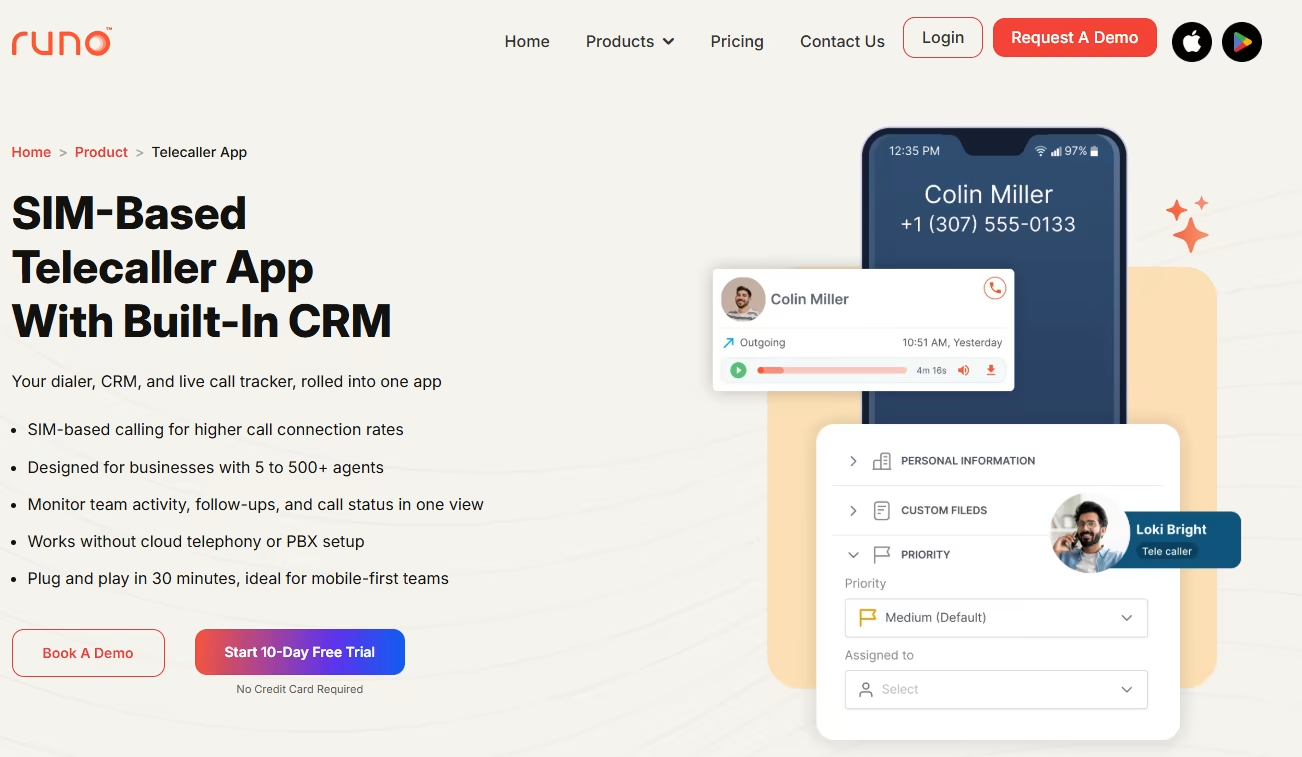
Runo is an AI-powered, SIM-based Call Management CRM explicitly designed for telecallers. It combines your dialer, CRM, and live call tracker into one powerful app, allowing you to make calls, track performance, monitor team activity , manage follow-ups, and view call status all in one place.
You can start calling within 30 minutes using your own SIM. Runo’s SIM-based calling model ensures a significantly higher call connection rate of up to 78%, without relying on cloud telephony or PBX setups.
Top Features in Runo
- Auto Dialer
- Advanced Caller ID
- Call Recording
- Live Performance Dashboard
- Follow-Up Alerts
- Lead Management
- Auto Lead Allocation
- Real-Time Team Tracking
- CRM Integration
- WhatsApp Business Support
Why SIM-Based Outbound Calling Matters for Your Business
SIM-based calling offers multiple advantages for outbound teams: higher connection rates, reduced spam tagging, lower costs, and faster setup.
You can try the Runo Telecaller App with a 10-day free trial.
Conclusion
In conclusion, telecaller apps have become indispensable tools for businesses in the realm of telemarketing . The benefits of telecaller apps, such as live call tracking, call recording, business call analytics, and in-built CRM features, cannot be overstated.
These apps empower businesses to streamline their calling operations, enhance productivity, and multiply the lead conversion rate.
In the ever-evolving landscape of telecalling, it’s crucial to choose the best telecaller app that caters to your specific needs and also helps you follow your Sales Methodology in the way it was supposed to be.
Among the top contenders in this space, Runo stands out as a comprehensive and advanced telecaller app. With its cutting-edge features and intuitive interface, Runo provides a seamless telecalling CRM at the SIM level to automate the Outbound calling process.
With Runo, businesses can benefit from an easy-to-use, robust telecaller app that leverages all the advantages of call management CRM. Secondly, unlike other Call management solutions, Runo can manage calls at the SIM level, helping to 2X your sales in less than 30 days.
Customers of Runo have witnessed more than 78% improvement in their contact ratio. Additionally, with call management, CRM, real-time analytics, and call recording, Runo offers a comprehensive solution for telecalling success.
Don’t miss out on the opportunity to elevate your telecalling game with Runo, the best telecaller app in 2026.
Frequently Asked Questions
1. How to learn telecaller skills?
To learn telecaller skills, it is beneficial to start by understanding the product or service you are promoting.
Practice active listening, develop strong communication skills, and learn effective objection handling techniques.
Additionally, seek out training programs, workshops, or online resources that guide telecalling best practices.
2. How to get better as a telecaller?
To improve as a telecaller, focus on continuous learning and development. Regularly assess your performance, seek feedback from supervisors or mentors, and identify areas for improvement.
Practice effective communication, build rapport with customers, and stay updated on industry trends.
Additionally, refine your product knowledge and stay motivated and positive during customer interactions.
3. What are some of the best telemarketing tactics?
Some effective telemarketing tactics include personalizing your approach, clearly articulating the value proposition, and creating a sense of urgency.
Building rapport with prospects, active listening, and addressing their needs and pain points are also important.
Additionally, follow up with prospects, maintain a professional tone, and utilize persuasive techniques such as storytelling and social proof to enhance your telemarketing efforts.
4. What is SIM-based telecalling software?
SIM-based telecalling software allows agents to make calls using their mobile SIM instead of internet calling. It improves call quality, reduces call drops, and offers a more natural calling experience, especially in areas with unstable internet.
5. Can telecalling remote teams use software?
Yes. Cloud-based telecalling software allows agents to work from anywhere, while managers can track calls, performance, and follow-ups in real time. It makes it suitable for remote and hybrid teams.
6. How is telecalling software different from basic calling apps?
Basic calling apps focus only on making calls. Telecalling software includes features like auto-dialing, call recording, lead management, analytics, and CRM integration, making it better suited for business and call center operations.
7. What are the most important telecaller app features?
The most important telecaller app features include call management, CRM integration, auto dialer, call tracking and analytics, lead management, call recording, and mobile accessibility. These features help businesses streamline their calling operations and improve sales productivity.
8. How do telecaller app features improve sales performance?
Telecaller app features improve sales performance by automating dialing processes, providing real-time call tracking, integrating with CRM systems for better lead management, and offering detailed analytics to optimize calling strategies and agent performance.
9. What telecaller app features are essential for small businesses?
Essential telecaller app features for small businesses include SIM-based calling, basic CRM integration, call recording, lead management, mobile accessibility, and simple reporting. These features provide core functionality without overwhelming complexity.
10. Can telecalling apps record calls automatically?
Yes, advanced telecalling software includes automatic call recording with cloud storage, playback controls, and compliance features. Recordings are used for training, quality assurance, and dispute resolution.