

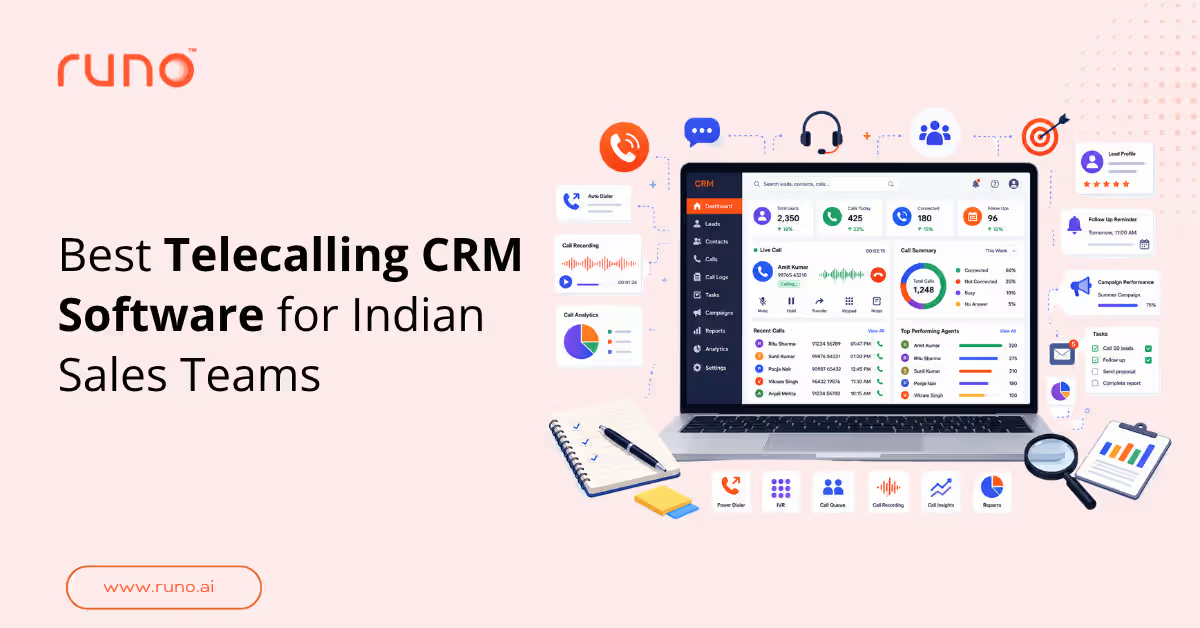
Have you ever been in this situation?
You have a long list of leads to call, but all you have is a spreadsheet. You copy a number, dial it, speak to the prospect, and then manually note down everything discussed. And when the next call comes in, you have to repeat the whole process.
Now imagine doing this for hundreds of customers every day. One missed action item, one forgotten callback, and you could end up losing a lead that was actually interested in your product.
Sounds exhausting, right?
This is where telecalling CRM software comes in. Instead of managing calls, lead details, and follow-ups separately, you get everything in one place. Your agents can spend less time updating spreadsheets and more time talking to customers.
But not every telecalling CRM works the same way. Some focus on call tracking, while others offer lead management, automated dialling, and AI-powered call insights.
In this guide, we'll compare six telecalling CRM software options for Indian sales teams in 2026: Runo, Callyzer, NeoDove, Zoho CRM, LeadSquared, and Salesforce. We'll look at what each tool offers, where it falls short, and which type of team it suits best.
Let's get started.
Why Telecalling Teams Need a Dedicated CRM?
Before comparing the tools, let's look at the problems a dedicated telecalling CRM can solve.
Manual Calling and Call Logging Slow Teams Down
An agent switches between a spreadsheet, a dialler, and a CRM record. Every switch takes time and across dozens of conversations, that manual work adds up.
Automatic call logging reduces the effort. It captures call activity against the relevant lead, where the platform supports it. Agents can then spend less time updating records and more time speaking to prospects.
Missed Follow-Ups Lead to Lost Opportunities
Imagine a prospect asking for a callback at 4 PM. The agent gets busy with other calls and forgets.
By the time someone remembers, the prospect may have moved on.
Follow-up reminders help prevent this. They keep pending callbacks visible and make it easier for agents to act at the right time. They don't guarantee a conversion, but they reduce the chances of a lead being forgotten.
Managers Need Visibility into Calling Performance
A sales manager shouldn't have to ask every agent for daily updates. Yet that's difficult when call activity sits across different phones and systems.
A telecalling CRM can bring together call outcomes, talk time, agent availability, and recorded conversations. Managers can use this information to review calls, identify gaps, and coach agents based on actual conversations.
Disconnected Tools Make Lead Management Difficult
Calling is only one part of the sales process. Agents also need to assign leads, update records, send follow-ups, and track what happens next.
When these activities happen across separate tools, information can get missed or duplicated. A connected workflow makes it easier to see who owns a lead and what needs to happen next.
The question is which software can handle these requirements without making the team's daily work more complicated.
How I Evaluated These Telecalling CRM Tools?
I compared the six tools by evaluating the key features of tools listed and how they simplify the daily workflows of sales teams.
Here's what I considered:
- Calling infrastructure: SIM-based calling, cloud telephony, and supported integrations.
- Lead management: Lead capture, assignment, ownership, and tracking.
- Calling workflows: Auto dialling, call logging, and recording.
- AI capabilities: Call summaries and conversation insights.
- Integrations: WhatsApp, existing CRMs, and lead sources.
- Team management: Reporting, agent visibility, and performance monitoring.
- Implementation: Configuration requirements and how well the tool fits the team's existing processes.
Features can vary by plan, device, and integration. Check the vendor's current documentation before making a decision.
Quick Comparison of the 6 Best Telecalling CRM Software
Here is a quick overview of the top 6 telecalling CRM software in India in 2026:
| Software | Best for | Calling options | Key capabilities | Starting price |
| Runo | Calling-led sales teams | SIM-based and cloud calling | Lead management, auto dialer, AI call summaries, Whatsapp follow-ups | ₹199/user/month |
| Callyzer | Mobile call tracking and monitoring | GSM-based call tracking | Call activity reports, missed call visibility, recording synchronisation | ₹175 - ₹275/user/month |
| NeoDove | High-volume telecalling | Auto dialer, lead management, lead-source integration | ₹17,999 to ₹24,999/month | |
| Zoho CRM | Teams using Zoho ecosystem | Zoho Voice and support telephony integrations | CRM, calling workflows, and reporting | ₹800 to ₹2,600/user/month |
| LeadSquared | Complex lead and sales operations | Dialer and supported telephony integrations | Lead management, workflow automation, multi channel messaging | ₹2,500 to ₹5,000/user/month |
| Salesforce | Enterprise sales operations | Supported telephony and contact-centre integrations | CRM, AI capabilities, enterprise reporting | $25 to $100/user/month |
The biggest difference is how each tool connects calling with the rest of the sales process. A call-monitoring tool may be enough for one team, while another may need lead assignment, automated follow-ups, and AI call summaries.
Let's look at each option in detail.
6 6 Best Telecalling CRM Software for Indian Sales Teams in 2026
Runo: Best for SIM-Based and Cloud Calling with CRM and AI
Think about how your sales team actually communicates with a lead.
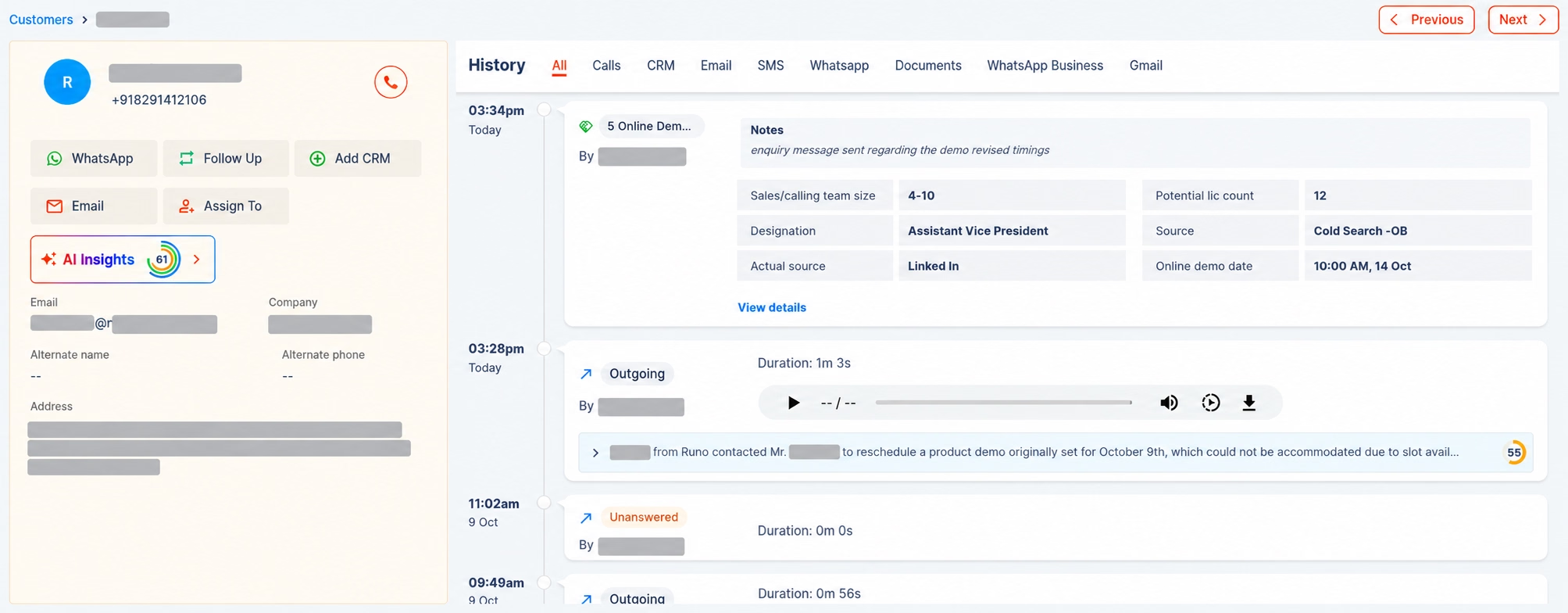
Runo is a telecalling CRM that combines SIM-based and cloud calling with lead management and AI-powered call intelligence.
For Indian sales teams that rely on mobile calling, this combination is worth considering. Agents can work with supported mobile and cloud calling options while connecting call activity to lead records and follow-up workflows.
Key features:
- SIM-based and cloud calling: Supports mobile SIM calling and cloud-based calling options within the platform.
- Auto dialler: Helps agents work through lead lists without manually entering every number.
- Automatic call logging and recording: Captures call activity and recordings where supported by the calling method and device.
- AI call summaries: Summarises conversations and highlights action items, helping agents review calls and update CRM records.
- Lead assignment: Routes leads using predefined allocation rules, subject to the available configuration.
- WhatsApp follow-ups: Supports post-call messaging workflows, including sending relevant templates or brochures.
- Manager dashboard: Gives managers visibility into team activity and available performance indicators.
Pros:
- Combines SIM-based and cloud calling options with CRM capabilities.
- Connects calling activity with lead records and follow-up workflows.
- AI call summaries can reduce the need to revisit entire conversations when updating CRM records.
- Brings calling activity and team reporting into a shared workflow.
Cons:
- Recording and AI capabilities can depend on the device and calling method. Confirm compatibility, particularly for iPhone users.
- Teams should verify that the available lead assignment and integration options match their existing workflow.
- The configuration should be tested to ensure call activity, summaries, and lead updates are captured as expected.
Best For:
Sales teams that want SIM-based and cloud calling alongside lead management, AI call summaries, and team visibility.
Pricing:
Pricing plan starts from ₹199/user/month, for more detailed information, visit the page.
Callyzer: Best for GSM Call Tracking and Monitoring
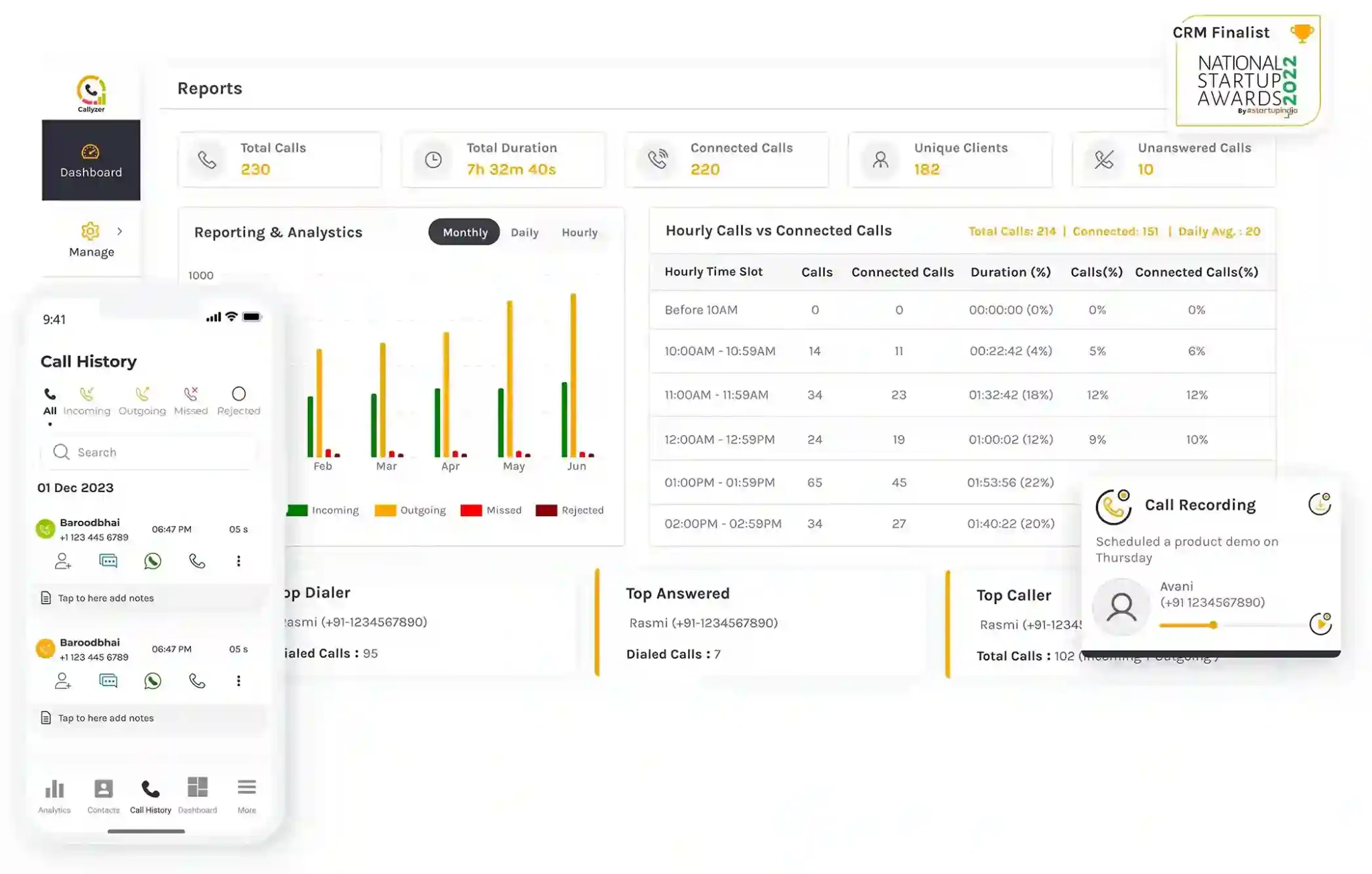
Callyzer focuses on tracking call activity from Android phones. It helps teams monitor incoming and outgoing calls, review call reports, and understand who called whom and for how long.
This makes it worth considering when the primary requirement is visibility into mobile calling activity. Teams that also need detailed pipeline management should evaluate how Callyzer fits with their existing CRM.
Key features:
- GSM-based call tracking from Android phones.
- Reports covering call activity and missed or unanswered calls.
- Recording synchronisation, where supported.
- Lead capture, distribution, and status updates on applicable plans.
- API and Zapier integrations for connecting with other business tools.
Pros:
- Tracks calling activity from the phones the team already uses.
- Gives managers a consolidated view of call activity and missed calls.
- Applicable lead-management capabilities help connect call activity with lead follow-ups.
- Integrations provide options for connecting call tracking with other systems.
Cons:
- Teams should confirm which lead-management capabilities are included in their intended plan.
- The workflow may require an additional CRM for deeper pipeline management.
- Device compatibility and recording availability should be checked before rollout.
Best for:
Teams that mainly need mobile call monitoring and reporting, with lead-management requirements that can be met through Callyzer or an existing CRM.
Pricing:
Callyzer’s plans range from ₹175 to ₹275/user/month, with CRM and lead capturing requiring additional per-module cost.
NeoDove: Best for High-Volume Telecalling Workflows
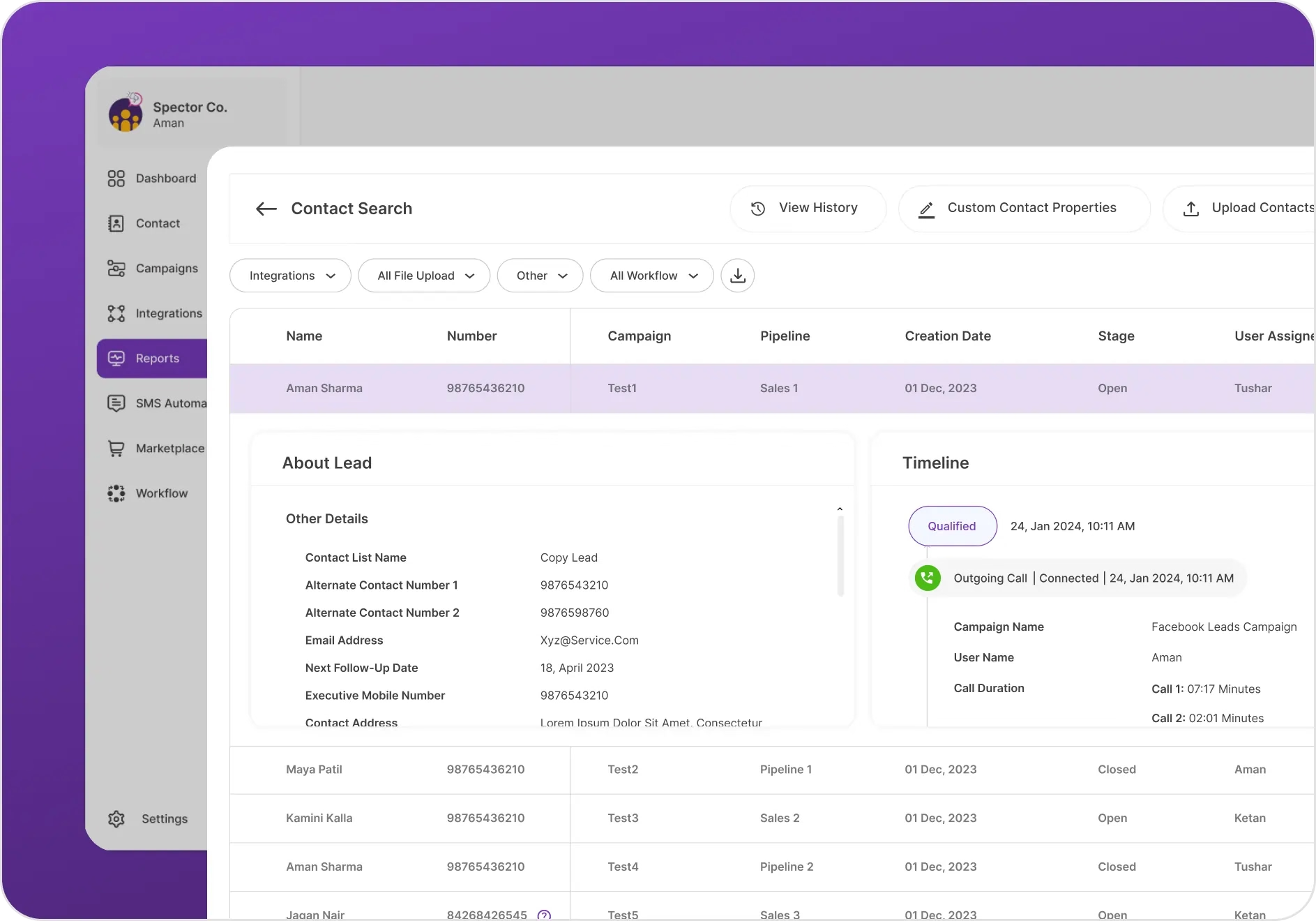
NeoDove is a telecalling CRM and auto dialler built around lead management for teams working through large lead lists.
It supports structured outbound calling workflows and integrations with lead sources. This makes it relevant for teams that handle enquiries from several channels and need a consistent way to work through them.
Key features:
- Auto dialler and structured outbound calling workflows.
- Lead management with visibility into lead history.
- Integrations with lead sources such as Facebook, IndiaMART, and JustDial, subject to current support.
- Customisable lead forms, scripts, and user roles.
Pros:
- Combines dialling workflows with lead-management capabilities.
- Supports integrations that help bring leads from different sources into one process.
- Customisable forms and scripts can help teams standardise how agents handle enquiries.
- Lead history and follow-up tracking can help managers monitor progress across large lead lists.
Cons:
- Teams should validate the setup using their actual lead volume and calling process.
- The configuration required for lead routing, scripts, and user permissions needs to be assessed before rollout.
- Integration requirements should be checked against the team's existing lead sources.
- Teams with simpler calling needs should evaluate whether the additional workflow capabilities are necessary.
Best for:
Sales operations handling high volumes of leads that need structured calling workflows and lead-source integrations.
Pricing:
NeoDove’s plans range from ₹17,999 to ₹24,999/month for up to 10 users.
Zoho CRM: Best for Teams Using the Zoho Ecosystem
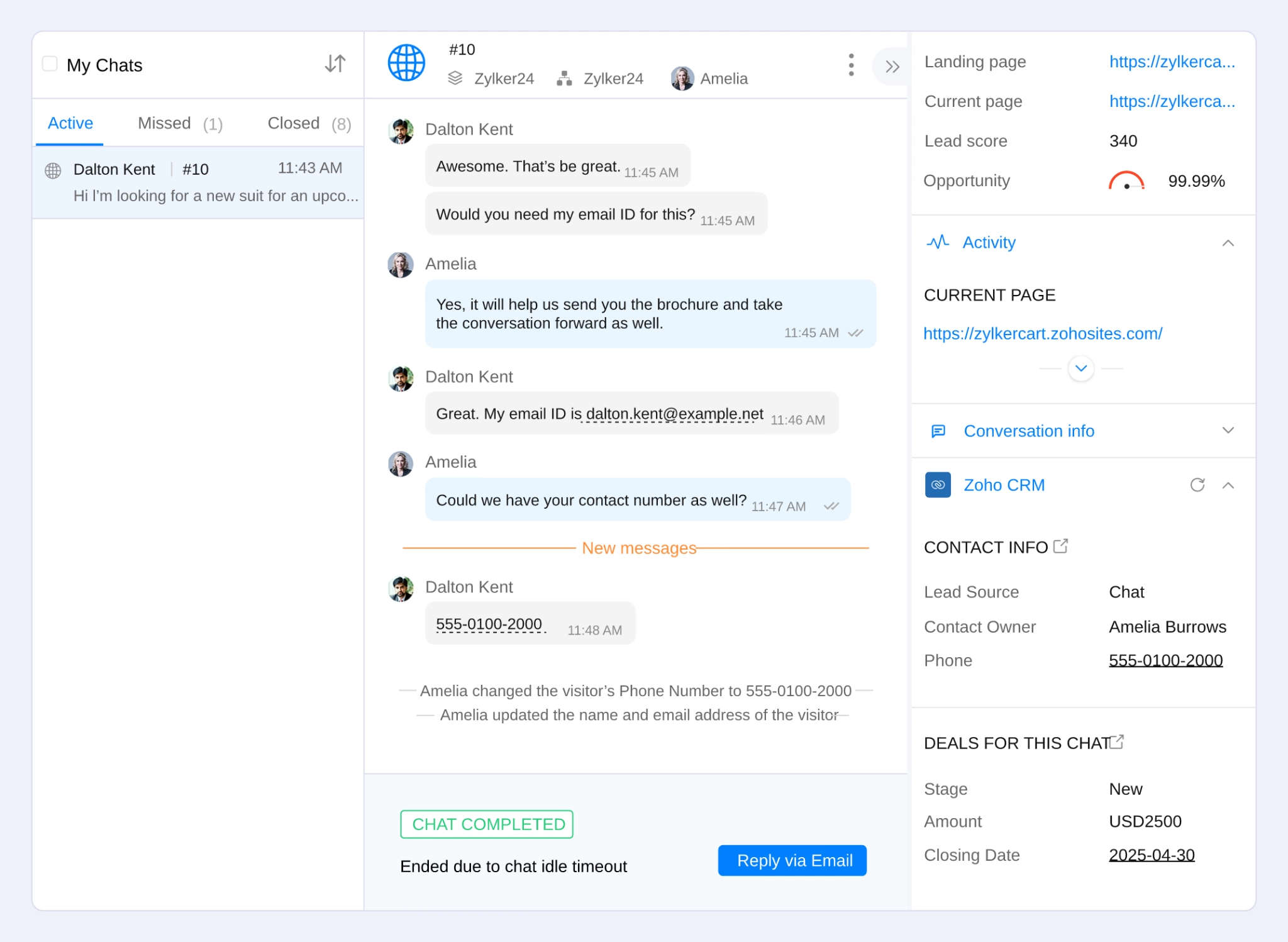
Zoho CRM provides contact, lead, and pipeline management. Calling capabilities can be added through Zoho Voice and supported third-party telephony integrations.
For teams already using Zoho products, this can be a practical way to connect calling activity with existing CRM records. The important distinction is that the available calling capabilities depend on the product, plan, and integration.
Key features:
- Contact, lead, and pipeline management within Zoho CRM.
- Click-to-call and caller history through supported calling integrations.
- Multi-level IVR and call routing through applicable Zoho Voice offerings.
- Call monitoring, whisper coaching, and power dialling where supported by the relevant plan or add-on.
- Reporting and integration with the broader Zoho ecosystem.
Pros:
- Connects calling workflows with an established CRM system.
- Offers flexibility for teams that already manage leads and sales activities through Zoho.
- Supported telephony integrations can extend calling and monitoring capabilities.
- The broader ecosystem can reduce the need to introduce an entirely separate CRM.
Cons:
- Teams need to distinguish between capabilities included in Zoho CRM and those requiring Zoho Voice or another provider.
- Some calling and monitoring workflows depend on the selected plan or add-ons.
- Configuration and customisation requirements should be tested before introducing the system to the entire team.
Best for:
Teams already using Zoho CRM that want to add calling workflows without replacing their existing CRM setup.
Pricing:
Zoho CRM’s plan ranges from ₹800 to ₹2,600/user/month.
LeadSquared: Best for Complex Lead and Sales Operations
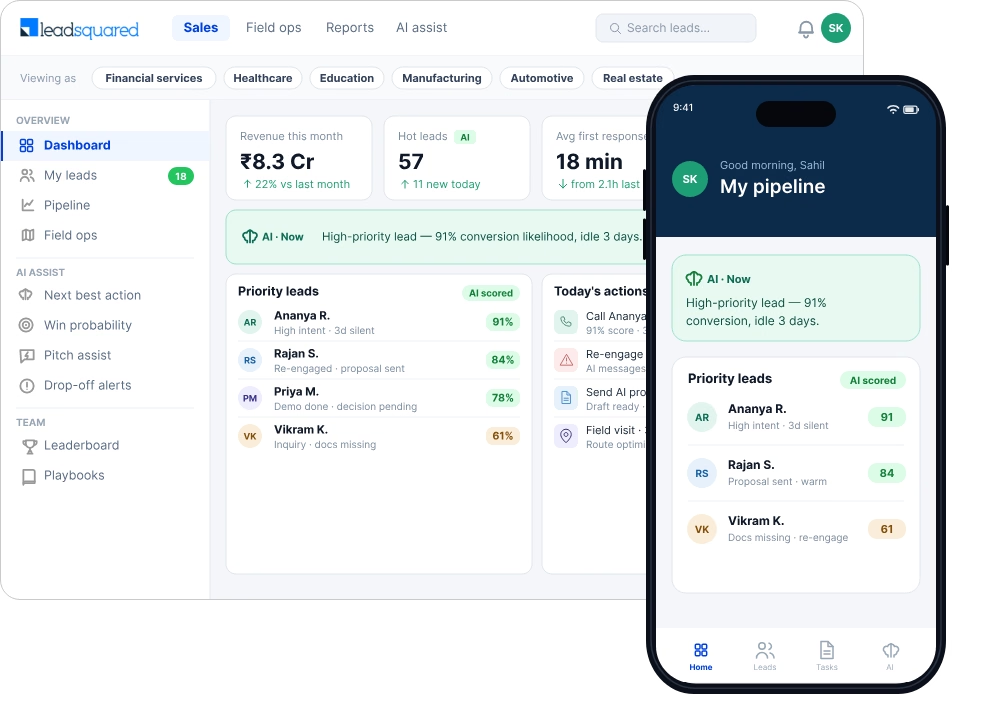
LeadSquared is a lead-management and sales-automation platform used by organisations that manage enquiries across multiple sources and sales stages.
It brings lead capture, distribution, and workflow automation together, with calling capabilities available through its supported dialler and telephony integrations.
For teams managing complex lead flows, that broader workflow coverage can be useful. Teams with straightforward calling needs should check whether they need the additional configuration.
Key features:
- Lead capture and centralised lead distribution.
- One-click calling and call-related records, depending on the setup.
- Sales workflow automation.
- Communication workflows across email, SMS, and WhatsApp, where supported.
- Mobile capabilities for field sales teams.
Pros:
- Supports complex lead-management workflows and multi-stage sales processes.
- Connects lead distribution with sales automation.
- Provides options for coordinating communication across multiple channels.
- Can accommodate teams that need structured lead handling across different sources and roles.
Cons:
- Teams need to confirm the dialler and telephony setup required for their calling workflows.
- Reporting and customisation should be assessed against the team's actual requirements.
- Configuring lead stages, assignment rules, and integrations may require additional effort.
- Calling performance depends partly on the telephony setup being used.
Best for:
Organisations with complex lead flows, multiple sales stages, and requirements for structured sales automation.
Pricing:
LeadSquared’s plans range from ₹2,500 to ₹5,000/user/month.
Salesforce: Best for Enterprise Sales Operations
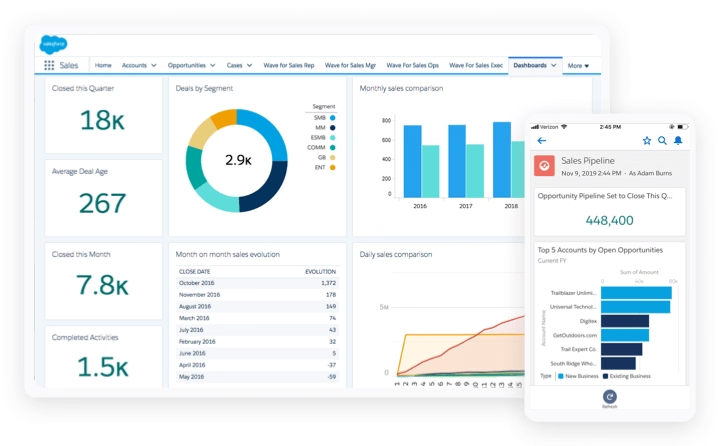
Salesforce combines CRM and sales pipeline management with a broad ecosystem of integrations. Its contact-centre and AI capabilities depend on the Salesforce products, editions, and telephony systems used.
It is worth considering for enterprises that need to connect calling activity with broader sales operations, reporting, and customer communication workflows.
Key features:
- CRM and sales pipeline management.
- Voice and omnichannel communication through supported products and integrations.
- AI capabilities for relevant sales and contact-centre workflows.
- Enterprise reporting and workflow automation.
- Integration with external telephony systems.
Pros:
- Connects sales records with broader business workflows.
- Supports complex reporting and automation requirements.
- Offers flexibility through its integration ecosystem.
- Can support organisations that need calling to work alongside established CRM processes.
Cons:
- Teams need to identify the Salesforce product that provides the required calling and contact-centre capabilities.
- The setup may involve several products, integrations, and configuration steps.
- Administration requirements should be assessed before implementation.
- Smaller teams may not need the full range of enterprise capabilities.
Best for:
Enterprises with established CRM processes, complex workflows, and the resources to configure and maintain the system.
Pricing:
Salesforce’s pricing plans range from $25 to $100/user/month.
How to Choose the Right Telecalling CRM for Your Team?
Most telecalling CRM tools cover some of the same basics. The difference lies in how they handle calling, lead management, and the workflows your team uses every day.
Here's how to narrow down your options.
Start with your calling workflows
First, look at how your agents make calls.
If they rely on mobile SIMs, check whether the platform supports that setup. If your team uses cloud telephony , confirm which providers and calling workflows the software supports.
The goal is to find a tool that fits how your agents work, rather than forcing them into an unsuitable calling process.
Also Explore: Best Telephony Providers in India
Evaluate lead assignment and follow-up management
Think about what happens after a lead comes in.
- How are leads assigned to agents?
- Can managers see who owns each lead?
- Are pending callbacks visible?
- Does the system connect call activity with lead records?
These details matter when agents handle dozens of prospects and need to keep track of every conversation.
Check AI and reporting capabilities
AI summaries and analytics are useful when they help agents prepare for the next conversation or help managers identify calls that need attention.
Prioritise capabilities that fit your team's actual workflow. More features don't necessarily mean a better fit.
Check integrations and total cost
Check compatibility with your existing CRM, WhatsApp workflows, and lead sources. Then account for subscriptions, telephony, required integrations, and implementation.
A practical approach is to shortlist two or three tools and test them with representative leads before committing to a wider rollout.
Advice: Use the same sample workflow to evaluate each shortlisted tool. Check call logging, lead updates, follow-up reminders, and what a manager can see afterwards.
Key Features to Look for in a Telecalling CRM Software
Once you have a shortlist, use these seven capabilities to evaluate how well each tool fits your team's workflow.
SIM-based Calling and Cloud Telephony
SIM-based calling and cloud telephony work differently. The right choice depends on your team's calling infrastructure, devices, and operational requirements.
Check which methods the software supports natively and which depend on integrations.
Automatic Call Logging and Recording
Call logs and recordings help teams review previous conversations and maintain records of customer interactions.
Check which call details are captured automatically, where recordings are stored, and how the system handles device restrictions. Recording workflows should also comply with applicable consent and regulatory requirements.
Lead Assignment and Follow-Up Automation
Look for rule-based lead distribution, clear ownership, and callback reminders.
These features help reduce manual coordination and make it easier to see which leads need attention.
Auto Dialler and Calling Productivity Tools
An auto dialler can help teams that work through long lead lists and make frequent outbound calls.
Teams handling fewer, more consultative conversations may have different priorities. Evaluate the dialling workflow against the way your agents actually work.
AI Call Summaries and Performance Analytics
A useful call summary captures what the next conversation needs: customer requirements, objections, commitments, and next steps.
For managers, analytics should make it easier to identify calls worth reviewing and areas where agents may need coaching.
Whatsapp and CRM Integrations
Integrations help agents maintain customer context without copying information between separate applications.
Check whether the platform supports your existing CRM, WhatsApp workflows, and lead sources. Also confirm whether the integration includes the information your team needs.
Manager Dashboard and Team Visibility
Managers should be able to review relevant calling activity, call outcomes, and agent performance without depending entirely on manual reports.
Check which metrics are available, how frequently they update, and whether they support the decisions your managers need to make.
Wrapping it Up
The right telecalling CRM depends on how your team calls, manages leads, and follows up with prospects.
Here's a simple way to narrow down your options:
- Runo: Consider it if your agents use mobile SIMs and you want calling, lead management, and AI capabilities in one workflow.
- Callyzer: Consider it if mobile call monitoring and reporting are your main requirements.
- NeoDove: Evaluate it for high-volume calling and structured lead-management workflows.
- Zoho CRM: Consider it if your team already uses Zoho and wants to extend its existing CRM setup.
- LeadSquared: Evaluate it for complex lead flows and multi-stage sales processes.
- Salesforce: Consider it if you need enterprise CRM capabilities and have the resources to configure and maintain the system.
Before committing, shortlist two or three options and test them with your actual calling workflow. Check call logging, lead updates, follow-up reminders, integrations, and manager visibility.
If Runo is on your shortlist, book a demo to see how it fits your team's requirements.
Frequently Asked Questions (FAQs)
What is the best telecalling CRM software in India??
The best option depends on your calling method, lead-management needs, integrations, and team size. Runo is worth evaluating for teams that want SIM-based and cloud calling with CRM and AI capabilities. Teams with different workflows may find other platforms a better fit.
What is the difference between telecalling software and telecalling CRM?
Telecalling software generally focuses on making and managing calls. A telecalling CRM also connects calling activity with lead records, ownership, follow-ups, and sales workflows. The exact capabilities vary by vendor.
How much does telecalling CRM software cost in India?
Costs depend on the billing model, number of users, calling infrastructure, integrations, and features included in the plan. Some tools charge per user, while others use a per-number or quote-based model. Check the complete setup cost rather than comparing subscription prices alone.
Is there free telecalling CRM software?
Some platforms offer free trials, while general CRM products may provide free editions with limited functionality. Check whether the available plan includes the calling, recording, dialling, and lead-management features your team needs.
Can telecalling CRM software work with SIM-based calling?
Yes, some platforms support SIM-based calling or mobile call tracking, while others rely on cloud telephony or third-party integrations. Check device compatibility and whether call logs and lead updates sync as required by your workflow.
What features should sales teams look for in telecalling software?
Start with calling support that matches your setup, then evaluate lead management, automatic call logging, follow-up reminders, reporting, and integrations. AI summaries and analytics are useful additions when they support the way your agents and managers work.